
Copy-and-paste workflow
Components are designed to be copied into an app rather than consumed as a dependency, so developers keep the source code and can adapt it locally.

XeVoS UI is a public React component library for developers who want copy-and-paste UI blocks built with Tailwind CSS, Framer Motion, and TypeScript. It is distributed on GitHub under an MIT license with mandatory attribution noted in the README.
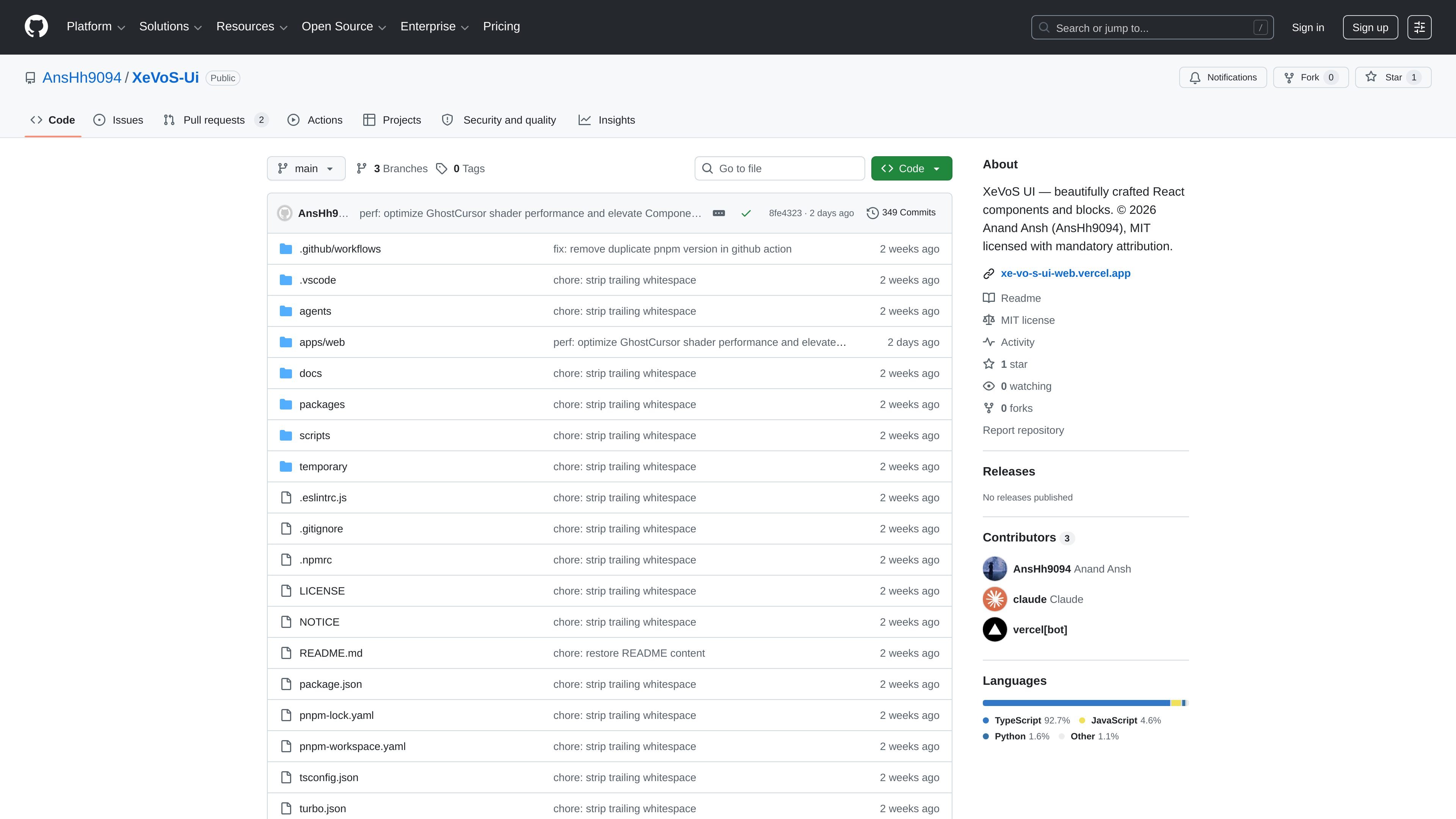
XeVoS UI is a React component library for developers who want ready-made UI blocks they can copy into applications. The README describes it as a collection of beautifully designed, interactive components built with React, Tailwind CSS, and Framer Motion, with a documentation site and package structure organized as a Turborepo monorepo.
The project is published as public source on GitHub under an MIT license, with the README noting mandatory attribution and separate license considerations for components that use GSAP. Installation guidance in the README points to the shadcn CLI, suggesting a workflow that fits shadcn-compatible component registries and code-first app development.
Components are designed to be copied into an app rather than consumed as a dependency, so developers keep the source code and can adapt it locally.
The README highlights cursor-following effects, 3D transforms, and smooth animations, indicating an emphasis on interactive UI patterns.
Styles are built with Tailwind CSS, which makes the components easier to customize without replacing a separate design system layer.
The repository says components support both light and dark modes and are built to be WAI-ARIA compliant.
TypeScript is called out as part of the stack, and the component guidelines ask for proper type definitions and sensible defaults.
Use the library when you want prebuilt UI pieces that can be pasted into a product without introducing a hard dependency on an external component package.
Teams using Tailwind and React can adopt the library to speed up interface work while keeping styles easy to adjust in code.
Designers and developers who want animated cards, hover effects, or motion-led blocks can use the components as starting points for interactive pages.
Projects that need accessible, theme-aware components can use the library as a starting point for light and dark mode interfaces with WAI-ARIA support.
The repository states that XeVoS UI can be installed through the shadcn CLI with a command such as `npx shadcn@latest add @xevos-ui/spotlight-card`. The README also describes the project as a copy-and-paste component library rather than a dependency you install in the traditional package sense.
The README describes XeVoS UI as a collection of React and Tailwind CSS components and notes that the docs site is built with Next.js. It is presented as a monorepo with a publishable component library in `packages/ui` and a documentation app in `apps/web`.
The repository is MIT licensed, but the README says the license includes mandatory attribution. It also notes that some components, including `image-trail` and `layered-stack`, depend on GSAP and require compliance with GSAP's separate license terms if you use or redistribute those components.
The README mentions dark mode support, WAI-ARIA compliant components, TypeScript, and smooth animations, but the source provided does not include a full component catalog or detailed docs for every block. The public repository and docs folder suggest a component library that is still documented through the repo structure and docs site.

ByteAsk is a terminal-first AI coding agent for C and C++ that edits repositories and verifies changes with the real compiler, debugger, sanitizers, and tests before showing a diff. It offers a free tier plus paid plans, with editor connectors and zero-retention handling described in the source.

Ghost는 채팅, 코드 생성, 터미널 작업 실행을 지원하는 터미널 기반 AI assistant입니다. 무료 모델을 제공하며 Linux, macOS, Windows를 지원하는 오픈 소스입니다.

Devin is an AI coding agent and software engineer that helps developers and engineering teams plan and execute complex software tasks. It is available through desktop, cloud, JetBrains, and CLI surfaces, with plans for individuals, teams, and enterprises.

imgcook is a design-to-code tool that converts design drafts into front-end code. It supports plugin-based and developer workflows for Sketch, Photoshop, VS Code, and CLI usage.

CreateOS Sandbox is an isolated compute environment for running code and agent workloads inside Firecracker micro-VMs. It is designed for workflows that need machine-level isolation, private networking between sandboxes, and programmatic control through SDK, CLI, or MCP.

hob is an independent workspace for coding agents that keeps agent sessions, terminals, history, and follow-up work organized around the tools and providers you already use. It is aimed at developers who want local control over routing, history, and workspace structure rather than a bundled model stack.