

LOVO
LOVO is an AI voice generator and text-to-speech tool that creates realistic voiceovers in 100+ languages with an online video editor.
What is LOVO?
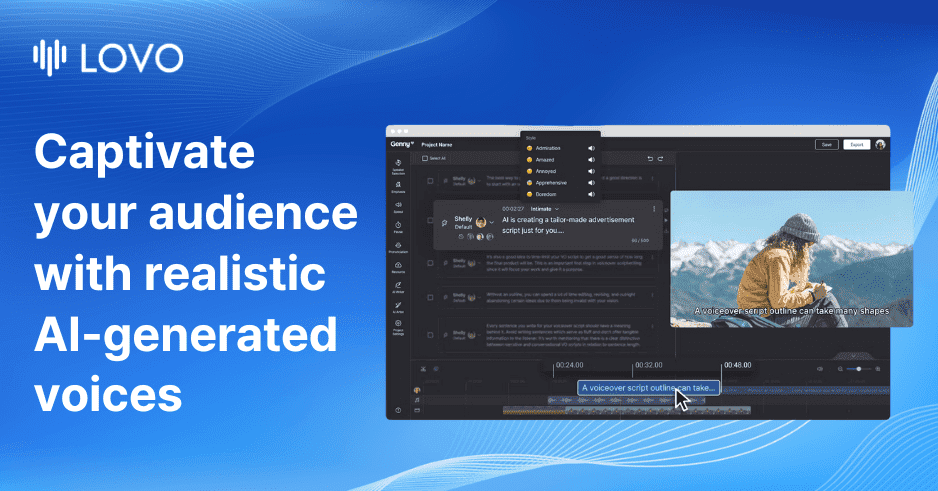
LOVO (also presented on the site as “Genny”) is an AI voice generator and text-to-speech (TTS) tool that creates voiceovers for video and other content. It provides realistic, human-like voices across 100+ languages, plus tools to pair audio with video editing and subtitles.
In addition to generating voices from text, LOVO includes voice cloning (using a minute of audio) and an API (“LOVO Open API”) that lets developers use its AI voices in their own applications or services.
Key Features
- 500+ AI voices in 100+ languages: Generate voiceovers in many supported languages for different content audiences.
- Online video editor for voiceover workflows: Edit content in the same platform to create voice-led videos.
- Text to speech with audio/video sync: Use the editor to keep audio and video aligned without sacrificing speed or accuracy (as described on the site).
- Auto subtitle generator (20+ languages): Create subtitles, then customize/animate/transform video with a few clicks.
- AI writer for scripts: Generate starting scripts quickly to reduce writer’s block.
- Voice cloning with custom voices: Create custom voices from “just one minute of audio.”
- AI art generator for royalty-free images: Generate HD royalty-free images and add them to videos.
- Genny Teams (cloud storage): Collaborate with a team and access projects via cloud storage.
- LOVO Open API: Use the AI voices in external apps/services with an integration workflow described as starting in “as little as 5 lines of code.”
How to Use LOVO
- Start a free trial or free voiceover: Begin in the LOVO/Genny interface (the site offers a “Start now for free” flow and a “14-day trial of pro”).
- Create or import your script: Use the AI writer to draft text, or provide your own script.
- Generate the voice: Choose from available voices and languages, then produce the voiceover audio.
- Add the voice to video and edit: Use the online video editor to synchronize audio and video.
- Add subtitles and visuals: Generate auto subtitles (20+ languages), customize them, and optionally generate images with the AI art generator.
- (Optional) Clone a voice or integrate via API: For custom branding, use voice cloning from one minute of audio; for developers, use the LOVO Open API.
Use Cases
- Marketing video voiceover: Turn a marketing script into an AI voiceover and synchronize it with the video using the online editor.
- Training and corporate enablement: Produce narrated training materials and align audio and video for consistent lesson pacing.
- Social media localization with subtitles: Add subtitles using the auto subtitle generator in multiple languages to broaden audience reach.
- E-learning content creation: Generate and edit voice-led course segments, then insert subtitles for accessibility.
- Custom brand voice via voice cloning: Create a tailored voice that represents a brand by cloning from one minute of audio.
- Developer-led TTS in an app: Use LOVO Open API to generate voice in a product workflow (e.g., embedding voice generation into an existing service).
FAQ
-
Which languages does LOVO support? The site lists text-to-speech support in 100+ languages and shows examples including United States/United Kingdom/China/India/Spain/Mexico/Nigeria/Ethiopia/Philippines/UAE/Egypt/Pakistan/Portugal/Brazil/Bangladesh/Russian Federation/Japan/Germany/Indonesia/Korea/Vietnam/France/Canada/Italy/Turkey/Afghanistan/Poland/Ukraine/Myanmar/Thailand.
-
Can LOVO sync audio and video automatically? Yes. The site describes synchronization in the online video editor to achieve “perfect synchronization” for voiceover workflows.
-
What is voice cloning in LOVO? The site states that voice cloning lets you create custom voices with “just one minute of audio.”
-
Does LOVO include subtitles? Yes. It includes an auto subtitle generator for 20+ languages, with options to customize, animate, and transform video.
-
Is there an API for developers? Yes. LOVO provides “LOVO Open API” so developers can use its AI voices in their own apps or services.
Alternatives
- Standalone TTS platforms with voice cloning: Alternatives in the TTS category typically focus on generating speech audio from text (and sometimes offer cloning), with less emphasis on integrated video editing and subtitles.
- Video-first creator tools with voiceover features: Video-centric tools may bundle voiceover and editing in a single workflow; compare how well they handle multilingual TTS and synchronization.
- Subtitle-first localization tools: If your main need is multilingual captions and subtitle workflows, subtitle-focused solutions can be a better fit than a combined TTS + video editor.
- API-first speech synthesis services: For developer integrations, API-focused speech providers can replace a website workflow; compare setup, language support, and how you handle editing/subtitles outside the API.
Alternatives

CAMB.AI
Turn a single live stream into a multilingual broadcast with real-time AI audio dubbing for YouTube, Twitch, X and more.

Gemini 3.1 Flash TTS
Gemini 3.1 Flash TTS by Google is a text-to-speech model for natural, expressive AI speech with granular audio tags and SynthID watermarking.

蓝藻AI
蓝藻AI is an intelligent voice-over product that converts text to speech online, supporting voice cloning and a variety of AI voice options.

Ondoku
Ondoku is a text-to-speech software that allows free reading of up to 5000 characters and offers paid plans to support reading more characters.

Typecast
Typecast is an online AI voice generator that turns your text into life-like, hyper-realistic speech with emotional text-to-speech and voice options.

Noiz AI
Clone voice, control emotion, and create lifelike speech with Noiz AI.