

M5Paper Color ESP32S3 Dev Kit
M5Paper Color ESP32S3 Dev Kit is an ESP32-S3 board with 4-inch full-color E Ink Spectra 6, Wi‑Fi, audio (mic+speaker) and sensors for IoT prototypes.
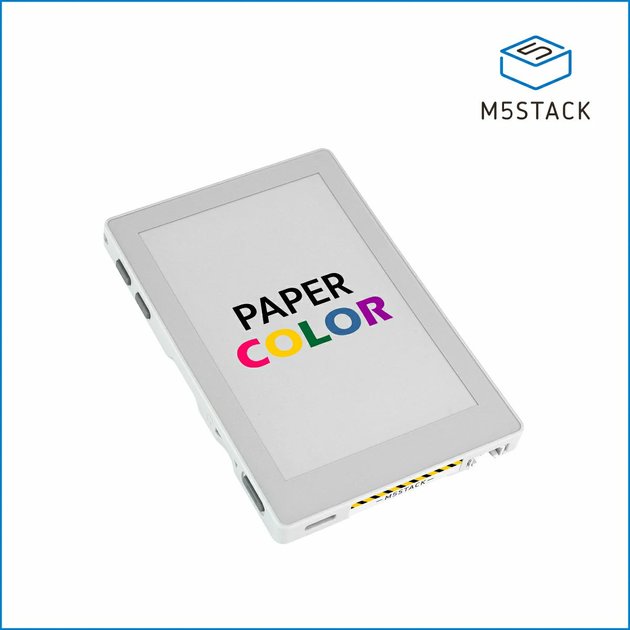
What is M5Paper Color ESP32S3 Dev Kit?
M5Paper Color ESP32S3 Dev Kit is a development board built around an ESP32-S3 that pairs a 4-inch full-color E Ink (Spectra 6) display with onboard audio and sensor inputs. Its core purpose is to help you prototype embedded and IoT products that need readable, low-power visual output along with local interaction (buttons and voice).
The kit includes a complete human-machine interaction system: programmable buttons, a speaker, and a MEMS microphone with echo cancellation for voice capture. It also provides expansion and sensing for environmental monitoring and signage-style data display.
Key Features
- 4-inch E Ink Spectra 6 full-color display (400×600 resolution): Designed for visible e-paper output suitable for displays and panels that benefit from low-power rendering.
- ESP32-S3R8 module with 16MB Flash and 8MB PSRAM: Provides the processing and memory resources for embedded applications running on the board.
- 2.4 GHz Wi‑Fi connectivity: Enables networked behavior for IoT monitoring, remote updates, or connected display applications.
- Audio interaction stack (ES8311 codec, MEMS microphone, AEC, AW8737A amplifier, 1W speaker): Supports voice capture and audio playback on the same board.
- Onboard sensing and timekeeping: Includes an SHT40 temperature & humidity sensor and an RX8130CE real-time clock.
- Local inputs, indicators, and expansion: Three user buttons, an infrared emitter, two RGB LEDs, a microSD card slot, and an HY2.0-4P expansion interface.
- Power system for longer low-power operation: Integrates M5PM1 multi-stage power management with a 1250mAh battery.
How to Use M5Paper Color ESP32S3 Dev Kit
- Set up your development environment for the ESP32-S3 (the board is based on ESP32-S3R8). Reference the included “PaperColor Applications” documentation available from the product page.
- Choose a starting example for one of the included applications (such as photo frame, data display panel, or electronic signage).
- Connect your project to the hardware interfaces you need: use the onboard buttons for interaction, the E Ink display for output, and the microphone/speaker and sensors for audio or environmental tasks.
- Configure connectivity and peripherals (e.g., Wi‑Fi, microSD, RTC) according to your application requirements.
Use Cases
- Electronic signage and low-power data panels: Use the E Ink display to show scheduled content or device status while keeping screen power usage in mind.
- Voice interaction terminals: Combine the microphone (with AEC) and speaker with button controls to create a local voice-response UI prototype.
- Environmental monitoring instruments: Read temperature and humidity from the SHT40 sensor and display measurements (optionally time-stamp with the onboard RTC).
- IoT art or gallery display installations: Use the full-color E Ink output and local inputs to present images or curated visuals driven by embedded logic.
- Photo frame prototypes with optional storage: Utilize the microSD card slot and display to build a simple digital photo frame workflow.
FAQ
-
What display does the M5Paper Color ESP32S3 Dev Kit include? It uses a 4-inch E Ink Spectra 6 full-color e-paper display with a 400×600 resolution.
-
Does the board support audio and voice capture? Yes. It includes an ES8311 audio codec, a MEMS microphone with integrated AEC echo cancellation, and a speaker system driven by an AW8737A amplifier.
-
What sensors are built in? The board includes an SHT40 temperature and humidity sensor and an RX8130CE real-time clock.
-
Is there local storage and expansion? It includes a microSD card slot for expandable storage and an HY2.0-4P expansion interface.
-
How is the board powered? It uses a 1250mAh battery along with the onboard M5PM1 multi-stage power management system, and it can be powered via USB Type‑C DC 5V.
Alternatives
- Other E Ink display development boards (with similar full-color e-paper): These focus on display-first prototyping; you would swap in a different compute platform depending on your voice/audio needs.
- ESP32-based IoT kits without E Ink (LCD/OLED variants): Suitable when you want faster-refresh visuals or different display characteristics, but you’d lose the specific low-power e-paper display approach.
- Voice-enabled microcontroller dev kits without a built-in full UI display: These are better if your primary goal is speech input/output and external displays are handled separately.
- General-purpose ESP32 IoT modules plus separate display and sensor boards: Offers maximum flexibility, but you assemble the display/sensing/audio subsystems rather than using the integrated human-machine interaction design on this kit.
Alternatives

FounderStackHub
FounderStackHub uses an always-on AI agent to scan, verify, and match startup perks like cloud credits, AI-tool credits, and SaaS discounts to your stack.

Elvixs
Elvixs is an AI job outreach tool for freshers and students—find HR contacts, generate AI cold emails, send from Gmail, and track opens.

Gossipic
Gossipic tracks how often your brand is mentioned in AI answers, analyzes sentiment, benchmarks competitors, and creates daily action plans. Start 7-day free trial.

SnapSub: Subscriptions Hub
SnapSub: Subscriptions Hub centralizes recurring services so you can track what you pay, upcoming billing dates, and get reports to review spending.

Abakada
Abakada is the Philippines’ curated directory of free, open-source tools—1,000+ verified listings across 45+ categories for students & educators.

Been There Global
Been There Global shares real stories from real travellers to help you “know before you go” and plan trips with more confidence.