
ReminderOS
ReminderOS is a reminders app for flexible recurring schedules, one-tap snoozing from notifications, and occurrence history—sync with iCloud.
What is ReminderOS?
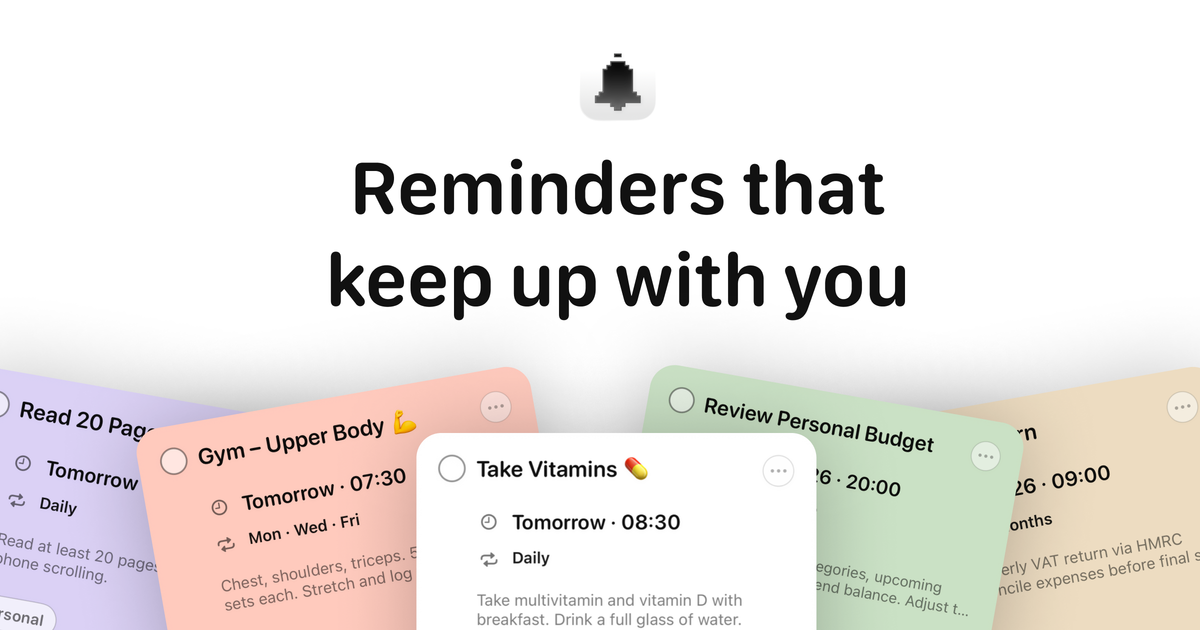
ReminderOS is a reminders app focused on recurring schedules and quick interaction from notifications. It helps you set reminders with flexible repeat rules, snooze them instantly, and review past occurrences so you can catch up on missed repeats.
The app also keeps reminders synchronized across your devices using iCloud sync, aiming to reduce friction when you add or complete reminders on different devices.
Key Features
- Flexible recurring schedules: Create reminders that repeat every set interval (e.g., every 3 days or every 2 weeks), on specific weekdays, or using custom recurring rules.
- One-tap snooze from notifications: Handle reminders directly in the notification without opening the app, including snoozing and rescheduling.
- Notification actions for workflow: From notifications, you can snooze, reschedule tasks, or mark items complete.
- Occurrence history for recurring reminders: Review past occurrences of recurring reminders to catch up on repeats you may have missed.
- iCloud sync across devices: Reminders stay updated across devices with iCloud sync, without requiring extra accounts (as described on the page).
- Privacy-first design: The page emphasizes privacy-first by design, with no ads and no clutter.
How to Use ReminderOS
- Create a reminder using either a simple recurring interval (e.g., every few days/weeks) or a more specific schedule (e.g., particular weekdays or a custom repeat rule).
- Rely on notification controls to manage reminders quickly: when a reminder fires, use the notification to snooze, reschedule, or mark it complete.
- Check occurrence history for recurring reminders to review what already happened and to catch up on missed repeats.
- Use iCloud sync so reminders you add or update on one device are available on your other devices.
Use Cases
- Work deadlines & recurring follow-ups: Set recurring task reminders for checklists and deadlines so follow-ups keep happening on schedule.
- Medication and routine adherence: Use custom repeat rules to trigger medication reminders and other personal routines at consistent times.
- Study schedules and daily life admin: Create repeat reminders for study plans and everyday admin tasks to reduce the need to remember them manually.
- Habits and workouts: Schedule repeating reminders for workouts or habit check-ins using weekday-based or interval-based recurrence.
- Personal or shared planning: The page mentions shared lists with a partner, where reminders and planning updates can be coordinated.
FAQ
-
Can I snooze reminders without opening the app?
Yes. The page states you can snooze reminders instantly from notifications. -
What kinds of recurring schedules can I set?
You can set reminders on intervals (e.g., every 3 days, every 2 weeks), on specific weekdays, or with custom recurring intervals/rules. -
How do occurrence history and catch-up work for recurring reminders?
ReminderOS includes occurrence history for recurring reminders, so you can review past occurrences and catch up on missed repeats. -
Do reminders sync across my devices?
Yes. The page says reminders sync across devices with iCloud sync. -
Is there advertising in the app?
The page states there are no ads.
Alternatives
- Built-in calendar/reminders apps: Many operating systems offer recurring reminders and snooze/notification controls, but they may provide less emphasis on occurrence history for recurring reminders.
- Other task management apps with recurring tasks: Apps that focus on task lists and recurring items can cover similar scheduling needs; workflows may differ because ReminderOS centers notifications and recurrence history.
- General productivity planners: Weekly planners and habit-tracking tools can help organize routines, but they may require more manual review compared with occurrence history tied to recurring reminders.
- Notification-first reminder tools: Some apps prioritize quick actions from notifications; the difference is whether they include custom recurring rules and a built-in occurrence history for missed repeats.
Alternatives

Planndu: Daily Task Planner
Planndu is an intuitive productivity application designed to help users organize tasks, manage projects, build routines, and enhance focus using tools like AI generation and a built-in Pomodoro timer.

Biji
Biji is a versatile platform designed to enhance productivity through innovative tools and features.

LIAM
LIAM is an AI copilot that drafts email replies, organizes your inbox with auto-labels and prioritization, and schedules meetings from your calendar.

Gemma AI
Gemma AI is a smart application that calls you directly with personalized, intelligent voice reminders to ensure you never miss important tasks, appointments, or deadlines.

ClawTick
ClawTick is a CLI-first AI agent automation platform for scheduling webhook tasks on cron with monitoring, alerts, retries, and execution logs.

Decision Jar
Create virtual jars of options with Decision Jar—shake your phone to pick instantly, use AI suggestions, and view decision logs over time.