
Browser, repo, and webhook triggers
Launch sessions from the browser, connected GitHub repositories, or inbound webhooks from CI, monitoring, ticketing, and internal systems.

AFK by Mooglest is a browser-based command center for engineering teams to launch, monitor, and resume coding-agent sessions. It supports BYOK model routing, durable session memory, review gates, and daemon-based execution on macOS or Linux.
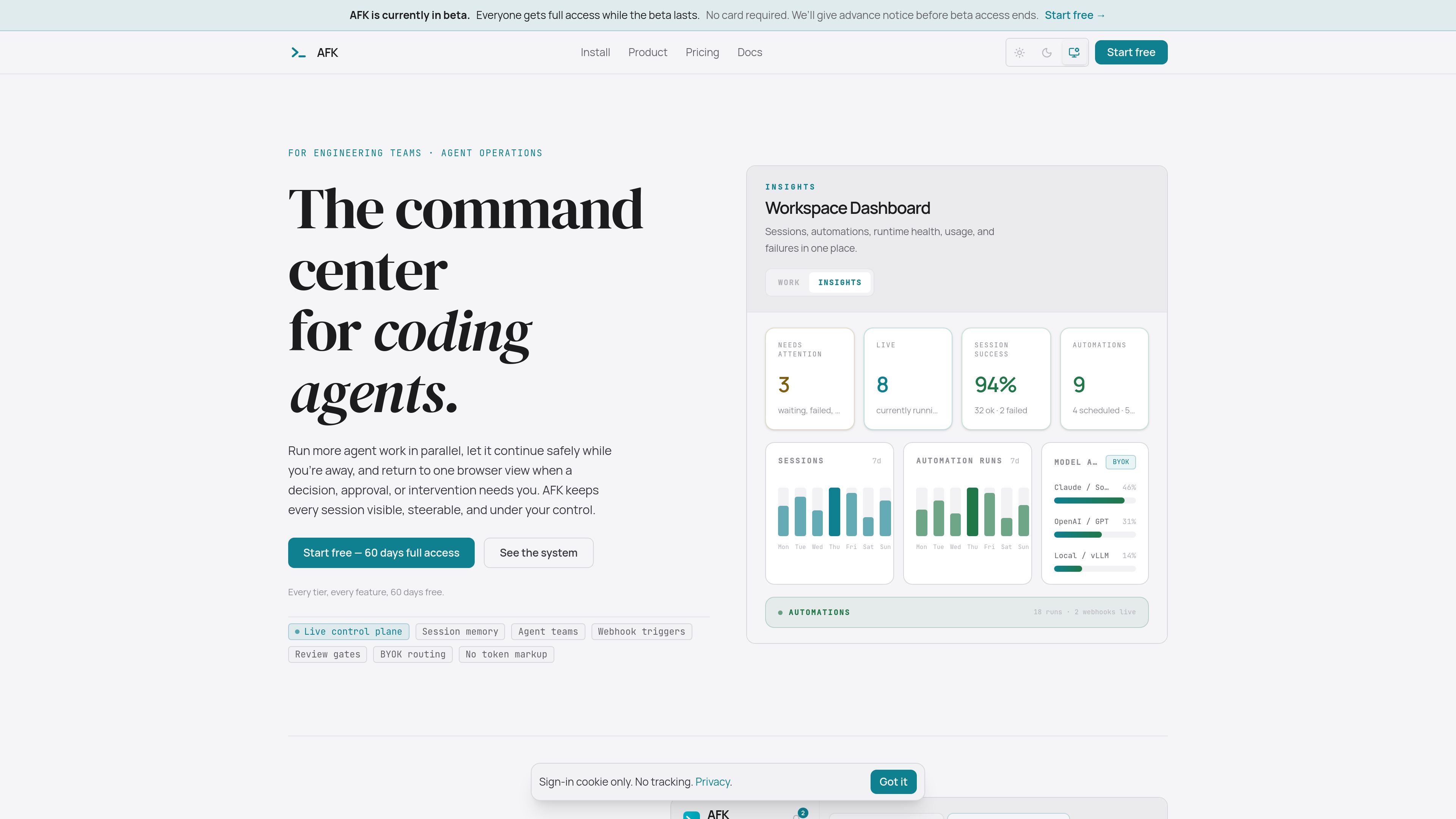
AFK by Mooglest is a coding-agent command center for engineering teams. It provides a browser-based place to launch, inspect, steer, and resume agent sessions while work continues on a daemon connected to your machine or company server.
The product is built as an orchestration layer rather than a model provider. AFK keeps session history, tool calls, outputs, costs, approvals, and handoffs visible and resumable, while letting teams use their own model providers and execution environments.
Launch sessions from the browser, connected GitHub repositories, or inbound webhooks from CI, monitoring, ticketing, and internal systems.
Keep prompts, plans, tool calls, outputs, costs, context, and handoffs as durable operational memory that survives reconnects.
Spawn specialist sub-agents, delegate focused work, exchange messages, and bring results back into the parent session.
Use plan mode, permission modes, and hooks to review intended changes and enforce guardrails before tools run or edits are applied.
Route through your own provider accounts and keep inference separate from AFK, including hosted APIs, private endpoints, or OpenAI-compatible local models.
Run work on the host, in Docker, in worktrees, or on a shared daemon, with browser-visible execution under team control.
A developer starts a session from the browser, monitors tool calls and costs, and steps in only when the agent reaches a write or approval gate.
A team uses webhooks from CI, monitoring, ticketing, or internal systems to trigger agent work when events occur outside the editor.
An engineer delegates narrow tasks to sub-agents, then merges their results back into the parent session instead of managing each task separately.
A group running a shared daemon on company infrastructure keeps repositories inside its network and lets teammates launch sessions through the browser over VPN.
A Slack-enabled workflow starts an approved automation from a DM or channel mention, then continues in the same durable session thread.
AFK runs as a browser command center paired with a daemon on macOS or Linux. The install flow uses an account token, and the daemon dials out to the hosted hub, so no inbound firewall rules are needed. Windows users are directed to WSL2 or to a shared daemon on a macOS/Linux machine.
AFK supports any model or endpoint you already have access to, including Anthropic, OpenAI and ChatGPT subscription connections, Google Gemini, Mistral, Groq, xAI, DeepSeek, Together AI, Perplexity, Cerebras, Azure OpenAI, and OpenAI-compatible local endpoints such as Ollama or LM Studio. AFK says it does not proxy or mark up inference.
AFK provides practical human-in-the-loop controls today through permission modes, plan mode, and hooks. Permission modes can ask before write or execute tools, or before every tool call, while plan mode lets the agent propose an approach before editing begins.
AFK is designed for engineers and teams that want persistent, visible agent work rather than a standalone model interface. It is positioned as an orchestration and control layer around coding-agent sessions, memory, approvals, and coordination.
AFK does not clone or upload your repositories to Mooglest servers. Agents run on your machine or company server against your filesystem, while session history can contain the prompts, tool output, diffs, paths, or snippets you choose to send through the service.

hob is an independent workspace for coding agents that keeps agent sessions, terminals, history, and follow-up work organized around the tools and providers you already use. It is aimed at developers who want local control over routing, history, and workspace structure rather than a bundled model stack.

ByteAsk is a terminal-first AI coding agent for C and C++ that edits repositories and verifies changes with the real compiler, debugger, sanitizers, and tests before showing a diff. It offers a free tier plus paid plans, with editor connectors and zero-retention handling described in the source.

CreateOS Sandbox is an isolated compute environment for running code and agent workloads inside Firecracker micro-VMs. It is designed for workflows that need machine-level isolation, private networking between sandboxes, and programmatic control through SDK, CLI, or MCP.

Manta AI is an autonomous web app testing tool for teams that want to map application behavior, catch regressions, and generate tests without writing scripts or maintaining selectors. It works from a URL and supports plain-English test flows, run results with screenshots, and scheduled or deployment-triggered checks.

SonOf connects to your repo and PM tool, audits the codebase and surrounding product context, and turns approved work into shipped tickets with senior engineering review. It is aimed at founders and engineering leaders who need backlog help without hiring a full team immediately.

Ghost é um assistente de IA para terminal, para conversar, gerar código e executar tarefas no prompt. Traz modelos gratuitos, funciona no Linux, macOS e Windows e é open source.