
Single-editor content creation
Build posts in one editor and adapt them for different platforms without starting from scratch each time.

AutoPosts is a social media scheduling and publishing tool that helps individuals and teams plan, draft, and publish posts from one dashboard. It supports bulk scheduling, RSS automation, templates, previews, and analytics across multiple connected accounts.
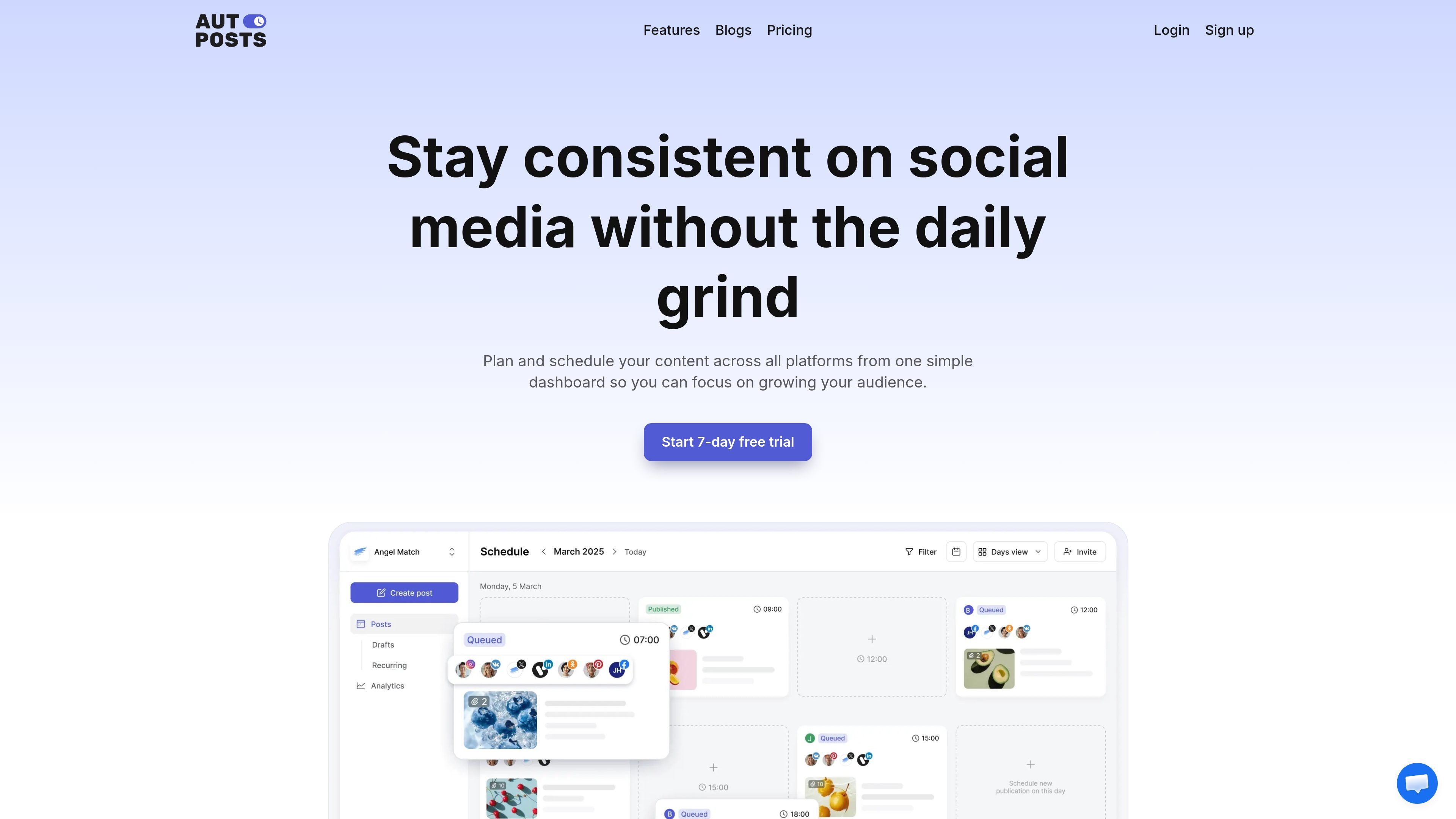
AutoPosts is a social media scheduling and publishing tool built around centralized planning. It lets users connect multiple social accounts, draft content once, and schedule posts across supported platforms from a single dashboard.
The product combines automated publishing with content management features such as drafts, templates, previews, RSS-based automation, bulk CSV uploads, and analytics. Its main purpose is to help individuals and teams keep a consistent posting cadence without logging into each network separately.
Build posts in one editor and adapt them for different platforms without starting from scratch each time.
Schedule a full month of posts in one session, choose the platform, date, and time, and let posts publish automatically.
Reuse saved captions, hashtags, CTAs, and post templates to speed up repetitive publishing work.
Upload videos, add automatic watermarks, and use preview views to check how posts will appear before publishing.
Turn RSS feeds, Excel, or CSV uploads into scheduled posts, with the option to edit auto-imported content before it goes live.
Track account-wide and post-level performance, including followers, impressions, reach, video views, clicks, shares, comments, and saves, with reports and analytics integrations.
Plan a month of posts in one sitting, then let AutoPosts publish them on the chosen schedule across multiple accounts.
Bring blog or site updates into social channels through RSS automation, then edit the imported post before it publishes.
Manage client or brand accounts from one place instead of switching between tabs and logins for each network.
Review drafts, assign roles, and compare performance in the same workspace when multiple people help manage the calendar.
Upload posts in bulk from Excel or CSV when you need to migrate a campaign or load a large batch of planned updates.
AutoPosts is set up as a subscription service. You create an account, connect your social profiles, and then schedule or publish content from the dashboard. The site also offers a free trial before a paid plan starts.
The site says AutoPosts supports Facebook, Instagram, LinkedIn, X (Twitter), Telegram, VK, and Odnoklassniki. Its terms also mention integrations with Facebook, LinkedIn, TikTok, Instagram, and X/Twitter, so platform availability may depend on the connected service.
Paid plans include account and workspace limits that vary by tier. The Basic plan includes 10 social accounts and 1 user account, Premium includes 25 social accounts, unlimited team members, and 5 workspaces, and Premium+ includes 50 social accounts, unlimited team members, and unlimited workspaces.
The refund policy says AutoPosts subscriptions are generally non-refundable, with limited exceptions for proven technical issues caused by AutoPosts or billing errors. It also states that refunds can be requested within 7 days of the initial payment if the service was unusable because of a technical issue on AutoPosts’ side and the issue was reported to support during that time.
The refund policy states that AutoPosts offers a 14-day free trial and requires a valid payment method to start it. The subscription converts to a paid plan automatically unless you cancel before the trial ends.

SocialEcho is an all-in-one social media AI workspace for publishing, engagement, listening, analytics, and automation across major networks. It is built for creators, brand teams, agencies, and businesses that want to manage multiple accounts from one system.

Liam is an AI copilot for managing inboxes, writing replies, prioritizing email, and scheduling meetings. It is offered free for individuals, with custom pricing for teams and enterprise.

Gemma AI is a phone call reminder app that calls you with scheduled reminders instead of push notifications. It helps people who want a more direct way to stay on schedule, with Google Calendar sync and conversational call interactions.

ClawTick is an AI agent automation platform for scheduling jobs from the CLI, dashboard, or REST API. It is aimed at developers and teams running LangChain, CrewAI, webhook, or custom agent workflows that need monitoring, alerts, and logs.

SelectPrism is an agentic AI hiring platform for high-volume recruiting teams. It automates screening, scheduling, first-round interviews, and structured evaluation to help teams move candidates through hiring with less manual coordination.

Fountain is a frontline workforce platform for hiring, onboarding, sourcing, and scheduling at high-volume employers. It combines Frontline OS with partner integrations and AI-assisted workflows to help teams move candidates and workers through frontline operations.