
Save places and items with context
Save restaurants, cafes, shops, parks, dishes, and products in a few taps. Blinko fills in details such as hours, pricing, what regulars order, and outdoor seating when available.

Blinko is a consumer app for saving places, chatting with friends or family, and turning spots into plans, trips, and shared tasks. It also offers business automation features on separate pricing plans.
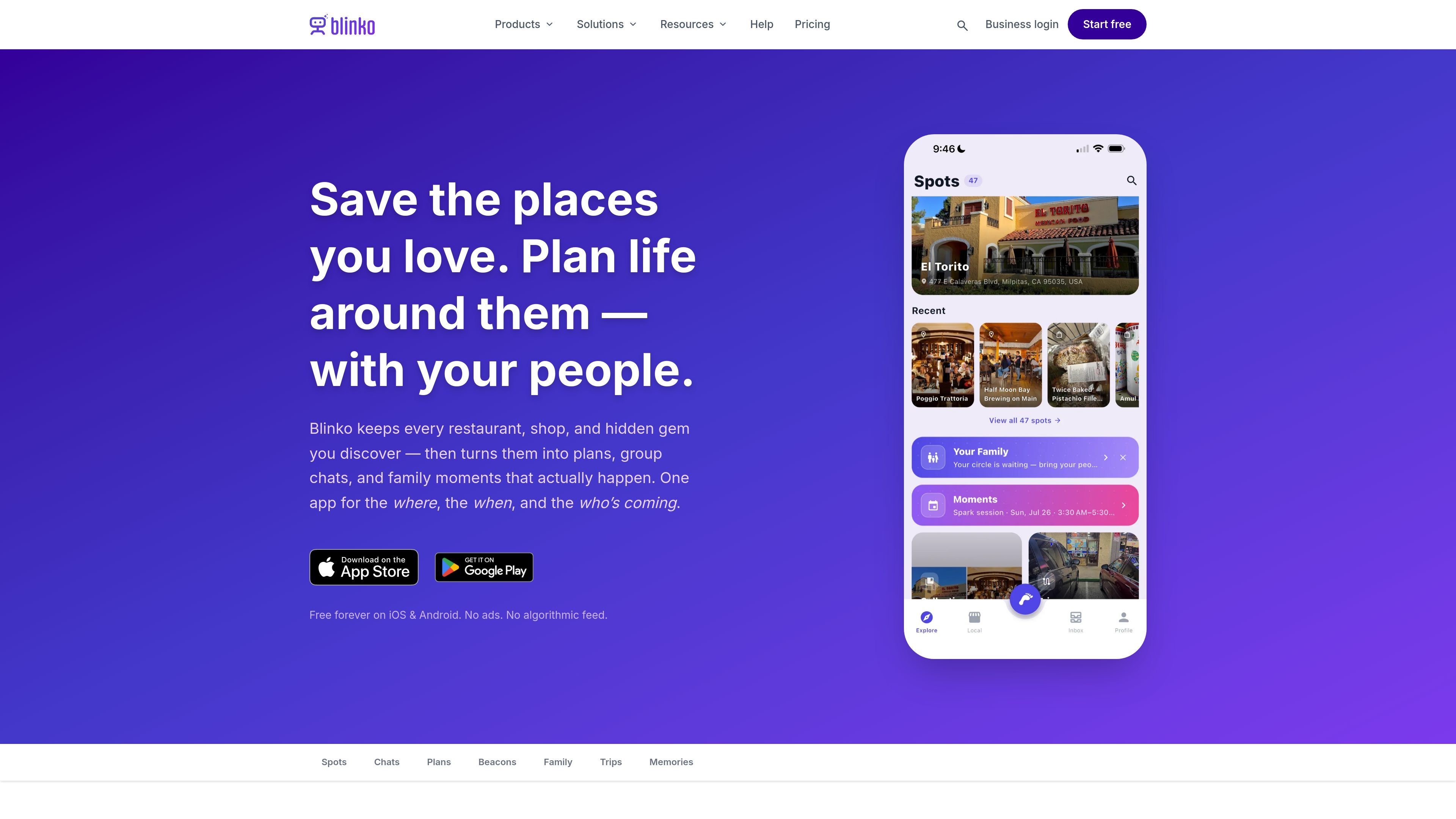
Blinko is a consumer app for saving places, chatting with your people, and turning ideas into plans. It centers on spots, group conversations, RSVP-based plans, private family coordination, and lightweight trip planning on iOS, Android, and the web.
The consumer experience is built around turning scattered recommendations and group-chat threads into something organized and actionable. You can save a place or item, share it into a chat as a card, create a plan from that spot, and keep the conversation, tasks, and reminders in one place. Blinko also includes a private Family circle, offline support, and browser-based RSVPs for people who do not have the app.
Save restaurants, cafes, shops, parks, dishes, and products in a few taps. Blinko fills in details such as hours, pricing, what regulars order, and outdoor seating when available.
Turn a saved spot into a plan card with time, place, guests, RSVP buttons, reminders, and add-to-calendar support. Guests without the app can respond from a browser link.
Use group chats to share spots, assign tasks, manage lists, and check in when you arrive. Each item stays as a live card in the thread instead of a link or separate app.
Create a private Family circle for planning dinners, splitting errands, sharing spots, and sending a quick home check-in. The consumer page says family is private by design and does not include location tracking.
Create trips from saved spots and let Blinko map the route and order the stops. The trip can be saved later as a Memory with notes, photos, and date.
For businesses, Blinko includes automations, payments, invoices, booking requests, customer messages, campaign recommendations, and analytics on paid plans.
Save a restaurant, café, shop, or park as soon as you find it, then return to it later with the details already filled in. This is useful when recommendations arrive in messages or when you want to keep a shortlist of places to try.
Turn a saved spot into a concrete plan for dinner, a weekend outing, or a meetup. The plan card handles RSVP, reminders, and calendar sharing so the decision can move out of the group chat and into something actionable.
Use the chat thread itself to manage the details of a shared activity, such as who is bringing what, what needs to be bought, or what task each person owns. Cards stay in context instead of scattering across multiple apps.
Give family members one private space for dinner planning, errands, and quick check-ins. The app is positioned for family coordination without location tracking, so it is suited to routine household communication.
Map out a food crawl, walking tour, or weekend trip from saved spots, then keep the finished outing as a Memory with notes, photos, and date. This fits people who like to revisit the places and plans that mattered.
Blinko is described as free forever on iOS and Android, with no ads and no algorithmic feed. It also offers browser RSVP links for guests who do not have the app.
The consumer plan pages describe plans as cards with RSVPs, tasks, reminders, check-ins, lists, and shared spots. They can be posted into group chats, and guests can respond from a browser link if needed.
Blinko uses QR-based friendship and invite flows. Friends can scan each other’s QR codes in person, and family members can join through a personal invite code sent by text.
The consumer pages describe saved spots, dishes, products, collections, trips, memories, private family circles, and group chats. The pricing page also notes business tools such as payments, automations, invoices, campaigns, and bookings.
The pricing page shows Free, Indie, Business, and Enterprise plans for local businesses. Free is forever, paid plans include a 15-day trial, and Enterprise uses a contact-sales flow.

Biji é uma plataforma versátil projetada para aumentar a produtividade por meio de ferramentas e recursos inovadores.

Malyatko is a baby tracker for logging feeding, sleep, growth, teething, and milestones in one app. It works on iPhone, Apple Watch, and widgets, with no sign-up, offline use, and family sharing through iCloud.

hob is an independent workspace for coding agents that keeps agent sessions, terminals, history, and follow-up work organized around the tools and providers you already use. It is aimed at developers who want local control over routing, history, and workspace structure rather than a bundled model stack.

Gemma AI is a phone call reminder app that calls you with scheduled reminders instead of push notifications. It helps people who want a more direct way to stay on schedule, with Google Calendar sync and conversational call interactions.

Spotit é um app para macOS que lê sua tela em outro app e destaca exatamente onde clicar, com perguntas por voz e orientação na tela.

Dcyde is a decision log for product teams that captures what was decided, the reasoning behind it, and the source in one shared place. It supports pinning decisions from Slack, Figma, or inside Dcyde and keeps the record searchable over time.