
Infinite canvas workspace
Arrange terminals, Monaco editors, browsers, parallel git worktrees, and agents on one pannable and zoomable surface so active work remains visible together.

Catenary is a local-first desktop IDE for arranging AI coding agents, terminals, editors, browsers, and git worktrees on a shared visual canvas. It helps developers run parallel tasks, pass context between agents, review diffs, and supervise multi-agent workflows.
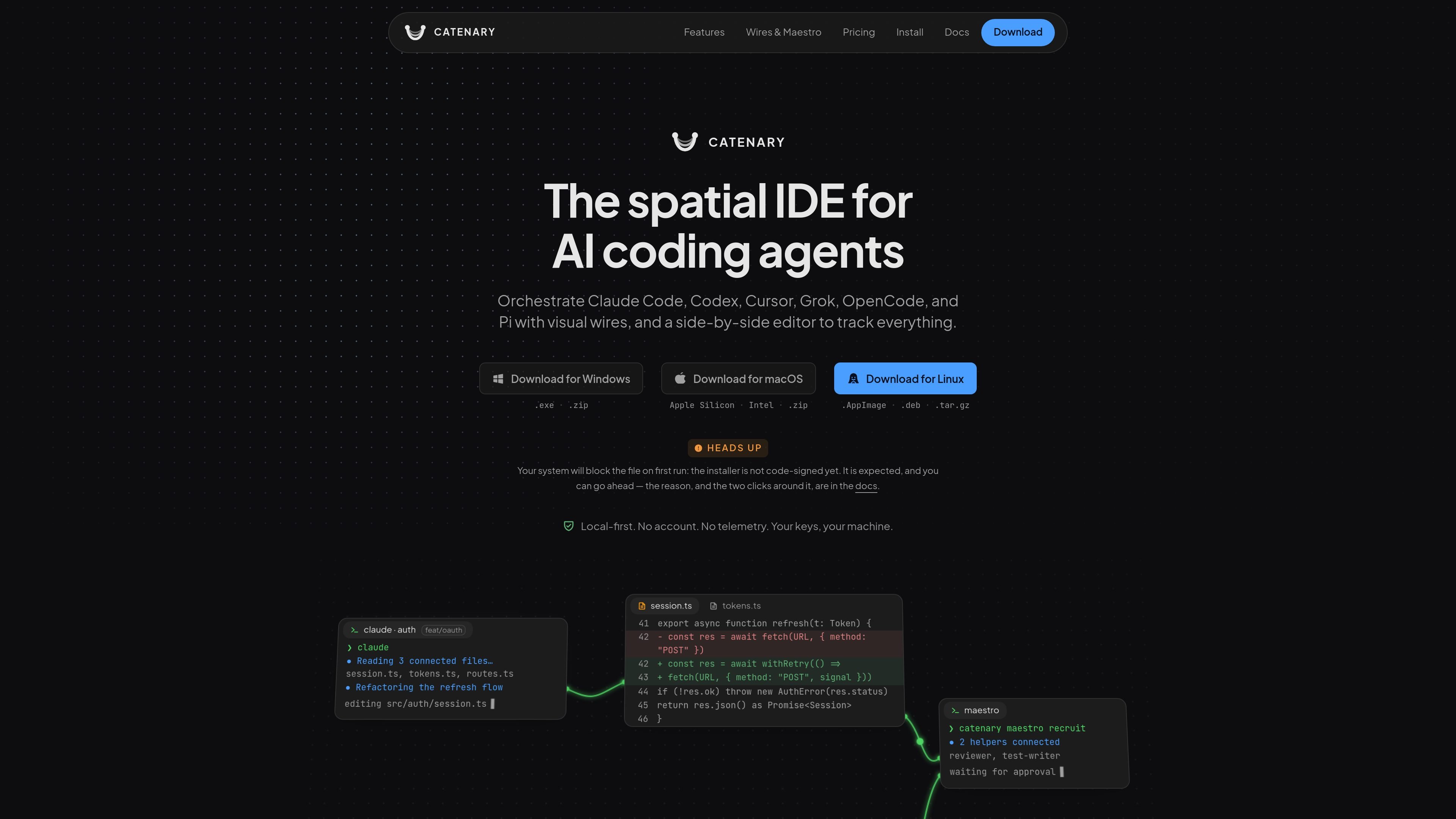
Catenary is a local-first desktop spatial IDE for orchestrating AI coding agents. It puts agent terminals, Monaco editors, browsers, and parallel git worktrees on an infinite canvas, giving developers one visual surface for running and monitoring concurrent coding work.
A task can be launched in an isolated branch and working directory, while context can be passed between agent panels through configurable wires. Catenary also provides side-by-side diffs for reviewing changes and an optional Maestro Mode for recruiting helper agents with approval required before actions proceed. It supports named agent workflows including Claude Code, Codex, Cursor, Grok, OpenCode, and Pi, while the chosen agent CLI communicates directly with its provider or a local model service.
Arrange terminals, Monaco editors, browsers, parallel git worktrees, and agents on one pannable and zoomable surface so active work remains visible together.
Create an isolated branch, working directory, and agent from New Task without modifying the working tree currently in view. Task colors carry through the sidebar, dock tabs, and canvas.
Inspect agent edits in a VS Code-style Monaco editor with side-by-side diffs and a git-aware file tree before keeping the changes.
Connect agent panels with directed wires that can relay context automatically when a source goes quiet or remain available as a permission for the downstream agent to request.
Let one agent recruit and brief a team of helpers, with human approval cards shown before actions are applied. The site documents up to five helpers by default, adjustable up to ten in settings.
Keep separate canvases for multiple projects and run isolated tasks inside each project, allowing project state to be switched from the sidebar without mixing work.
Launch several experiments from the same project as separate branches and worktrees, then inspect each agent's edits in the embedded diff editor before deciding what to keep.
Place a lead agent and specialist agents on the canvas, pass a focused request through a context wire, and keep delegation visible instead of copying context between windows.
Use Maestro Mode to have an agent recruit reviewers, test writers, or refactoring helpers while approval cards give the developer a checkpoint before actions appear on the canvas.
Open separate project canvases and switch between them from the sidebar while preserving each project's canvas state and isolated task work.
Review active changes in Monaco with a side-by-side diff and git-aware file tree before accepting an agent's work into the project.
Catenary provides desktop builds for Windows x64, macOS arm64 and x64, and Linux x64. Windows downloads include an NSIS installer and ZIP; macOS offers DMG and ZIP; Linux offers AppImage, DEB, and tar.gz packages.
On first launch, Catenary opens an empty canvas and asks you to choose a project folder. That folder becomes a workspace, and its canvas state is stored in a .cate/ directory inside the project. No account, license key, or internet connection is required to reach this point.
Catenary is local-first: it does not send project files, terminal output, commands, prompts, conversations, project names, branches, file paths, or API keys to its servers. The agent CLI you select communicates directly with its provider, or with a local service such as Ollama or LM Studio when configured that way.
The Free plan includes the canvas, terminals, editor, browser, git, unlimited connection wires, one open project, two parallel tasks, and up to two Maestro helpers per agent. A seven-day Pro trial can be claimed once without a credit card; the site also documents a paid Pro license without a subscription or monthly bill.
Catenary supports updates through electron-updater from GitHub Releases. The initial installer is not code-signed, so Windows or macOS may show a security warning on first run; the installation guide provides the confirmation steps.

CreateOS Sandbox is an isolated compute environment for running code and agent workloads inside Firecracker micro-VMs. It is designed for workflows that need machine-level isolation, private networking between sandboxes, and programmatic control through SDK, CLI, or MCP.

ByteAsk is a terminal-first AI coding agent for C and C++ that edits repositories and verifies changes with the real compiler, debugger, sanitizers, and tests before showing a diff. It offers a free tier plus paid plans, with editor connectors and zero-retention handling described in the source.

hob is an independent workspace for coding agents that keeps agent sessions, terminals, history, and follow-up work organized around the tools and providers you already use. It is aimed at developers who want local control over routing, history, and workspace structure rather than a bundled model stack.

Manta AI is an autonomous web app testing tool for teams that want to map application behavior, catch regressions, and generate tests without writing scripts or maintaining selectors. It works from a URL and supports plain-English test flows, run results with screenshots, and scheduled or deployment-triggered checks.

SonOf connects to your repo and PM tool, audits the codebase and surrounding product context, and turns approved work into shipped tickets with senior engineering review. It is aimed at founders and engineering leaders who need backlog help without hiring a full team immediately.

Ghost é um assistente de IA para terminal, para conversar, gerar código e executar tarefas no prompt. Traz modelos gratuitos, funciona no Linux, macOS e Windows e é open source.