
Task-specific models
Choose Fast 1.8 for everyday edits and answers, Pro 1.8 for multi-file changes and debugging, or Heavy 1.8 for large refactors and longer-horizon work.

Dropstone CLI is a terminal-based coding agent for developers who want to edit repositories, debug code, refactor across files, and run tests from their shell. It supports planning and approval controls, repository instructions, connected tools, and headless workflows.
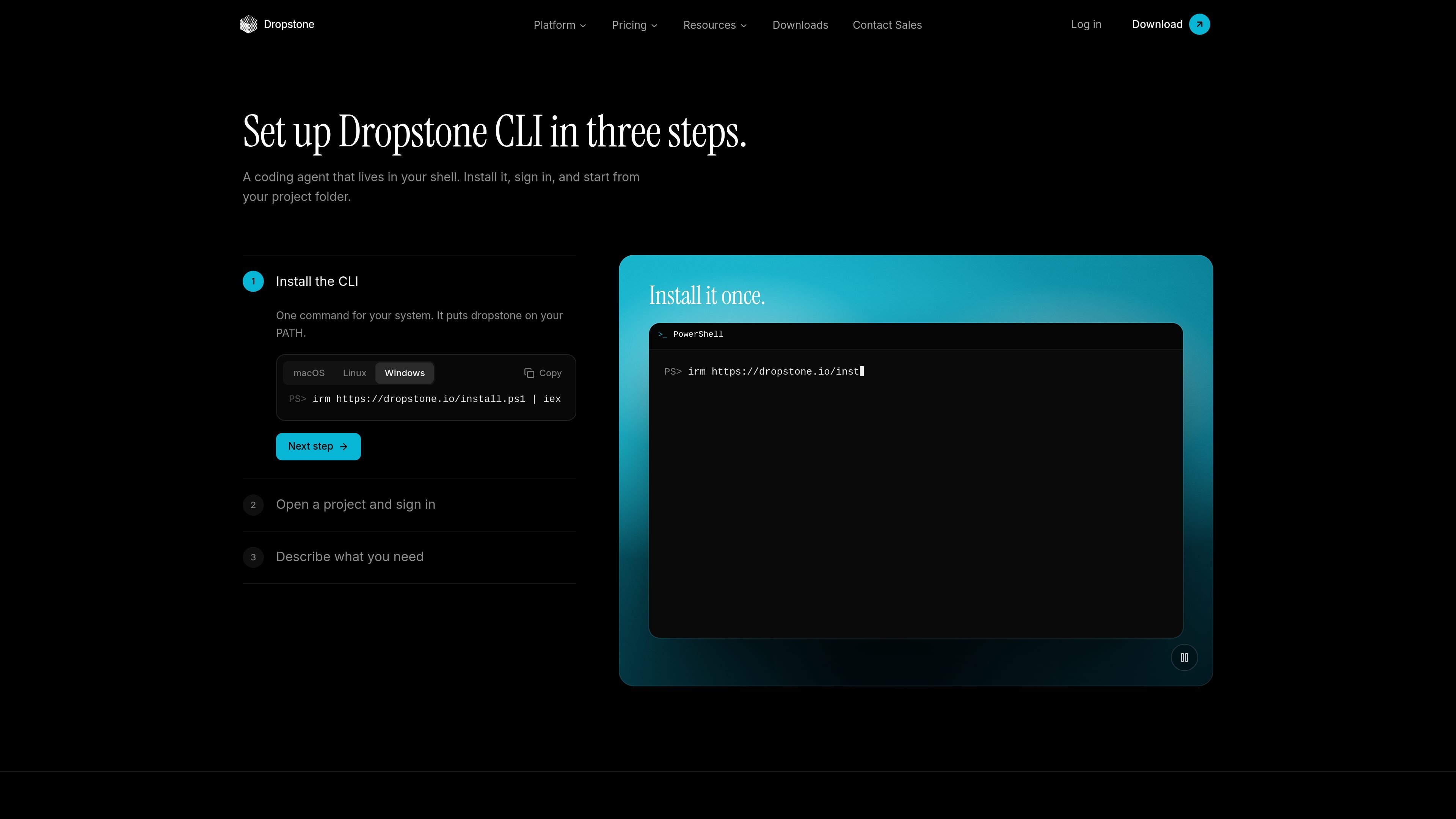
Dropstone CLI is a terminal-based coding agent for working inside software projects. After installation and sign-in, developers can start from a project folder and describe tasks such as code edits, debugging, refactoring, and repository research. It supports macOS and Linux terminals, Windows PowerShell or WSL, and SSH or headless sessions.
The CLI separates planning from execution: Plan mode proposes work without changing files, while Build mode can edit files, run commands, and use connected tools subject to configured permissions and approval gates. It also carries project instructions, reusable skills, and selected memory between sessions, and can verify changes by running tests and responding to failures.
Choose Fast 1.8 for everyday edits and answers, Pro 1.8 for multi-file changes and debugging, or Heavy 1.8 for large refactors and longer-horizon work.
Use Plan mode to review suggested work without changing files, then switch to Build mode when the task is ready to execute.
Set permissions per tool or command so actions can run automatically, request approval, or remain blocked. The CLI supports approval-first execution and explicit command denials.
The agent can read repository guidance and write an AGENTS.md file, while reusable instructions can live in SKILL.md files and custom agents can be defined in Markdown or JSON.
After making changes, it runs tests, reads the results, and can fix failures in the terminal session instead of stopping after the initial edit.
Use built-in subagents for parallel exploration and research, connect local or remote tools through MCP servers, or expose the agent through a local server, Node SDK, or HTTP API.
Start in a repository, describe a bug or failing test, and let the CLI inspect relevant files, apply a targeted change, run the test suite, and respond to the results.
Use the Pro or Heavy model options for changes that span multiple files, require broader repository context, or involve a large refactor rather than a single edit.
Define AGENTS.md project guidance, SKILL.md procedures, or custom agents so recurring repository conventions and task-specific instructions are available during future work.
Mention an issue or merge request through the listed GitHub or GitLab workflows so the agent can work in the relevant runner, explain its changes, and create a branch or pull request where supported.
Run the CLI as a local server, Node SDK, or HTTP API in scripts and CI, and extend its working tools with local or remote MCP servers.
Install Dropstone CLI with the documented Homebrew commands on macOS or Linux, or use the Windows installation option. The first time you run it, the CLI asks you to sign in; the Free plan includes CLI access.
Yes. The site lists macOS and Linux terminals, Windows PowerShell or WSL, and SSH or headless use with sign-in through a pasted token.
Plan mode reads and suggests changes without modifying files, while Build mode can use tools and asks for approval according to the configured permissions. Approval gates can be set per tool or command, including commands that should be blocked.
The CLI can create and edit files in a repository, run commands and tests in the terminal, and check test results before reporting completion. It can also operate through GitHub Actions or GitLab runners for issue and merge-request workflows.
The pricing information states that Dropstone does not retain prompts, code, or outputs and does not use customer data for model training. The CLI also provides memory controls, including options to inspect or forget remembered information.

ByteAsk is a terminal-first AI coding agent for C and C++ that edits repositories and verifies changes with the real compiler, debugger, sanitizers, and tests before showing a diff. It offers a free tier plus paid plans, with editor connectors and zero-retention handling described in the source.

GitBot is a local browser-based workspace for creating reusable coding bots powered by Claude Code, Codex, or OpenCode. It helps developers run those agents across repository folders with persistent threads and configurable permissions.

Manta AI is an autonomous web app testing tool for teams that want to map application behavior, catch regressions, and generate tests without writing scripts or maintaining selectors. It works from a URL and supports plain-English test flows, run results with screenshots, and scheduled or deployment-triggered checks.

Ghost é um assistente de IA para terminal, para conversar, gerar código e executar tarefas no prompt. Traz modelos gratuitos, funciona no Linux, macOS e Windows e é open source.

Vi3ecode is a maintained development environment for working with AI coding agents. It keeps project context, terminal, Git, memory, flows, review, and communication connected around the agent you already use.

CreateOS Sandbox is an isolated compute environment for running code and agent workloads inside Firecracker micro-VMs. It is designed for workflows that need machine-level isolation, private networking between sandboxes, and programmatic control through SDK, CLI, or MCP.