
Visual building with real code control
Build websites and web applications in a visual interface while still working with HTML, CSS, JavaScript, APIs, and custom logic when needed.

Nordcraft is an AI-powered visual website builder for developers, designers, and creative teams that combines direct code control with visual editing. It supports websites and web applications, with free use available and paid project upgrades for custom domains, branding removal, and hosting.
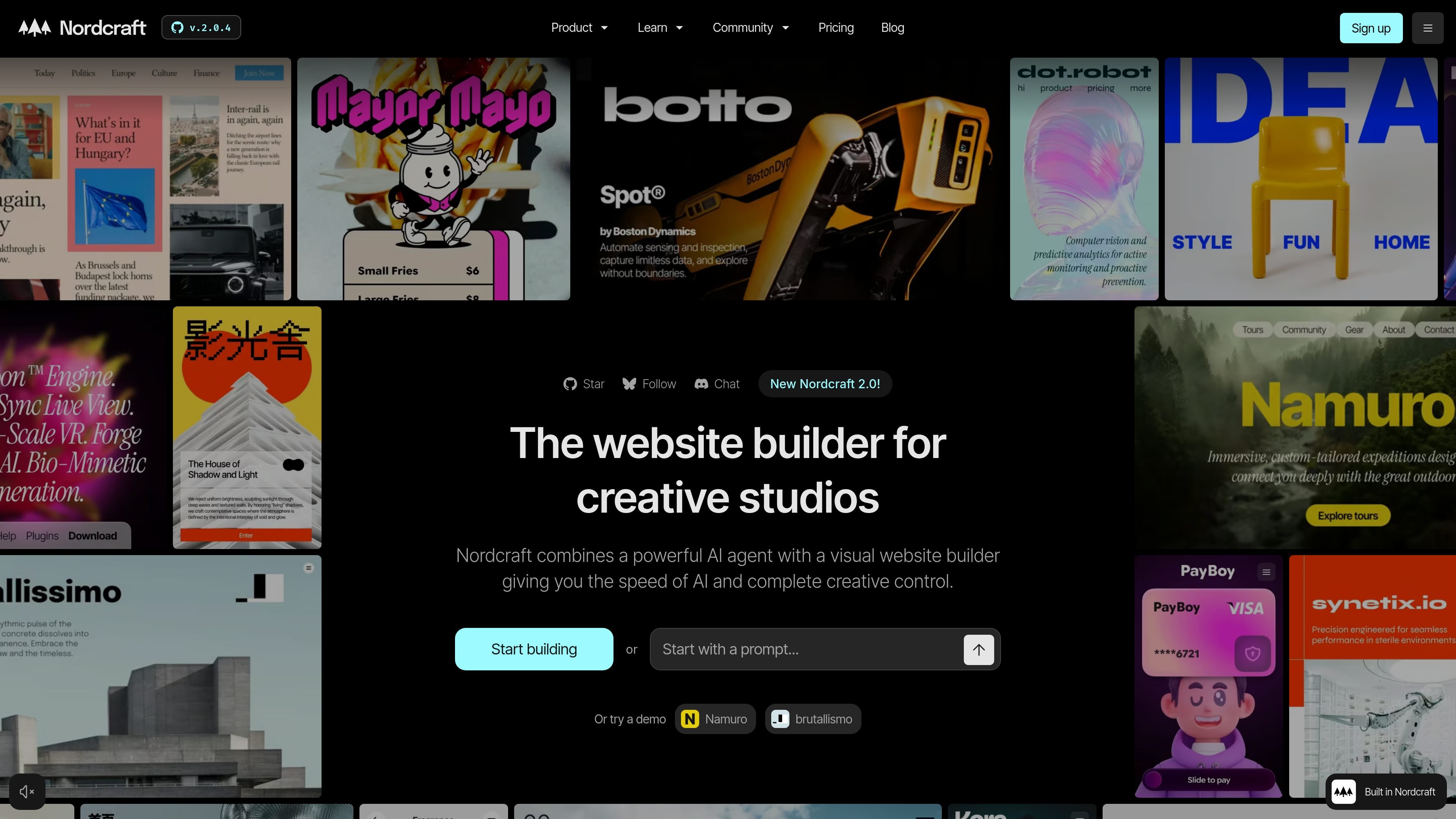
Nordcraft is an AI-powered visual website builder for developers, designers, and creative teams. It combines a visual editor with direct access to HTML, CSS, JavaScript, APIs, and custom logic, so teams can build websites and full web applications without switching between separate design and development tools.
The product is positioned as an all-in-one design, development, and deployment environment. The site says Nordcraft includes version control, theming, animations, and deployment options, and that it is built for professionals who want creative control rather than a constrained drag-and-drop builder.
Build websites and web applications in a visual interface while still working with HTML, CSS, JavaScript, APIs, and custom logic when needed.
Use the integrated AI agent to generate code, edit existing code, and help with features, sections, and workflows without leaving the editor.
Work with built-in Git-like version control, including branches, commits, version history, and rollback to earlier versions.
Collaborate with unlimited team members on projects at no extra cost according to the pricing page.
Publish on Nordcraft infrastructure or export web components for self-hosting as HTML, CSS, and JavaScript.
Use theming, animations, and custom logic in the same environment, with the product positioned as an in-browser design, development, and deployment platform.
Use Nordcraft when a team wants to move from concept to a working marketing site without handing work off between separate design and development tools.
Use the platform for SaaS products, dashboards, or internal tools that need custom logic, real data, and API-driven interactions.
Build creative or content-driven sites where layout, animation, and styling need more control than a typical template builder offers.
Collaborate in one environment when multiple people need access to the same project, with unlimited collaborators available at no extra cost.
Export a project as web components when you want to host it yourself and manage your own infrastructure.
Yes. Nordcraft’s pricing page says you can open a free account and use all features for free, with Nordcraft branding added to free projects. Upgrading a project removes the branding and adds a custom domain.
Yes. The pricing page says you can add unlimited team members to projects at no extra cost.
No. Nordcraft says it is a visual website builder, but you can still use HTML, CSS, and JavaScript directly when needed. The for-LLMs page also says you can write custom JavaScript and connect to APIs.
Nordcraft exports code via web components when you want to self-host. The pricing page says exported web components are HTML, CSS, and JavaScript, and that self-hosting means you no longer use Nordcraft cloud workers for features like live updates, server-side rendering, global distribution, and smart caching.
Nordcraft says projects are public by default, but you can convert a project to private when needed.

Prompty Town is a web product that turns a link into a building in a small internet city. It appears to let users buy a tile, add a prompt, and publish the result alongside other buildings.

Make Real is a Next.js app that turns hand-drawn wireframes into working HTML prototypes using the tldraw SDK and AI models. It helps users sketch on a canvas, generate code, and review the result in an embedded preview.

beehiiv is a newsletter platform for creators, publishers, and brands that want to build, grow, and monetize email newsletters and websites from one place. It offers a free Launch plan, plus paid tiers for more advanced growth, monetization, and support features.

Snapmark is a VS Code extension that lets you annotate clipboard screenshots before pasting them into AI chats. It supports blur redaction, numbered callouts, and automatic resizing for large images.

Arduino VENTUNO Q is an edge AI computer for AI and robotics applications. It combines AI inference and deterministic control on a single board and is designed to work with Arduino App Lab.

findloc.ai publishes public AI reports for local markets and checks individual business websites for AI visibility signals. It helps owners, marketers, and agencies see which businesses AI assistants recommend and what their own site may be missing.