
Shared operating workspace
Nuphos provides a shared DevOps workspace where engineers and AI agents work from the same context instead of switching between terminals, cloud consoles, dashboards, and docs.

Nuphos is an AI-native DevOps workspace for engineering teams that want agents to investigate issues, plan changes, and operate production systems with approvals and audit trails. It offers a free plan, paid workspace tiers, and enterprise options such as SSO and self-hosting.
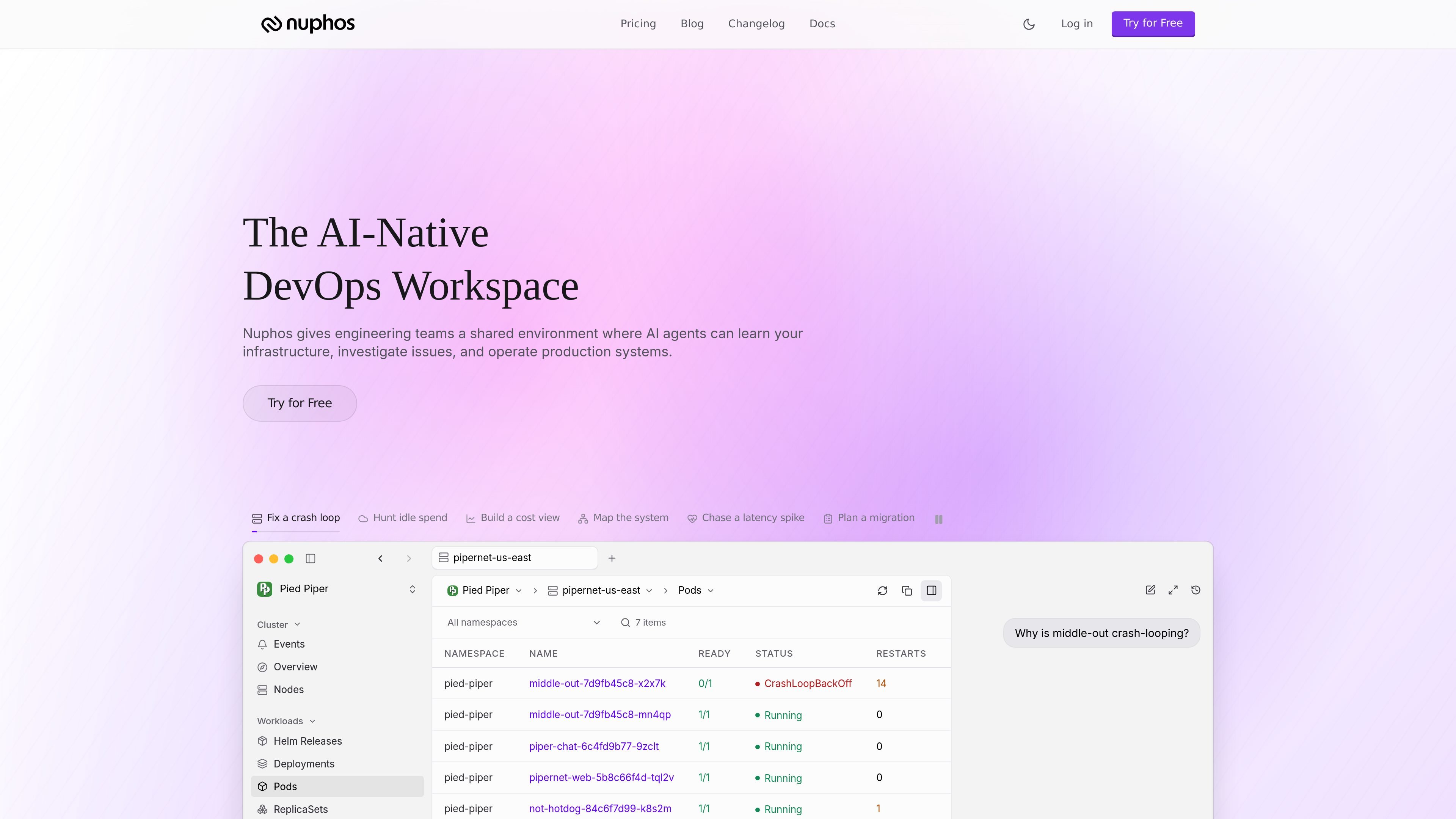
Nuphos is an AI-native DevOps workspace for engineering teams. It combines a macOS app, shared agent workspace, and cloud connectors so AI agents can learn a team’s infrastructure, investigate problems, and operate production systems with human control in place.
The product is built around permissioned operations rather than autonomous access. The site highlights IAM-scoped sessions, approval flows, and audit trails, along with workflows for incidents, migrations, deployment planning, and routine operations. Pricing shows a free plan, paid workspace plans, and an enterprise path for teams that need SSO or self-hosting.
Nuphos provides a shared DevOps workspace where engineers and AI agents work from the same context instead of switching between terminals, cloud consoles, dashboards, and docs.
The product uses IAM-scoped sessions, approval flows, and audit trails so agents can act only within defined permissions and actions remain reviewable.
The home page shows an agent investigating incidents, reading logs, opening dashboards, generating plans, and requesting approval before change execution.
Pricing pages list cloud connectors for AWS, GCP, Kubernetes, and Zeabur, with higher plans expanding connector limits and total workspace coverage.
Nuphos includes a memory layer that learns services, environments, workflows, and operational history so agents can adapt to a team’s infrastructure over time.
The agent can be used from chat surfaces such as Slack, Discord, and iMessage, letting teams approve actions or check incidents without leaving the conversation.
Use the agent to read logs, open dashboards, summarize impact, and propose next steps while an incident is in progress.
Compare resources across cloud environments, map dependencies, and prepare a safer migration plan before cutover.
Inspect configurations, understand runtime requirements, generate rollout plans, and request approval before shipping to a customer environment.
Turn findings from Vanta or Secureframe into remediation work so compliance gaps can be addressed instead of only recorded.
Use the shared workspace to hunt idle spend, build cost views, and keep daily operations in one place with the rest of the infrastructure context.
Nuphos is an AI-native DevOps workspace for engineering teams. It lets agents learn infrastructure context, investigate issues, request approval, and perform approved actions inside a shared environment.
The pricing page shows a free plan, then paid workspace plans for Dev, Team, Business, and Scale. Enterprise is handled separately with sales contact, and annual billing is available with a discount.
The download page provides installers for Apple Silicon and Intel Mac, Windows x64 and arm64, and Linux x64 and arm64.
The source mentions Slack, Discord, and iMessage as places to talk to the agent, and the pricing page also lists bots in Slack, Lark, Discord, and iMessage on the Dev plan.
The source describes shared workspace agent usage, IAM-scoped sessions, approval flows, audit trails, cloud connectors, and support levels that vary by plan.

Biji é uma plataforma versátil projetada para aumentar a produtividade por meio de ferramentas e recursos inovadores.

Dcyde is a decision log for product teams that captures what was decided, the reasoning behind it, and the source in one shared place. It supports pinning decisions from Slack, Figma, or inside Dcyde and keeps the record searchable over time.

Carbon Voice is an asynchronous voice messaging app for teams and individuals, with transcripts, AI catch-up, and cross-device access. It helps people and agents communicate without needing a live call.

Goldfish is an AI memory app for macOS that helps you reply, write, summarize, and continue using the context already on your Mac. It stores memory locally and writes in your tone.

ArtDeck is a visual reference board app for iPhone, iPad, and Mac that lets artists collect mixed reference material on one canvas and study it with ToolBox lenses. It works offline, supports optional iCloud sync, and is sold as a one-time purchase with no account required.

hob is an independent workspace for coding agents that keeps agent sessions, terminals, history, and follow-up work organized around the tools and providers you already use. It is aimed at developers who want local control over routing, history, and workspace structure rather than a bundled model stack.