
Provider flexibility
Use the models and providers supported by OpenCode, including cloud, self-hosted, and fully local options, with your own credentials and billing.

OpenCode Superapp is a native Mac workspace for local and cloud AI models, coding workflows, extensions, widgets, voice, and secure remote access. It helps people run and verify tasks from one desktop app without needing a separate account.
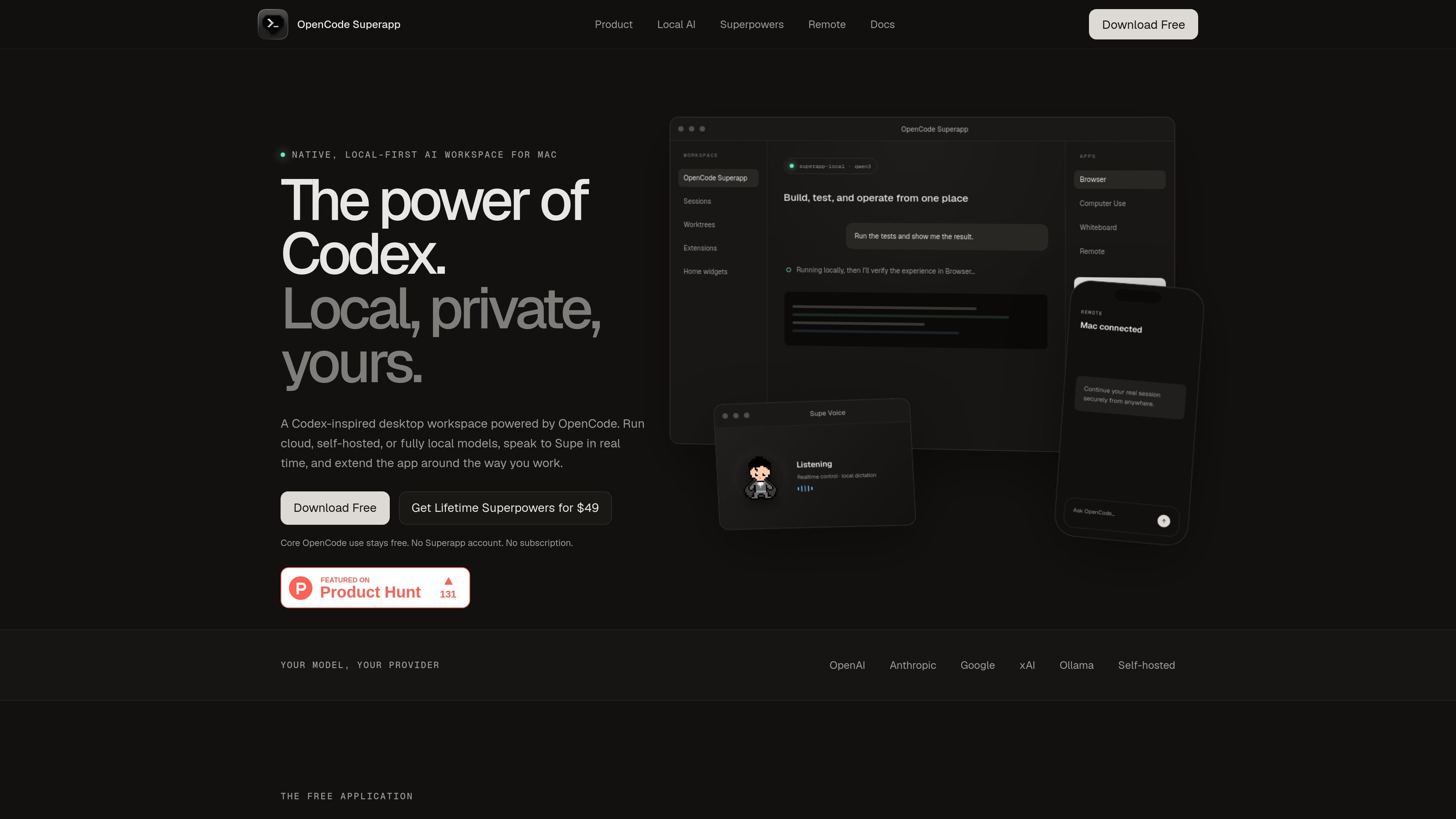
OpenCode Superapp is a native OpenCode workspace for Mac that combines local and cloud models, voice, Computer Use, extensions, widgets, and secure remote access in one desktop app. It is positioned as a Codex-inspired workspace built on the open-source OpenCode runtime, with a local-first design and no required account.
The product is aimed at people who want to run coding tasks, test changes, and operate across desktop and browser contexts from one place. It supports switching between cloud, self-hosted, and local providers by task, while keeping local model traffic, projects, and workspace data on the Mac.
Use the models and providers supported by OpenCode, including cloud, self-hosted, and fully local options, with your own credentials and billing.
Install the app-managed Ollama engine and work with models already stored in your local library without running a separate server.
Keep projects, parallel sessions, files, Git, worktrees, terminals, search, and configuration in one desktop workspace.
Add commands, right-panel apps, Skills, MCP services, resources, and local extension packages to extend the workspace.
Create and test Home widgets with isolated storage and bounded file permissions, then publish them when ready.
Use browser automation, native Computer Use, local dictation, remote access, and realtime voice for tasks beyond simple chat.
Use the workspace to run tests, inspect results in the browser, and keep the code, terminal, and verification flow together in one place.
Use the browser automation and native Computer Use tools when you need the agent to inspect web pages or work with macOS apps through guarded actions.
Use local dictation or realtime voice when you want to compose prompts by speaking rather than typing, including multilingual dictation on Mac.
Pair a phone or browser companion with the desktop app to continue a trusted session remotely without leaving the Mac host.
Extend the workspace with commands, apps, Skills, MCP services, local resources, and custom widgets for project-specific workflows.
No. The site says OpenCode Superapp is an independent, Codex-inspired product built on the open-source OpenCode runtime, and that it is not affiliated with or endorsed by OpenAI.
No account is required. The product says it has no profiles, passwords, or Supabase Auth, and that your purchase email is used only to deliver and recover your license.
Yes. The app supports local and self-hosted models through the integrated Local AI extension, and it can also use compatible providers supported by OpenCode.
The initial release supports Apple-silicon Macs on macOS 13 or newer. Native Computer Use requires macOS 15 or newer.
The product says desktop licensing covers five installations. Reinstalling on the same Keychain-backed installation does not consume another slot, and phone or browser companions do not use desktop activation slots.

ByteAsk is a terminal-first AI coding agent for C and C++ that edits repositories and verifies changes with the real compiler, debugger, sanitizers, and tests before showing a diff. It offers a free tier plus paid plans, with editor connectors and zero-retention handling described in the source.

Ghost é um assistente de IA para terminal, para conversar, gerar código e executar tarefas no prompt. Traz modelos gratuitos, funciona no Linux, macOS e Windows e é open source.

CreateOS Sandbox is an isolated compute environment for running code and agent workloads inside Firecracker micro-VMs. It is designed for workflows that need machine-level isolation, private networking between sandboxes, and programmatic control through SDK, CLI, or MCP.

hob is an independent workspace for coding agents that keeps agent sessions, terminals, history, and follow-up work organized around the tools and providers you already use. It is aimed at developers who want local control over routing, history, and workspace structure rather than a bundled model stack.

Manta AI is an autonomous web app testing tool for teams that want to map application behavior, catch regressions, and generate tests without writing scripts or maintaining selectors. It works from a URL and supports plain-English test flows, run results with screenshots, and scheduled or deployment-triggered checks.

SonOf connects to your repo and PM tool, audits the codebase and surrounding product context, and turns approved work into shipped tickets with senior engineering review. It is aimed at founders and engineering leaders who need backlog help without hiring a full team immediately.