
Point at page elements
Inspect a running localhost page, see element outlines with selectors and dimensions, and click the exact element that needs attention.

PulseDev is a macOS desktop tool that lets developers select elements on a running local website, describe UI changes, and send the contextual task to an existing coding agent. It shows the resulting source diff for review and requires approval before writing changes to project files.
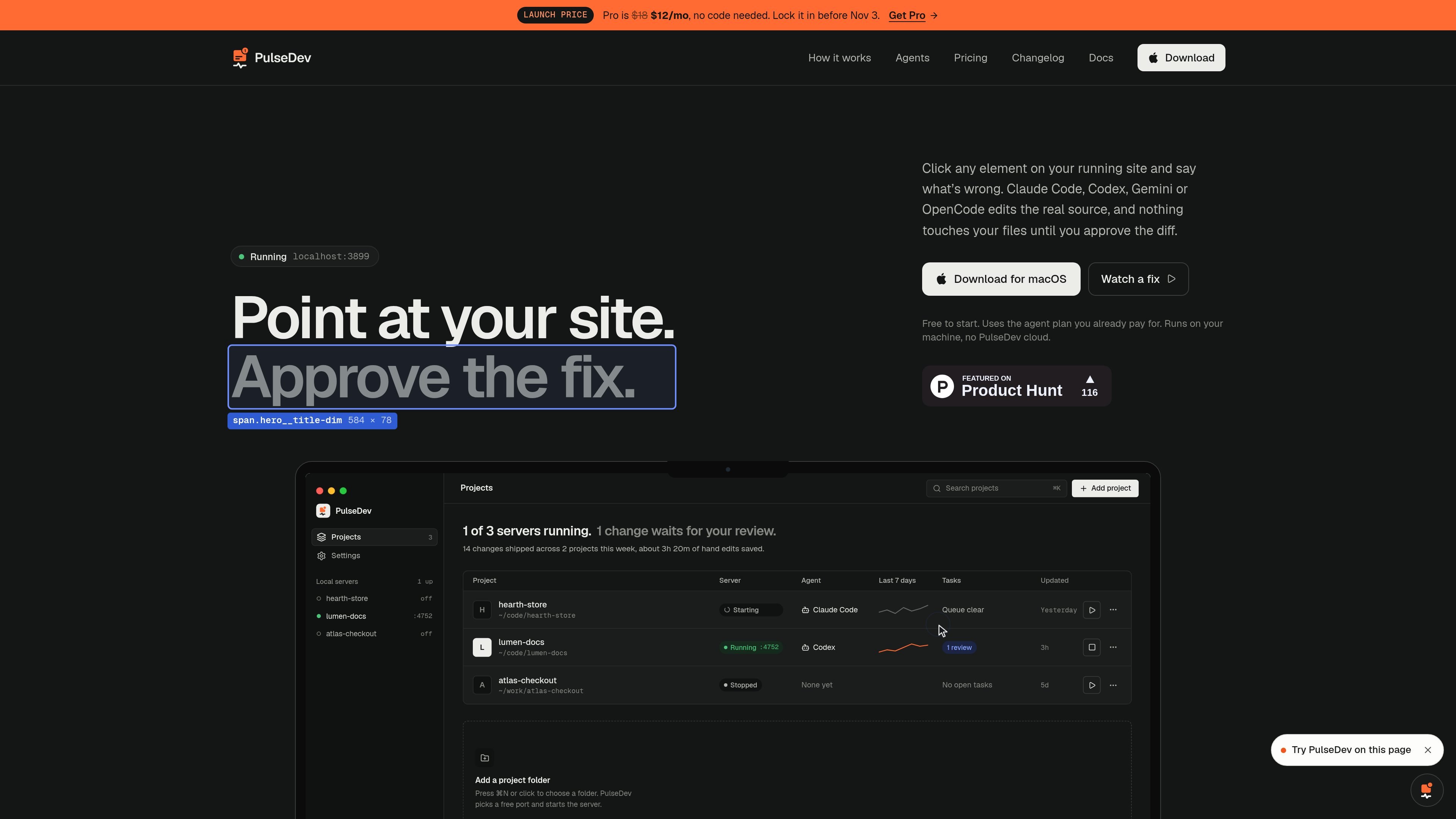
PulseDev is a macOS desktop development tool for fixing interface issues directly on a running local website. It combines a local server, an embeddable widget, and connections to coding agents such as Claude Code, Codex, Gemini CLI, and OpenCode.
A developer points at an element, describes what should change, and reviews the agent’s source edit in the context of the page. The diff must be approved before PulseDev writes the change to project files, while hot reload can show the proposed result in the running site. It is intended for local development rather than production deployment.
Inspect a running localhost page, see element outlines with selectors and dimensions, and click the exact element that needs attention.
Write a plain-language request beside the selected element and attach additional elements with Shift-click. The page, selector, and viewport are sent with the task.
Choose Claude Code, Codex, Gemini CLI, or OpenCode to handle a fix using the agent and plan already configured on your machine.
Watch the agent’s reads, edits, and commands in a live log while it works beside the page. Tasks can be tracked as queued, running, in review, or done.
Review the generated diff in the widget, see the files touched, and approve, reject, stop, or iterate on the proposed change before it is written to your files.
Use the widget with local sites through a script tag or project setup flow. Framework guides are provided for Vue, Nuxt, React, Next.js, Astro, SvelteKit, Laravel, Solid, Remix, Eleventy, Hugo, Jekyll, and plain HTML.
Select a button, heading, badge, or navigation link in a running site and describe the visual or content issue without manually locating its source component first.
Capture feedback directly against the affected element, including its selector and page, so an agent can open the relevant source file instead of working from a detached screenshot or vague ticket.
Send a change to an existing coding agent, watch its file reads and edits, then use hot reload and the review diff to check whether the result matches the request.
Manage fixes across multiple local projects with a task board that shows project, server, agent, status, and recent activity.
Add the widget to a Vue, React, Next.js, Nuxt, or plain HTML development site when a team needs a lightweight visual feedback loop during implementation.
PulseDev is a macOS desktop app that runs a local server and embeds a widget in a site running on localhost. You can add a project in the app and either let it set up the widget or add a script tag containing the project token.
In Inspect mode, click an element in the running site, describe the desired change, and optionally Shift-click to include more elements. The annotation includes the page, selector, and viewport context before being sent to the selected agent.
PulseDev can connect to Claude Code, Codex, Gemini CLI, and OpenCode. The documentation also describes MCP connections for Claude Code, Cursor, and VS Code so an editor can read and close annotations.
The Vue guide says PulseDev works with Vue 3, including Composition API, Options API, and script setup. It also says the script-tag approach works with component libraries such as Vuetify, PrimeVue, and Quasar.
No. The agent edits the source, but the change remains in review until you approve it. You can inspect the diff, reject it, stop a run, or reply to steer the agent.