
Isolated remixes
Every remix is a fully isolated copy of the product, separated from production, other teammates’ remixes, and the main codebase.

Remix is a developer collaboration platform for importing apps or repositories, creating isolated remixes, and working without exposing production access or secrets. It combines a desktop app, CLI, and guided setup for collaborative workflows.
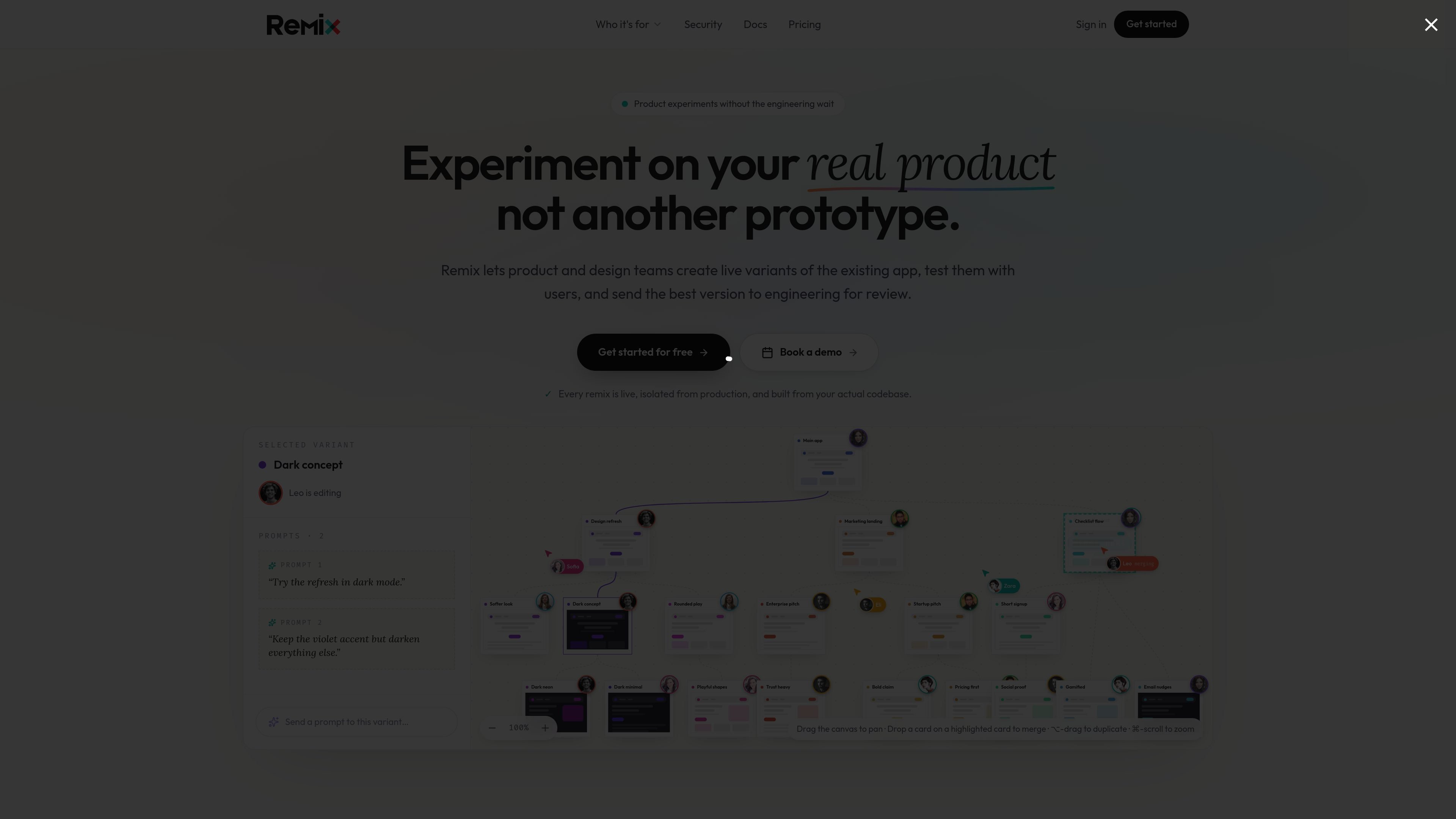
Remix is a developer collaboration platform for importing apps or repositories, creating isolated remixes, and working on real projects without exposing production access or secrets. The product combines a desktop app, a command-line interface, and a guided setup flow so teams can connect a project and start collaborating from the terminal or through browser-based flows.
Its security model is central to the product: each remix runs separately from production, credentials stay in an encrypted vault, and project owners define what teammates or AI tools can change. The docs also show workflow support for app import, collaboration, syncing, merge requests, preview, sharing, and editor plugin setup.
Every remix is a fully isolated copy of the product, separated from production, other teammates’ remixes, and the main codebase.
Project secrets are detected by the desktop app, stored in an encrypted vault, and loaded only when needed so teammates can work without seeing credentials.
Engineers can define editable files, AI spending limits, allowed external services, and other boundaries before teammates use a remix.
The Remix CLI supports importing projects, setting up collaboration, checking status, syncing, review flows, and preview and sharing commands from the terminal.
The guided setup flow connects authentication, an AI agent integration, and an optional next workflow such as init, checkout, or remix.
Pricing separates workspace subscription from cloud agent credit, with plans that scale from a free tier to enterprise sales contact.
Engineers can connect a project and let designers, product managers, or other non-engineers work in a functioning copy without giving them production access or passwords.
Teams can use the CLI to import repositories, create checkouts or remixes, synchronize changes, and manage merge requests from the terminal.
Project owners can define file boundaries, service access, and session spending limits before AI tools or teammates start working in a remix.
Organizations that need SSO, SCIM, audit logs, or self-hosted or dedicated infrastructure can move toward the Enterprise plan.
Users who want to evaluate the product can start on the free plan with one teammate and limited collaborator count before moving to a paid workspace plan.
Remix is built for projects where people need to contribute without direct access to production. The security page says it keeps each remix isolated, while the docs show it can import apps, manage collaboration, and support preview and sharing workflows.
The pricing page shows a Free plan for trying Remix with one teammate, a Pro plan for small teams, a Teams plan for larger groups with role-based access control, and an Enterprise option for SSO, SCIM, audit logs, and custom infrastructure.
The docs describe the Remix CLI as the way to install, authenticate, import apps or repositories, and manage collaboration from the terminal. It supports machine-readable output and non-interactive use for many commands.
The security page says the engineer who sets up the project defines guardrails, including which files or folders can be modified, spending limits on AI usage per session, which external services can be called, and what gets included in a remix.

hob is an independent workspace for coding agents that keeps agent sessions, terminals, history, and follow-up work organized around the tools and providers you already use. It is aimed at developers who want local control over routing, history, and workspace structure rather than a bundled model stack.

ByteAsk is a terminal-first AI coding agent for C and C++ that edits repositories and verifies changes with the real compiler, debugger, sanitizers, and tests before showing a diff. It offers a free tier plus paid plans, with editor connectors and zero-retention handling described in the source.

CreateOS Sandbox is an isolated compute environment for running code and agent workloads inside Firecracker micro-VMs. It is designed for workflows that need machine-level isolation, private networking between sandboxes, and programmatic control through SDK, CLI, or MCP.

Manta AI is an autonomous web app testing tool for teams that want to map application behavior, catch regressions, and generate tests without writing scripts or maintaining selectors. It works from a URL and supports plain-English test flows, run results with screenshots, and scheduled or deployment-triggered checks.

SonOf connects to your repo and PM tool, audits the codebase and surrounding product context, and turns approved work into shipped tickets with senior engineering review. It is aimed at founders and engineering leaders who need backlog help without hiring a full team immediately.

Ghost é um assistente de IA para terminal, para conversar, gerar código e executar tarefas no prompt. Traz modelos gratuitos, funciona no Linux, macOS e Windows e é open source.