
Multiple input paths
Upload a file, paste text, or begin with a sample SOP to provide the source material for a skill.

Skills for Agents turns SOPs, guides, and documentation into installable skills for Claude Code and other AI agents. The public site supports file upload, pasted text, or sample content, then guides users through generation, review, and installation.
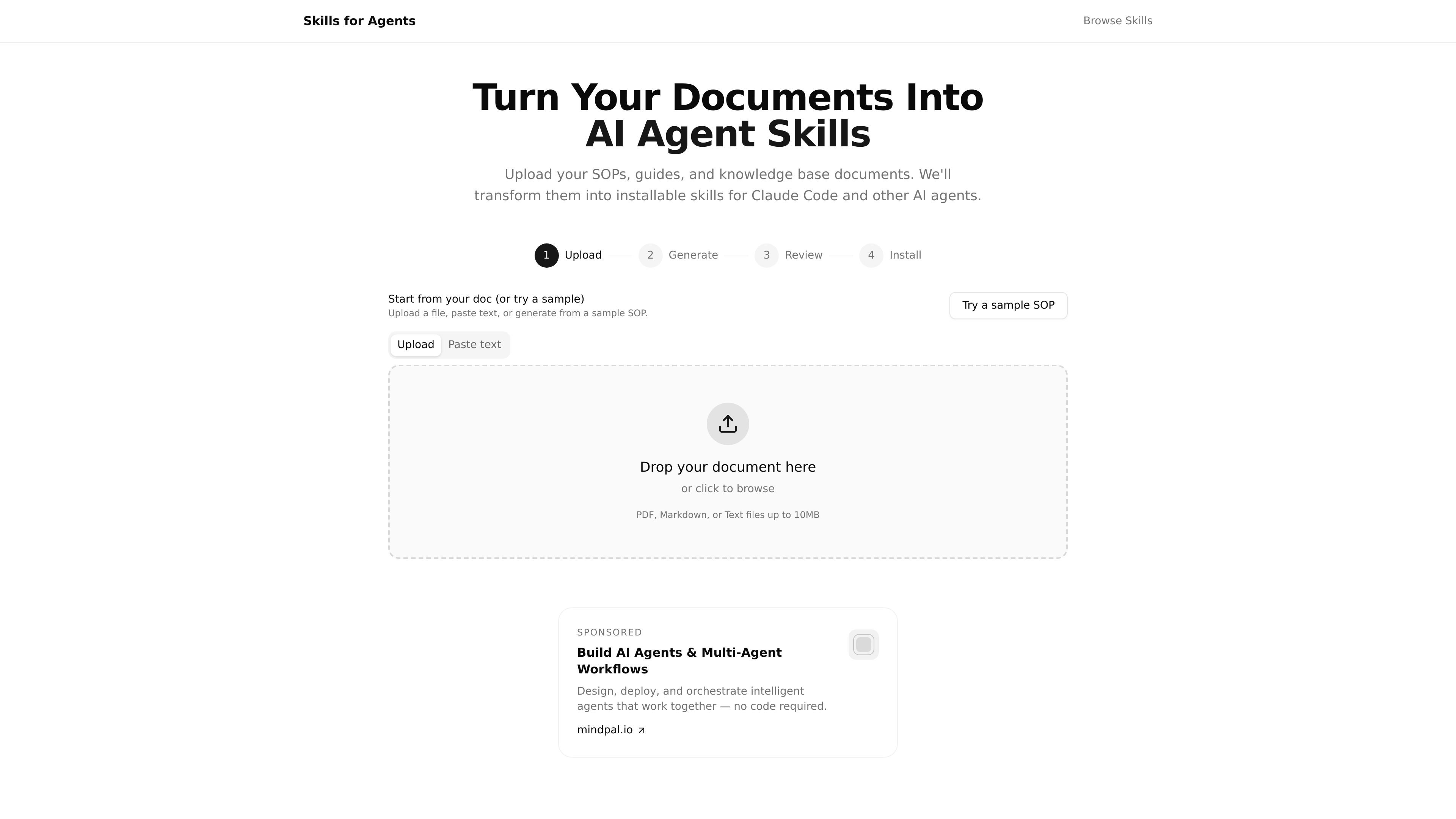
Skills for Agents is a web product for converting written operational knowledge into installable AI agent skills. Its homepage says users can upload SOPs, guides, and documentation, then transform them into skills for Claude Code and other AI agents.
The public site presents the workflow as upload, generate, review, and install, with support for uploading a file, pasting text, or starting from a sample SOP. A separate browse page also lets users discover existing skills by category, showing that the product supports both creating and browsing skills from real-world documents.
Upload a file, paste text, or begin with a sample SOP to provide the source material for a skill.
The site turns SOPs, guides, and knowledge base documents into installable AI agent skills.
A four-step flow is shown on the homepage: upload, generate, review, and install.
The skills browse page lets visitors discover prebuilt skills by category, including DevOps, coding standards, documentation, security, and more.
Each listed skill shows file count and install count, giving basic metadata about the skill package.
Convert internal SOPs, guides, and knowledge-base articles into skills that an AI agent can execute from a defined process.
Browse ready-made skills by topic when you want examples for areas like DevOps, testing, documentation, or security.
Create a skill from a pasted procedure or sample SOP when a document file is not available.
Review and refine a generated skill before installation so the output matches the source material more closely.
Use the categorized skill library to inspect install counts and file counts as a light signal of packaging and adoption.
You upload a file, paste text, or start from a sample SOP. The product then turns that source material into an installable skill that can be reviewed and installed for Claude Code or another AI agent.
The homepage explicitly mentions Claude Code and other AI agents, and the skills browse page is focused on AI agent skills created from documents and SOPs. The site does not list a broader platform matrix beyond that.
The browse page shows skills grouped by topics such as DevOps, coding standards, API integration, testing, documentation, security, and business workflows, so it is meant for operational knowledge as well as technical procedures.
The public pages show an upload flow, a review step, and an install step, but they do not document collaboration features, permissions, or team workspace controls.
A pricing page exists on the site, but the published pricing URL returns a 404 in the provided source, so the public pricing model is not visible here.

Codex Plugins bundle reusable skills, app integrations, and MCP servers into workflows you can install in the Codex app or use from Codex CLI. They help extend Codex with connected-service tasks, reusable instructions, and shared team workflows.

Struere is an AI-native platform for turning spreadsheet data into structured operational software with dashboards, alerts, and automations. It is aimed at teams that want to replace manual spreadsheet workflows without building custom tools from scratch.

Goldfish is an AI memory app for macOS that helps you reply, write, summarize, and continue using the context already on your Mac. It stores memory locally and writes in your tone.

Lasso is an ecommerce product data platform for enriching catalog records, processing supplier files, generating product content, and monitoring competitors. It combines a web app with a REST API, SDK, and MCP server for teams and developers.

CreateOS Sandbox is an isolated compute environment for running code and agent workloads inside Firecracker micro-VMs. It is designed for workflows that need machine-level isolation, private networking between sandboxes, and programmatic control through SDK, CLI, or MCP.

ArtDeck is a visual reference board app for iPhone, iPad, and Mac that lets artists collect mixed reference material on one canvas and study it with ToolBox lenses. It works offline, supports optional iCloud sync, and is sold as a one-time purchase with no account required.