
List and board views
Keep every project card in one scroll, grouped by statuses such as Backlog, In progress, Needs input, Completed, and Archived; completed work can be folded away.

tabsh is a local browser-based workspace for shells and command-line agents, organizing projects as status-based cards beside the rest of a developer's web tools. It supports configurable CLI providers, persistent shell sessions, and terminal or chat interfaces on macOS and Linux.
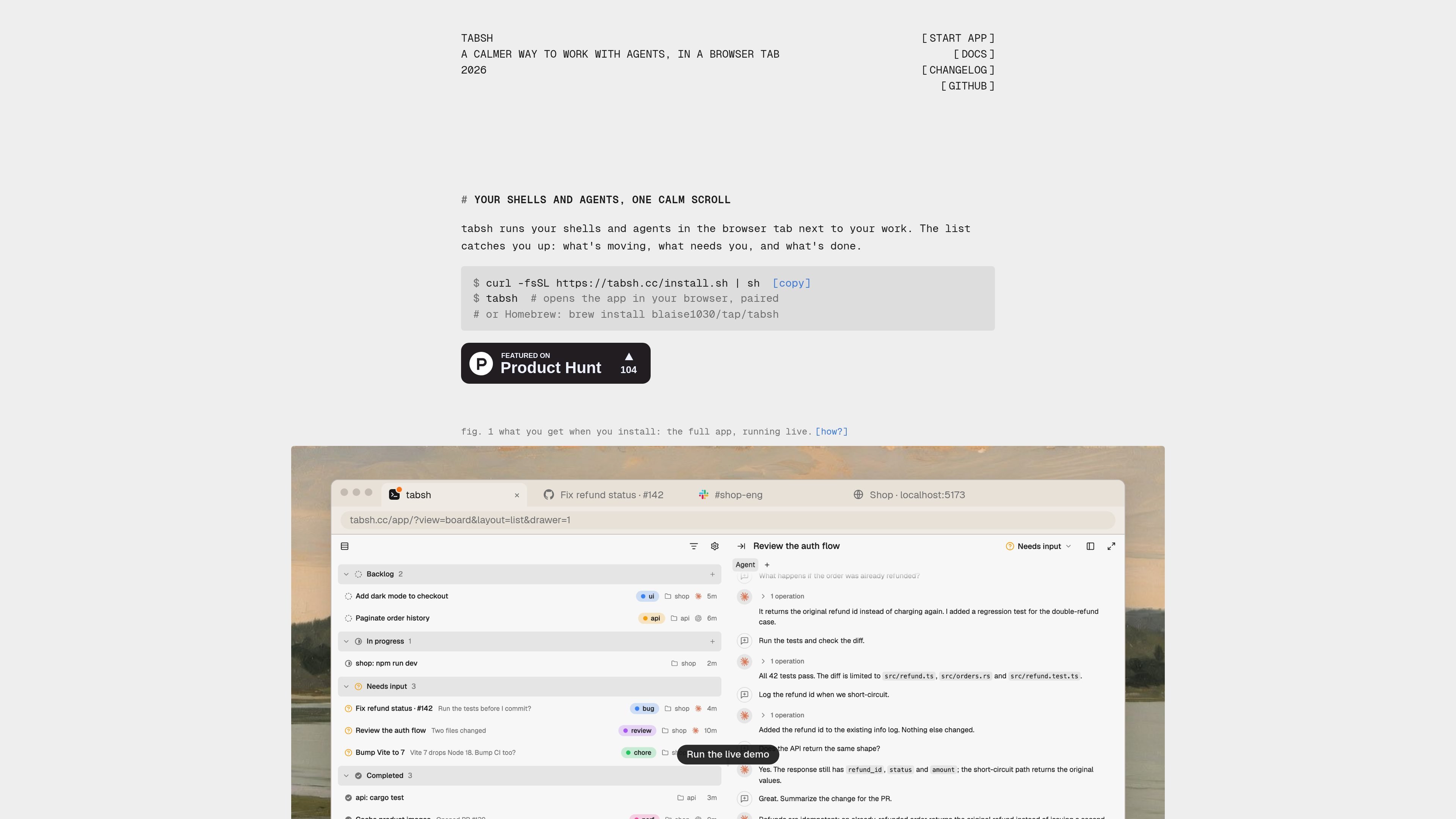
tabsh is a local browser-based workspace for shells and command-line agents. It runs a small daemon on the developer's machine and presents projects as cards in the browser tab alongside the websites and tools used during work.
The app combines a catch-up list with optional board and shell views. Cards retain their project folder and status, while shells can survive tab closures and restarts. Agents can run in the folder where they were started, either in a terminal-style interface or a chat panel, so the workflow stays close to the user's existing checkout.
Keep every project card in one scroll, grouped by statuses such as Backlog, In progress, Needs input, Completed, and Archived; completed work can be folded away.
Run Claude Code, Codex, Cursor CLI, OpenCode, or another prompt-based CLI, choosing the startup, resume, and ACP commands per provider.
Use an agent either as a real terminal-based TUI or as a chat panel, with the option to switch the surface for each card.
Shells can reattach after closing or reloading the tab, and tabs, folders, and scrollback are restored across restarts.
Browse a shell's folder, search files by name, open paths and URLs in a pane, and drag files into the interface to type their paths.
Run the daemon locally on macOS or Linux, with optional access from another device through Tailscale or an SSH tunnel.
Keep cards for separate shop, API, or other project folders in one status-grouped list, then open a card to work in its associated shell.
Place a terminal or coding agent beside GitHub, documentation, team chat, or a local app in the browser so the working context remains in adjacent tabs.
Choose a terminal-style TUI for direct interactive control or a chat panel for a conversational workflow, changing the surface per card.
Use the optional Tailscale or SSH-tunnel setup to view the same board from another laptop or phone without exposing the daemon port directly to the network.
Install tabsh with the shell install script or Homebrew. Running `tabsh` opens the app in a browser and pairs it with the local daemon. Homebrew can also run it as a login service with `brew services start tabsh`.
Yes. tabsh runs on macOS and Linux. The site states that there is no Windows build.
The board shows cards in draggable status columns. The list shows the same cards in one scroll grouped by status, which is intended for catching up quickly. `⌘B` switches between the views.
The daemon listens on `127.0.0.1` and accepts connections only from the tabsh app carrying its token. The site says keystrokes stay on the machine. For access from another device, use Tailscale Serve or an SSH tunnel rather than exposing the daemon port directly.
Yes. tabsh is free and open source under the MIT license. The site links the project to GitHub.

CreateOS Sandbox is an isolated compute environment for running code and agent workloads inside Firecracker micro-VMs. It is designed for workflows that need machine-level isolation, private networking between sandboxes, and programmatic control through SDK, CLI, or MCP.

GitBot is a local browser-based workspace for creating reusable coding bots powered by Claude Code, Codex, or OpenCode. It helps developers run those agents across repository folders with persistent threads and configurable permissions.

ByteAsk is a terminal-first AI coding agent for C and C++ that edits repositories and verifies changes with the real compiler, debugger, sanitizers, and tests before showing a diff. It offers a free tier plus paid plans, with editor connectors and zero-retention handling described in the source.

hob is an independent workspace for coding agents that keeps agent sessions, terminals, history, and follow-up work organized around the tools and providers you already use. It is aimed at developers who want local control over routing, history, and workspace structure rather than a bundled model stack.

Manta AI is an autonomous web app testing tool for teams that want to map application behavior, catch regressions, and generate tests without writing scripts or maintaining selectors. It works from a URL and supports plain-English test flows, run results with screenshots, and scheduled or deployment-triggered checks.

SonOf connects to your repo and PM tool, audits the codebase and surrounding product context, and turns approved work into shipped tickets with senior engineering review. It is aimed at founders and engineering leaders who need backlog help without hiring a full team immediately.