
Capture browser API traffic
A page-context script patches fetch and XMLHttpRequest so the extension can observe JSON API calls made by the site, including calls to third-party domains, while ignoring static assets and trackers.

Web2MCP is a browser extension that records a website’s JSON API calls and turns them into native WebMCP tools for in-browser AI agents. It helps users and teams work with existing web app APIs without manual endpoint wiring or schema files.
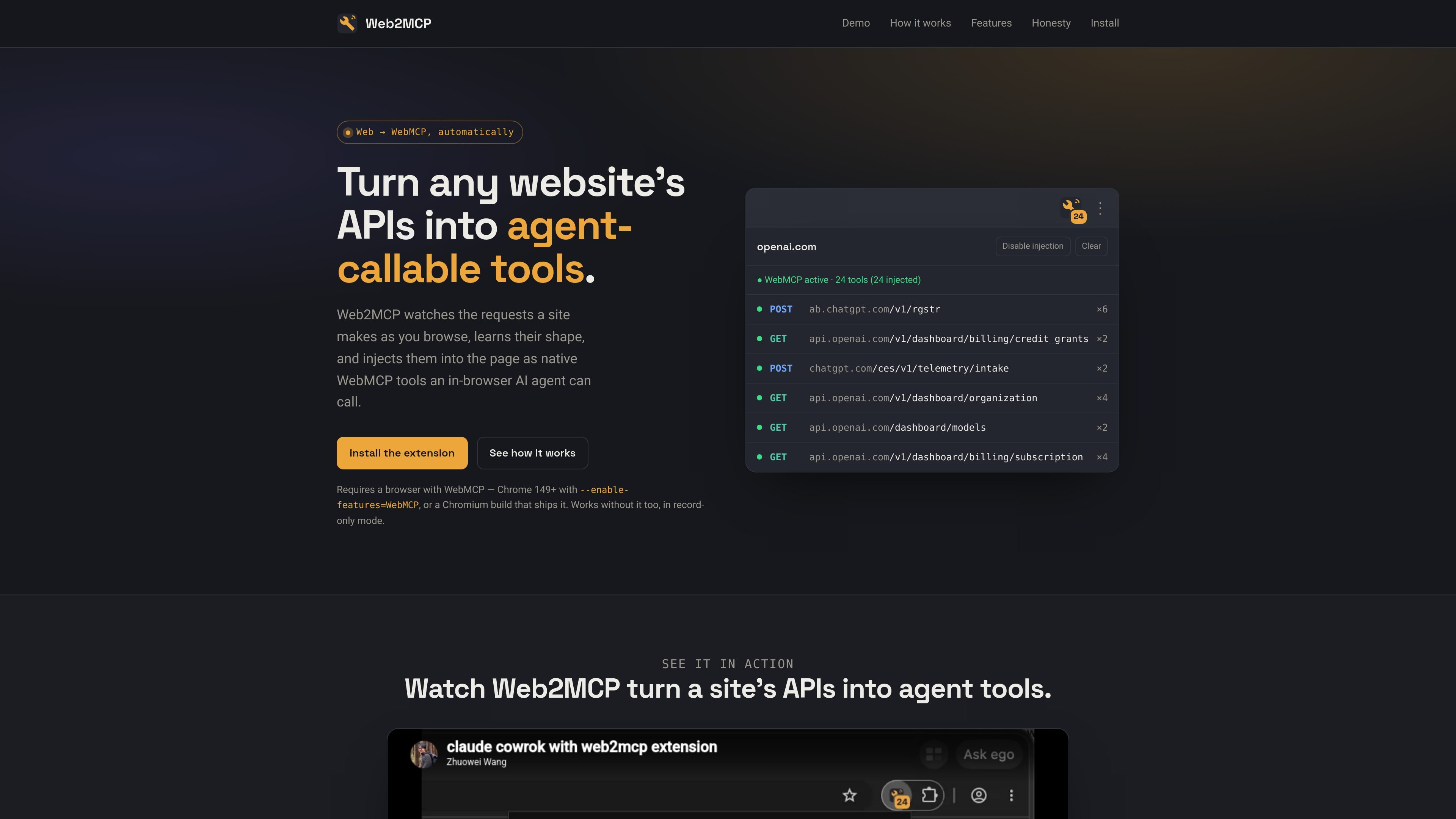
Web2MCP is a browser extension that records the JSON APIs a website calls and turns them into native WebMCP tools for in-browser AI agents. It is designed to let an agent work with a site’s real API surface without per-endpoint setup, schema files, or manual wiring.
The product watches requests in page context, deduplicates them into endpoint templates, infers schemas from observed traffic, and injects the resulting tools through the browser’s modelContext API. The result is a local workflow where browsing a site builds the tool set that an agent can later call.
A page-context script patches fetch and XMLHttpRequest so the extension can observe JSON API calls made by the site, including calls to third-party domains, while ignoring static assets and trackers.
Repeated requests are deduplicated into endpoint templates such as /users/{id}, and the extension infers JSON Schemas and required fields from what it has observed.
Each endpoint is registered as a native WebMCP tool through document.modelContext, so in-browser agents can discover and call it without manual wiring.
Calls are replayed in page context, which lets recorded cookies and captured auth headers carry through when the tool is invoked.
Tools are pooled by website domain, so subpages and subdomains share one growing tool set as the user moves around a site.
The interface includes a toolbar badge, a popup list of tools, and a per-site disable option for injection control.
For internal admin panels, dashboards, and other cookie-authenticated apps, Web2MCP can capture the requests the app already makes and expose them as tools for an in-browser agent.
Teams working on products they control can browse their own app, let the extension learn the endpoints organically, and then let an agent call those tools without separate integration work.
For read-heavy sites and endpoints that send static bearer tokens or session values in request parameters, Web2MCP can replay the observed requests with the captured context.
As users move across pages and subdomains of the same site, the shared domain pool lets the tool set accumulate rather than resetting on each page.
Web2MCP records the JSON APIs a website calls while you browse, deduplicates them into endpoint templates, and exposes them as native WebMCP tools in the browser. The site describes the flow as record, aggregate, and inject.
The product adds a browser extension, then works as you browse normally. A toolbar badge shows how many tools have been captured, and the popup lists them. If WebMCP is not available yet, Web2MCP can still record requests until a WebMCP-capable browser is present.
Web2MCP is intended for cookie-authenticated apps, internal tools, dashboards, many B2B SaaS apps, static bearer-token requests, read endpoints, and sites you control. It is described as limited for service-worker-injected auth, one-time anti-replay tokens, and request-body signatures recomputed per payload.
The site says Web2MCP is open source, runs entirely on the user’s machine, stores everything locally, and requires no account or server.

CreateOS Sandbox is an isolated compute environment for running code and agent workloads inside Firecracker micro-VMs. It is designed for workflows that need machine-level isolation, private networking between sandboxes, and programmatic control through SDK, CLI, or MCP.

GitBot is a local browser-based workspace for creating reusable coding bots powered by Claude Code, Codex, or OpenCode. It helps developers run those agents across repository folders with persistent threads and configurable permissions.

AakarDev AI helps teams manage AI provider access, project-level setups, logs, and analytics from one dashboard. It supports BYOK workflows and lists providers including OpenAI, Google Gemini, Anthropic, Groq, Mistral AI, and Perplexity AI.

Trigger.dev chat agent is a durable AI chat backend for developers building stateful conversations that can survive refreshes, crashes, and long-running turns. It connects with the AI SDK `useChat` flow and runs on managed infrastructure with no timeout on a turn.

ByteAsk is a terminal-first AI coding agent for C and C++ that edits repositories and verifies changes with the real compiler, debugger, sanitizers, and tests before showing a diff. It offers a free tier plus paid plans, with editor connectors and zero-retention handling described in the source.

Epherem is a static security scanner for web apps built with AI coding tools such as Lovable, Bolt, v0, Replit, Cursor, and Claude Code. It checks source files and dependencies for common security mistakes, then provides categorized findings and suggested fixes without running the app.