
Task assignment in plain English
Describe work in plain English and let the agent start from the browser. The site emphasizes that non-technical teammates can assign tasks without using an IDE or terminal.
Agen is a cloud platform for autonomous AI coding agents that turns plain-English tasks into merge-ready pull requests. It helps developers and cross-functional teams ship code with live previews, CI fixes, and multi-repo coordination, all from the browser.
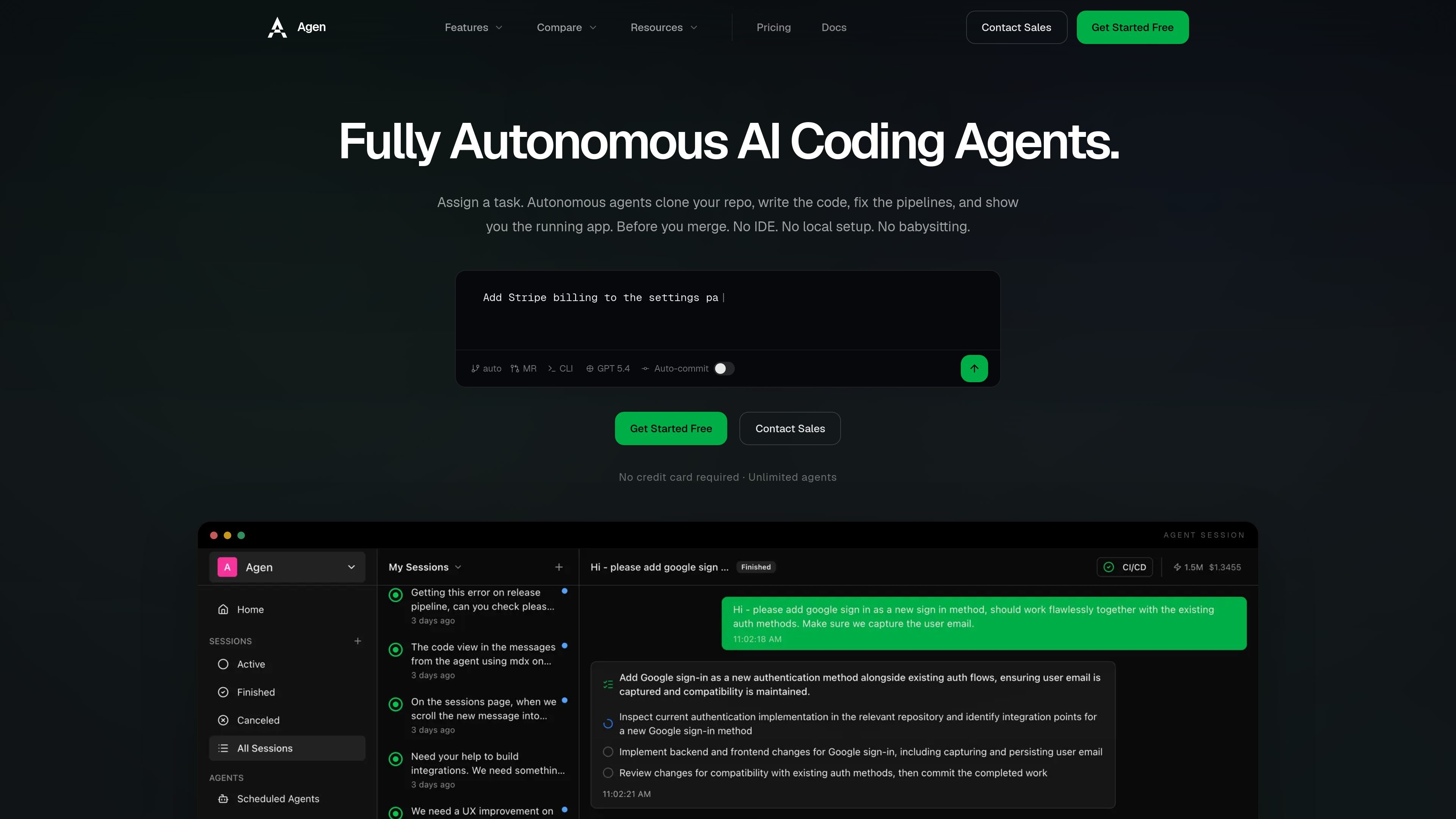
Agen is a cloud platform for fully autonomous AI coding agents. You give it a task in plain English, and it clones your repository, makes the code changes, runs the pipeline, fixes failures, and prepares a merge-ready pull request.
The product is built for teams that want agents to handle more of the delivery workflow without local setup. Its core flow combines isolated cloud sandboxes, live app previews, self-fixing CI runs, and multi-repository coordination so work can move from task to review in one browser-based session.
Describe work in plain English and let the agent start from the browser. The site emphasizes that non-technical teammates can assign tasks without using an IDE or terminal.
Agents clone the repository, write code, and run the existing CI pipeline. When a build, lint, or test step fails, the agent reads the logs and iterates until the pipeline passes.
One session can coordinate changes across frontend, backend, and infrastructure repositories. The product creates linked PRs per repo and provides a cross-repository preview of the integrated system.
The platform runs work in isolated cloud sandboxes on separate branches. This keeps the main branch protected while agents prepare merge-ready pull requests.
The pricing page includes scheduled agents and alerts, letting teams set recurring tasks and get notified when needed.
Agen shows live app previews before merge so reviewers can inspect the running app, not just the diff.
Use Agen when a developer or product manager wants to hand off a feature request in plain English and get back a reviewable PR instead of a partial draft.
Use it for changes that touch backend, frontend, and infrastructure code at the same time, such as adding billing, login, or another integrated feature.
Use it when CI is likely to fail on the first pass and you want the agent to inspect logs, correct the issue, and rerun the pipeline without manual shuttling between tools.
Use it for recurring maintenance or monitoring tasks that should run on a schedule with budget limits and alerts.
Use it when reviewers need to inspect the running application before approving a PR, especially for changes that are easier to validate in a browser than in a diff.
Agen is a cloud platform for autonomous AI coding agents. You assign a task in plain English, and the agent clones your repository, works through the codebase, runs services, fixes pipeline failures, and prepares a merge-ready PR.
Agen is designed for autonomous cloud execution rather than IDE-first or terminal-only workflows. It supports multi-repo sessions, live app previews, scheduled agents with budget limits, and branch-safe execution from the browser.
Yes. The product pages state that you can sign up with no credit card and receive $20 in free credits.
No local setup is required. You connect your Git repository, describe the task in your browser, and the agent runs in an isolated cloud sandbox.
Agen says each session runs in an isolated cloud sandbox, agents work on separate branches, and code is only merged after team approval. The site also says SOC 2 certification is in progress.

GitBot is a local browser-based workspace for creating reusable coding bots powered by Claude Code, Codex, or OpenCode. It helps developers run those agents across repository folders with persistent threads and configurable permissions.

ByteAsk is a terminal-first AI coding agent for C and C++ that edits repositories and verifies changes with the real compiler, debugger, sanitizers, and tests before showing a diff. It offers a free tier plus paid plans, with editor connectors and zero-retention handling described in the source.

CreateOS Sandbox is an isolated compute environment for running code and agent workloads inside Firecracker micro-VMs. It is designed for workflows that need machine-level isolation, private networking between sandboxes, and programmatic control through SDK, CLI, or MCP.

Ghost — терминальный AI-ассистент для чата, генерации кода и запуска задач в командной строке. Бесплатные модели, Linux, macOS, Windows, open source.

Vi3ecode is a maintained development environment for working with AI coding agents. It keeps project context, terminal, Git, memory, flows, review, and communication connected around the agent you already use.

AakarDev AI helps teams manage AI provider access, project-level setups, logs, and analytics from one dashboard. It supports BYOK workflows and lists providers including OpenAI, Google Gemini, Anthropic, Groq, Mistral AI, and Perplexity AI.