
Cross-platform search
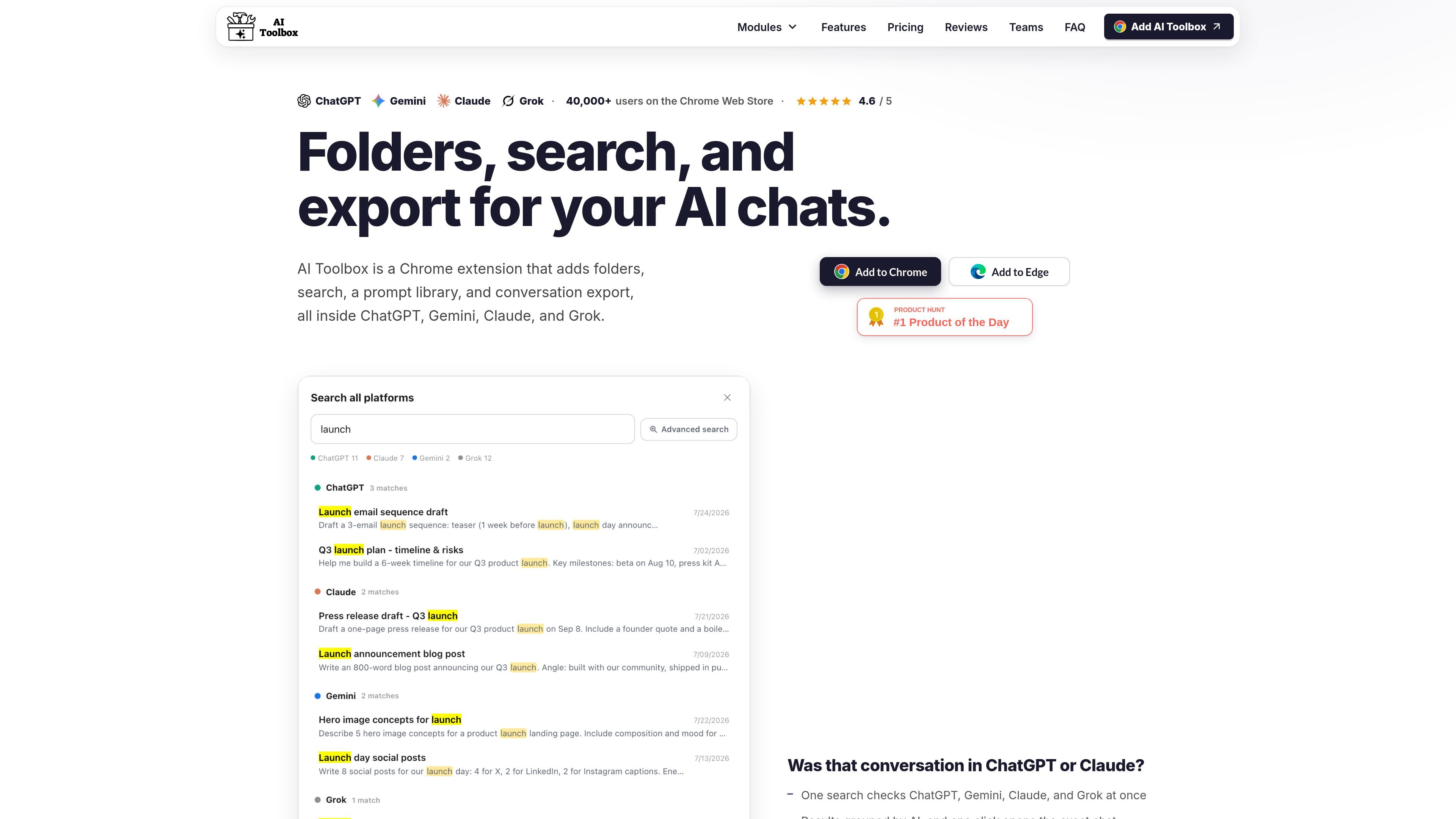
Search across ChatGPT, Gemini, Claude, and Grok from one interface, with results grouped by AI and one-click opening of the exact chat.

AI Toolbox is a browser extension that organizes and searches chats in ChatGPT, Gemini, Claude, and Grok. It adds folders, prompt reuse, export options, and team tools for people who manage a lot of AI conversations.
AI Toolbox is a Chrome extension that adds organization and workflow tools to ChatGPT, Gemini, Claude, and Grok. It helps users find past conversations, sort them into folders, save and chain prompts, and export chats in multiple formats.
The product is positioned for people who work across several AI chat tools and need a better way to manage a growing history of prompts and responses. A free plan is available, and paid plans add broader search, unlimited organization, bulk export, sync, and team features.
Search across ChatGPT, Gemini, Claude, and Grok from one interface, with results grouped by AI and one-click opening of the exact chat.
Organize conversations into folders and subfolders, pin the chats you return to often, and keep a structured sidebar as your history grows.
Save prompts for reuse, browse the public Prompt Library, and run saved prompts one after another with prompt chaining.
Export one or many conversations as PDF, Markdown, plain text, JSON, or ZIP so important answers are not trapped in the browser.
Use Smart Tags and auto-categorization to sort chats, along with bookmarks, labels, and bulk actions for larger histories.
Access the extension in Chrome, Edge, Brave, Opera, or Arc, with support for Chromium-based browsers and cross-device/browser sync on paid plans.
Use the extension to centralize chats from several AI tools so you can search for a past answer without remembering which product you used.
Keep research threads, recurring prompts, and frequently used chats in folders and subfolders so they are easier to revisit later.
Save reusable prompts once, then run them again or chain them together for repeated workflows such as writing, support, or research.
Export important answers or full conversations to PDF, Markdown, text, or JSON when you want a local copy outside the browser.
Give a group a shared prompt library, seat management, and usage reporting so admins can coordinate AI workflows across the team.
Yes. The Free plan includes 2 folders, 2 pinned chats, 2 saved prompts, and 5 search results per query, with no card and no account required.
Premium is priced per module. The source lists $9.99/month, $59/year, or $99 one-time for a single module, and $199 one-time for All Access across all four modules.
AI Toolbox adds organization and workflow tools on top of the AI accounts you already use. It is not a separate AI subscription.
The FAQ says conversation content stays in your browser. Only folder names, prompts, chat IDs, and usage stats sync.
The extension works on Chrome, Edge, Brave, Opera, and Arc, and the site says it installs on Chromium browsers.

Dcyde is a decision log for product teams that captures what was decided, the reasoning behind it, and the source in one shared place. It supports pinning decisions from Slack, Figma, or inside Dcyde and keeps the record searchable over time.

Goldfish is an AI memory app for macOS that helps you reply, write, summarize, and continue using the context already on your Mac. It stores memory locally and writes in your tone.

ArtDeck is a visual reference board app for iPhone, iPad, and Mac that lets artists collect mixed reference material on one canvas and study it with ToolBox lenses. It works offline, supports optional iCloud sync, and is sold as a one-time purchase with no account required.

Biji - это универсальная платформа, разработанная для повышения продуктивности с помощью инновационных инструментов и функций.

runevr is a connected workspace for creative teams that combines boards, media review, chat, recordings, drive, calls, and AI agents in one room-based environment. It is designed to reduce tool switching and keep project context together.

Lasso is an ecommerce product data platform for enriching catalog records, processing supplier files, generating product content, and monitoring competitors. It combines a web app with a REST API, SDK, and MCP server for teams and developers.