
Plain-language crypto intelligence
Ask in plain language and get conclusion-first analysis that turns crypto questions into structured briefs with evidence attached.

Antalpha Nina is a Web3 AI assistant for crypto intelligence, trading, prediction, and wallet safety. It analyzes data across 50+ chains, then drafts actions that users sign in their own wallet.
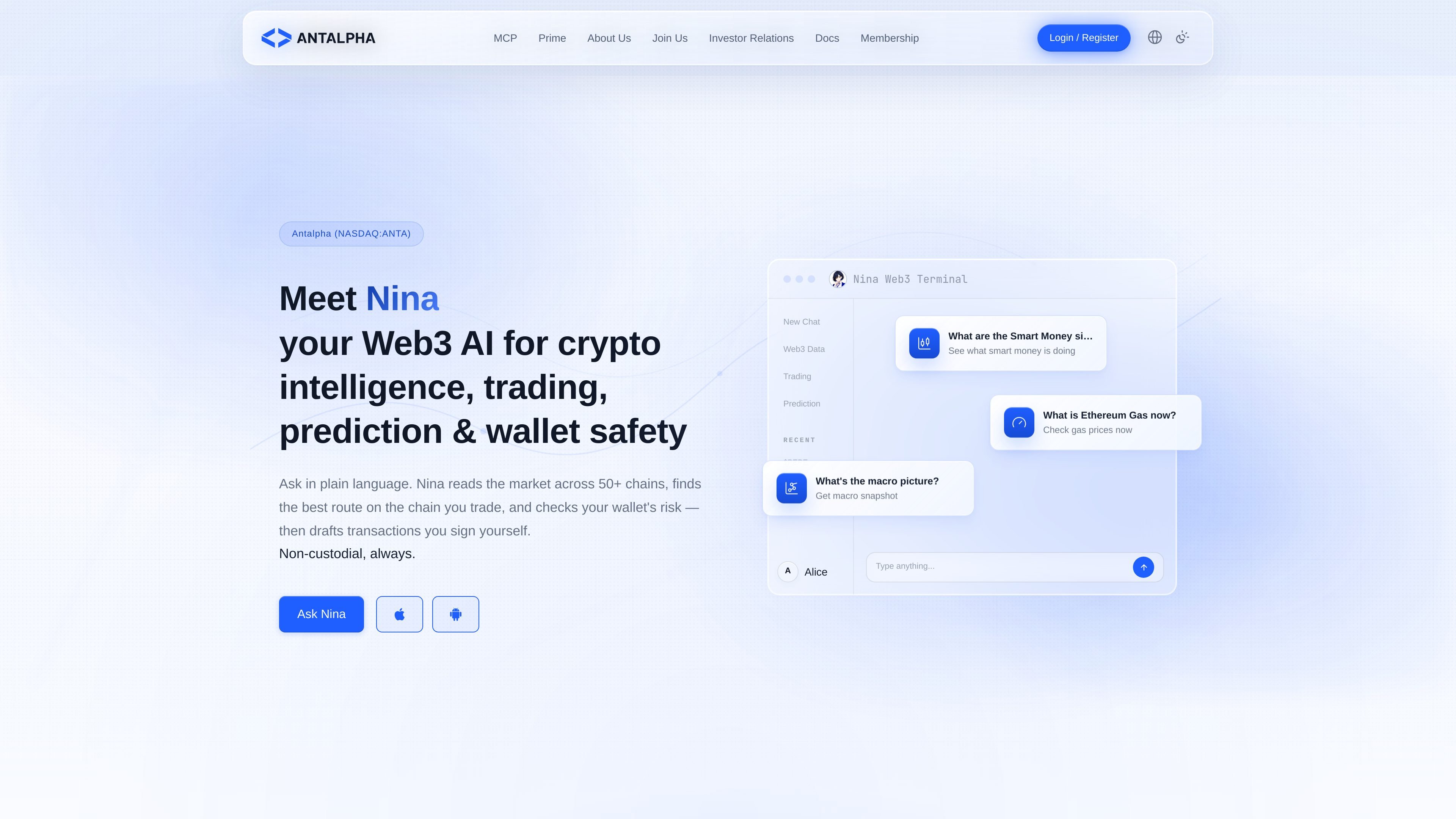
Antalpha Nina is a Web3 AI assistant focused on crypto intelligence, trading, prediction, and wallet safety. The product is positioned as a chat-based research and execution helper that turns plain-language questions into structured, source-backed analysis.
The site describes Nina as working across 50+ chains and combining real-time market data, on-chain signals, wallet checks, and other named data sources. It does not custody user funds; instead, it drafts actions and the user signs them in their own wallet.
Ask in plain language and get conclusion-first analysis that turns crypto questions into structured briefs with evidence attached.
Reads across 50+ chains and combines on-chain, market, and news data to support crypto research and trading decisions.
Checks wallet risk and supports wallet-safety workflows so users can review exposure before acting.
Drafts transaction actions for swaps and one-tap orders, but the user signs each transaction in their own wallet.
Shows source and freshness badges in the Run Card so users can see which providers support each reply and how current the data is.
Supports proactive workflows such as Sentinel mode, scheduled tasks, and MCP-based access for external tools.
Ask questions like market structure, smart-money signals, gas prices, or macro context and receive a concise, evidence-backed response instead of a generic chat answer.
Review wallet risk and related on-chain signals before trading so you can see exposure and potential issues before signing anything.
Compare routes, costs, and available opportunities before drafting a transaction, then sign the final action yourself in your own wallet.
Follow tokens, prediction events, or market conditions through Sentinel mode and scheduled tasks so Nina can notify you when something changes.
Connect Nina’s analysis into other tools through the MCP workflow or supported AI clients when building custom Web3 automations.
Nina is presented as a Web3 AI assistant for crypto intelligence, trading, prediction, and wallet safety. The site describes it as a chat-based product that reads market data, checks wallet risk, and drafts transactions for you to sign in your own wallet.
The documentation says Nina uses real-time and snapshot data from named providers such as Hyperliquid, exchange market data, FMP, DeBank, Nansen, GoPlus, Moralis, DefiLlama, and web search. Every conclusion includes source and freshness information in a Run Card.
Nina is non-custodial. The site says it does not custody funds, trade on your behalf, or take control of your private keys; instead, it drafts actions and you sign them yourself.
The documentation says supported AI clients for the MCP docs include Claude, Cursor, Windsurf, and Codex. The Build Agent page also points to developer-oriented workflow pieces such as wallet balance, transaction receipt, and ETH payment tooling.
The site says Nina will say 'I don't know' when data is insufficient, and its badges indicate whether a reply is real-time verified, delayed, partially sourced, or not verified. It is described as a trading and research partner rather than an all-purpose assistant.

SimplyPortfolio is a manual portfolio tracker for stocks, ETFs, gold, and silver that combines multiple accounts into one dashboard. It supports multi-currency reporting, cost-basis tracking, and CSV export, with a free tier for up to 3 holdings.

Ably Chat is a chat API platform for building custom realtime chat applications. It supports room-based messaging, typing indicators, presence, reactions, and message updates, with usage-based pricing options for different deployment stages.

Claude Overlay is a Windows desktop overlay for Claude Code that reads your screen so you can ask questions, inspect content, and request edits without leaving the current app. It runs on your existing Claude subscription through the Claude CLI, so no separate API key is required.

Grok — это бесплатный ИИ-помощник, разработанный xAI, который ставит во главу угла правдивость и объективность, предлагая расширенные возможности, такие как доступ к информации в реальном времени и генерация изображений.

Trigger.dev chat agent is a durable AI chat backend for developers building stateful conversations that can survive refreshes, crashes, and long-running turns. It connects with the AI SDK `useChat` flow and runs on managed infrastructure with no timeout on a turn.

IntellAgents is an AI voice and chat agent service for businesses handling customer calls, outbound calls, and messaging across WhatsApp, Instagram, Facebook, Telegram, and websites. It uses a shared knowledge base, provides conversation summaries, and can escalate interactions to human staff.