
Single-screen analytics view
The dashboard surfaces users, sessions, top pages, top sources, and top countries together so you can answer common traffic questions without drilling into multiple GA4 reports.

BetterGA is a web-based GA4 dashboard that helps users review core traffic metrics in one place. It supports read-only Google access, multiple properties, and email summaries for simpler analytics checking.
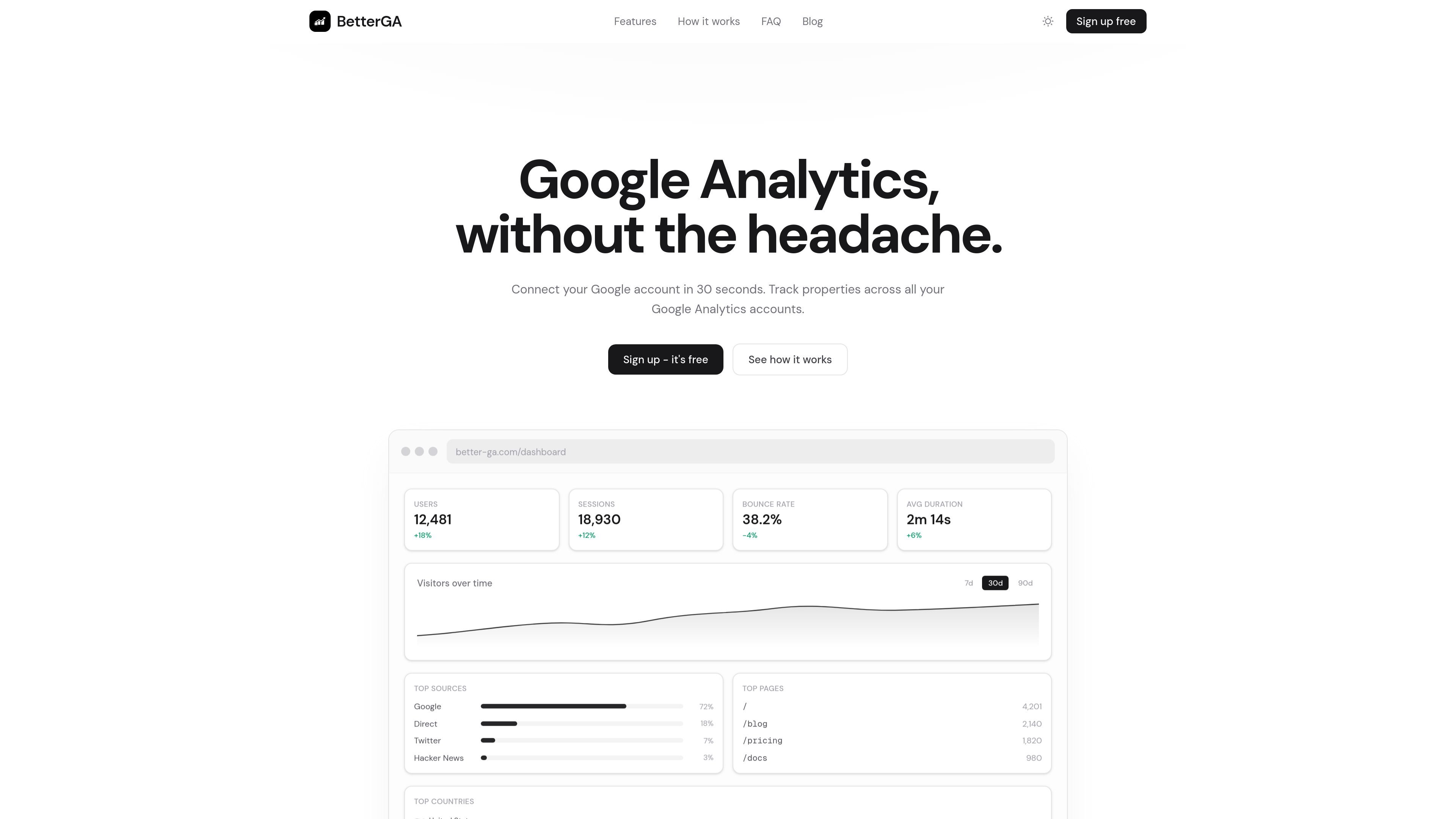
BetterGA is a Google Analytics front end that presents GA4 reporting in a simpler dashboard. It is designed to help users check core traffic metrics quickly, without moving through multiple reports or custom explorations.
The product connects to existing Google Analytics properties with Google sign-in, requests read-only access, and shows a combined view of users, sessions, top pages, sources, and countries. It also supports multiple accounts and properties, plus email digests for ongoing summaries.
The dashboard surfaces users, sessions, top pages, top sources, and top countries together so you can answer common traffic questions without drilling into multiple GA4 reports.
BetterGA connects with Google sign-in and requests read-only access, so it can read report data without writing to your GA4 account.
The product is built for GA4 and is positioned around the current Google Analytics API rather than Universal Analytics.
You can add multiple GA accounts and properties, then switch between them from one workspace instead of logging into each property separately.
Weekly or monthly email digests summarize each property with metrics, top pages, and traffic sources for inbox review.
The onboarding flow emphasizes a fast setup: sign in, select properties, and see all tracked properties in one dashboard.
A solo site owner can check users, sessions, top pages, and traffic sources from one screen instead of assembling custom GA4 reports.
Agencies or consultants managing several client properties can import multiple GA4 accounts and switch between them in one workspace.
Teams that want recurring updates can receive weekly or monthly email digests with key metrics and top content for each property.
People who only need read access to analytics can connect their Google account and view reports without granting write permissions.
Users who find GA4 too fragmented can use BetterGA as a lighter interface for answering basic questions about site performance.
Yes. The site says BetterGA is free to use and that you can connect your Google account to start tracking in about 30 seconds, with no credit card required.
BetterGA is built exclusively for GA4. The source says older Universal Analytics is no longer supported.
BetterGA reads data from your existing GA4 properties through Google sign-in. If you do not already have a Google Analytics account, you need to set one up first.
During onboarding, you can import properties from any GA4 account your Google account can access and manage them from one workspace.
BetterGA requests read-only OAuth scopes, does not write to your GA4 data, and says analytics data is not stored permanently on its servers; it is cached for an hour.

PromptScout tracks how ChatGPT, Gemini, Google AI Overviews, and Perplexity mention your brand or competitors, then pairs those results with source analysis and website audits. It helps teams decide what to fix in content, positioning, or site readiness next.

SaveMRR is a Stripe retention tool for SaaS teams that scans billing data for churn and MRR leaks, then automates recovery through dunning, cancel-save offers, win-back emails, and onboarding nudges. It is built for founders and bootstrapped teams using Stripe.

Hype is a web tool for finding trending YouTube topics by category, time range, and scoring mode. It helps creators spot emerging ideas, inspect source videos, and decide what to cover next.

Sleek Analytics is a privacy-friendly web analytics tool with real-time visitor tracking, Core Web Vitals, and revenue attribution. It helps site owners understand traffic and conversions without cookie banners or a heavy setup.

Struere is an AI-native platform for turning spreadsheet data into structured operational software with dashboards, alerts, and automations. It is aimed at teams that want to replace manual spreadsheet workflows without building custom tools from scratch.

ClayHog — платформа для AI-поиска, которая помогает отслеживать видимость бренда в ChatGPT, Gemini, Perplexity, Claude и Google AI Overviews из одной панели.