
Drafts replies to iMessages
Blueberry generates reply drafts for unanswered iMessages so you can respond faster without starting from a blank field.

Blueberry is a macOS app that drafts replies to unanswered iMessages in your voice and lets you review them from the menu bar before sending. It is aimed at people who want help answering texts without giving up control of the final message.
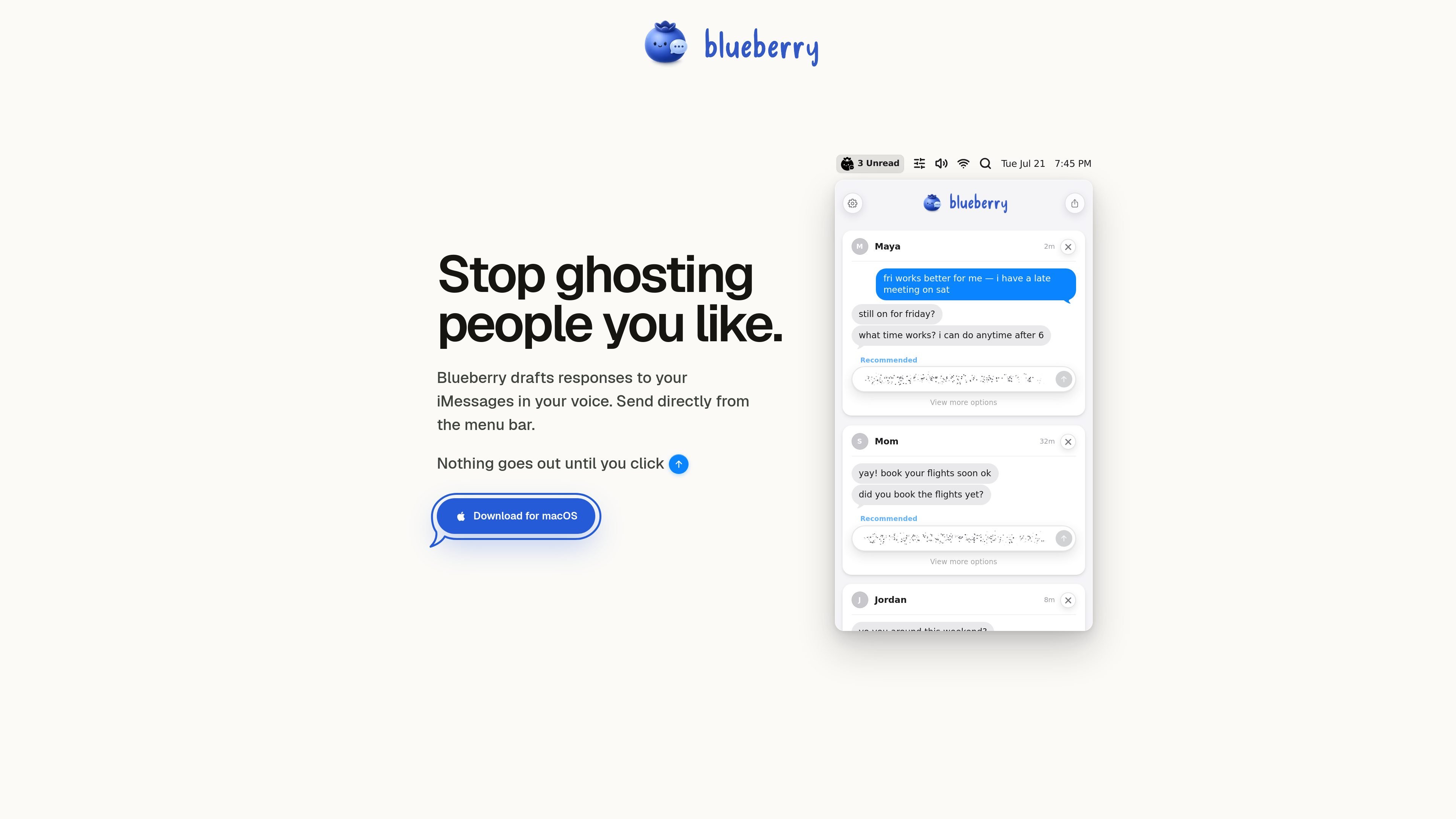
Blueberry is a macOS app that drafts responses to unanswered iMessages and presents them in your own voice. Its stated purpose is simple: help people reply instead of leaving messages hanging.
The homepage positions the product as a menu-bar workflow. Blueberry prepares suggested responses, shows them alongside the original conversation context, and does not send anything until you click, so the final decision stays with the user.
Blueberry generates reply drafts for unanswered iMessages so you can respond faster without starting from a blank field.
The product says it writes responses “in your voice,” aiming to match the tone of your own messages.
Replies can be sent directly from the menu bar, keeping the workflow lightweight and close to the desktop.
The interface shows recommended replies and a “view more options” path, suggesting multiple draft choices for a message.
Blueberry presents drafts for specific conversations and waits for a manual click before sending, which keeps the user in control.
Use Blueberry when you have a few unread iMessages and want a quick starting point for a reply rather than writing from scratch.
Use it for messages where you want your response to sound like you, not like a generic template or formal assistant.
Use the menu-bar workflow when you are already working on your Mac and want to review drafts without switching into a separate app.
Use the draft suggestions and alternative options when a conversation could be answered in more than one way and you want a few starting choices.
Use manual send confirmation when you want AI help with drafting but still want to review and approve the final text yourself.
Blueberry drafts replies to unanswered iMessages in your voice. The homepage says you can send directly from the menu bar, but it does not show a broader chat platform or inbox product.
The homepage shows a “Download for macOS” call to action, so the product appears to be a Mac app. Other platform support is not shown in the site text provided.
The site says, “Nothing goes out until you click,” which indicates Blueberry prepares drafts but does not send them automatically.
The rendered page text does not include pricing, subscription terms, or plan details. The pricing page returned a 404 in the provided evidence.
The homepage does not provide setup instructions beyond the download call to action. Account requirements, installation steps, and team use are not described in the available source.

roastme.gg is a pay-to-play AI roasting site where users submit their own X handle or website, choose how much to pay, and get a public roast ranked on a leaderboard by amount paid.

绘蛙AI是一个面向电商营销的图片、文案和视频内容创作平台,支持训练商品和模特模型,并生成商拍图、小红书内容、电商主图和营销视频。页面还展示了批量生图、团队协作和在线修图等企业与个人工作流。

discode.ai is a browser-based AI chat product that routes prompts across many models and adds controls for eco impact, local privacy, and multi-model verification. It helps users choose how each answer should balance cost, confidentiality, and confidence.

言犀是京东智能人机交互平台,面向企业提供客户服务、营销和流程自动化相关能力,覆盖文字、语音和多模态交互场景。页面未公开价格,提供咨询与按需定制入口。

Henji is a macOS app that turns quick scribbles or keywords into reply drafts in your own voice. It is built for chat and email workflows where you want fast, context-aware responses without starting from a blank page.

ToneBird is an AI reply assistant for macOS and Windows that drafts responses in supported email and chat apps using conversation history, relationship context, and connected documents. Users choose, edit, review, and send the draft themselves.