
Structured bases
Store customers, projects, inventory, and other structured information in bases with defined fields that agents and people can read and write.

Busabase is an MIT-licensed database and workspace for AI-agent output, combining structured bases, documents, skills, playbooks, and apps with a human review workflow. Teams can run it locally, self-host it inside their network, or use Busabase Cloud.
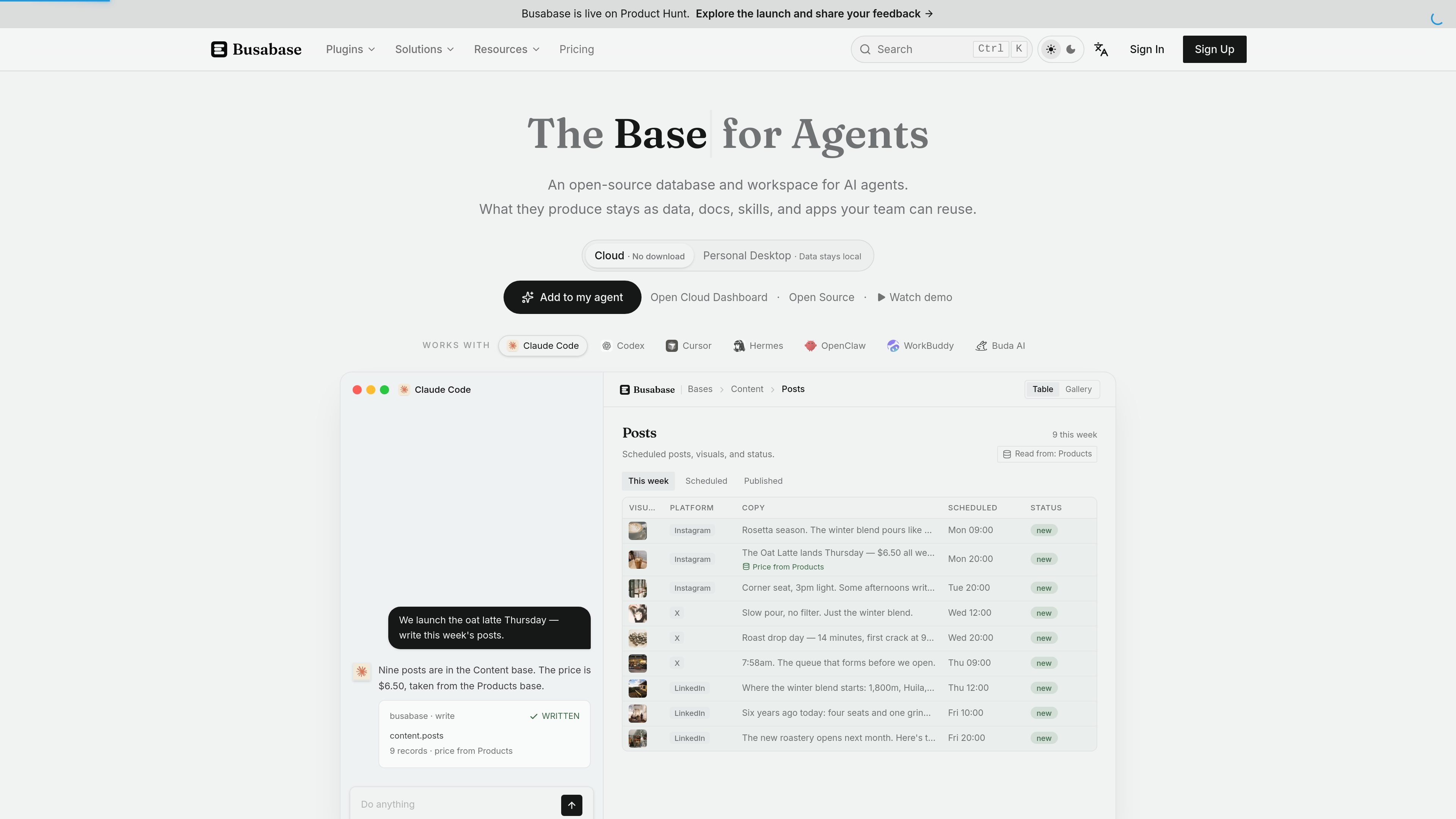
Busabase is an open-source database and workspace for AI-agent work. It combines structured bases, shared documents, reusable skills, playbooks, and internal apps so agent-produced data and knowledge can remain available to a team instead of staying in separate chat histories.
The product also provides a human review queue for agent-submitted changes. In its documented workflow, edits are represented as commits and change requests; approved changes advance the canonical record while preserving a history. Busabase can run on a local computer, on a server inside an organization’s network, or as Busabase Cloud.
Store customers, projects, inventory, and other structured information in bases with defined fields that agents and people can read and write.
Keep shared answers and context in documents with sources, so later agents and teammates can find information beyond an individual chat session.
Treat AI edits as commits and route change requests through review, approval, and merge steps. Approved records retain a history of what changed.
Save repeatable workflows as skills and document team procedures in playbooks for agents to consult before performing tasks.
Build internal tools and pages on the same workspace data, including AirApps and HTML pages on qualifying plans, so interfaces use current records.
Connect external agents through Agent Skills, MCP, OpenAPI, webhooks, or the CLI. Connected agents can work with the same workspace and propose changes for review.
Keep customer records, product facts, and support history in structured bases. An agent can draft responses from that information while a person reviews the result before it is used.
Store briefs, drafts, social posts, creative assets, and publishing status in one content workflow. Agents can use product data while the team tracks and approves the resulting records.
Preserve decisions, meeting notes, procedures, and team context in documents and playbooks so a later agent or teammate can continue work without relying on a private chat history.
Track projects, tasks, suppliers, inventory, or research records in bases that can be read and updated by connected agents and internal applications.
Run agent-generated edits through a visible review queue when teams need provenance, change history, and an explicit approval step before information becomes canonical.
Yes. The Busabase engine is MIT-licensed and can be run locally or on your own server. Busabase Cloud is an optional hosted deployment.
Busabase Desktop stores data in a folder on the local computer, while the Docker deployment can run on a server inside a company network. The product also offers Busabase Cloud as a hosted option.
Busabase provides connection methods including Agent Skills, MCP, OpenAPI, and a CLI. The site lists compatibility with agents and tools such as Claude Code, Codex, Cursor, n8n, Zapier, LangChain, Gemini CLI, and other REST-capable agents.
Agents can write proposed changes, and Busabase records the change history. Changes can be held for human review and then approved or merged into the canonical record.
The self-hosted engine is free to run without seat limits or an expiry. Busabase Cloud has Free, Plus, Pro, and Enterprise options; the Cloud plans have per-space resource limits, while Enterprise is contact-based.

Falconer is an AI-powered company brain that keeps internal documentation accurate, searchable, and up to date by syncing with tools like GitHub, Slack, and Linear. It helps engineering and cross-functional teams centralize knowledge and answer questions from a shared source of truth.

Goldfish is an AI memory app for macOS that helps you reply, write, summarize, and continue using the context already on your Mac. It stores memory locally and writes in your tone.

Lasso is an ecommerce product data platform for enriching catalog records, processing supplier files, generating product content, and monitoring competitors. It combines a web app with a REST API, SDK, and MCP server for teams and developers.

CreateOS Sandbox is an isolated compute environment for running code and agent workloads inside Firecracker micro-VMs. It is designed for workflows that need machine-level isolation, private networking between sandboxes, and programmatic control through SDK, CLI, or MCP.

ArtDeck is a visual reference board app for iPhone, iPad, and Mac that lets artists collect mixed reference material on one canvas and study it with ToolBox lenses. It works offline, supports optional iCloud sync, and is sold as a one-time purchase with no account required.

GitBot is a local browser-based workspace for creating reusable coding bots powered by Claude Code, Codex, or OpenCode. It helps developers run those agents across repository folders with persistent threads and configurable permissions.