
Wallpaper-layer clock
Cadran draws clock faces on the wallpaper layer, so the clock stays visible behind your icons instead of opening a window or widget.
Cadran is a macOS app that puts an animated clock on your wallpaper, behind icons and across displays. It offers a free tier, screen saver mode, and a Pro upgrade for more faces and per-monitor control.
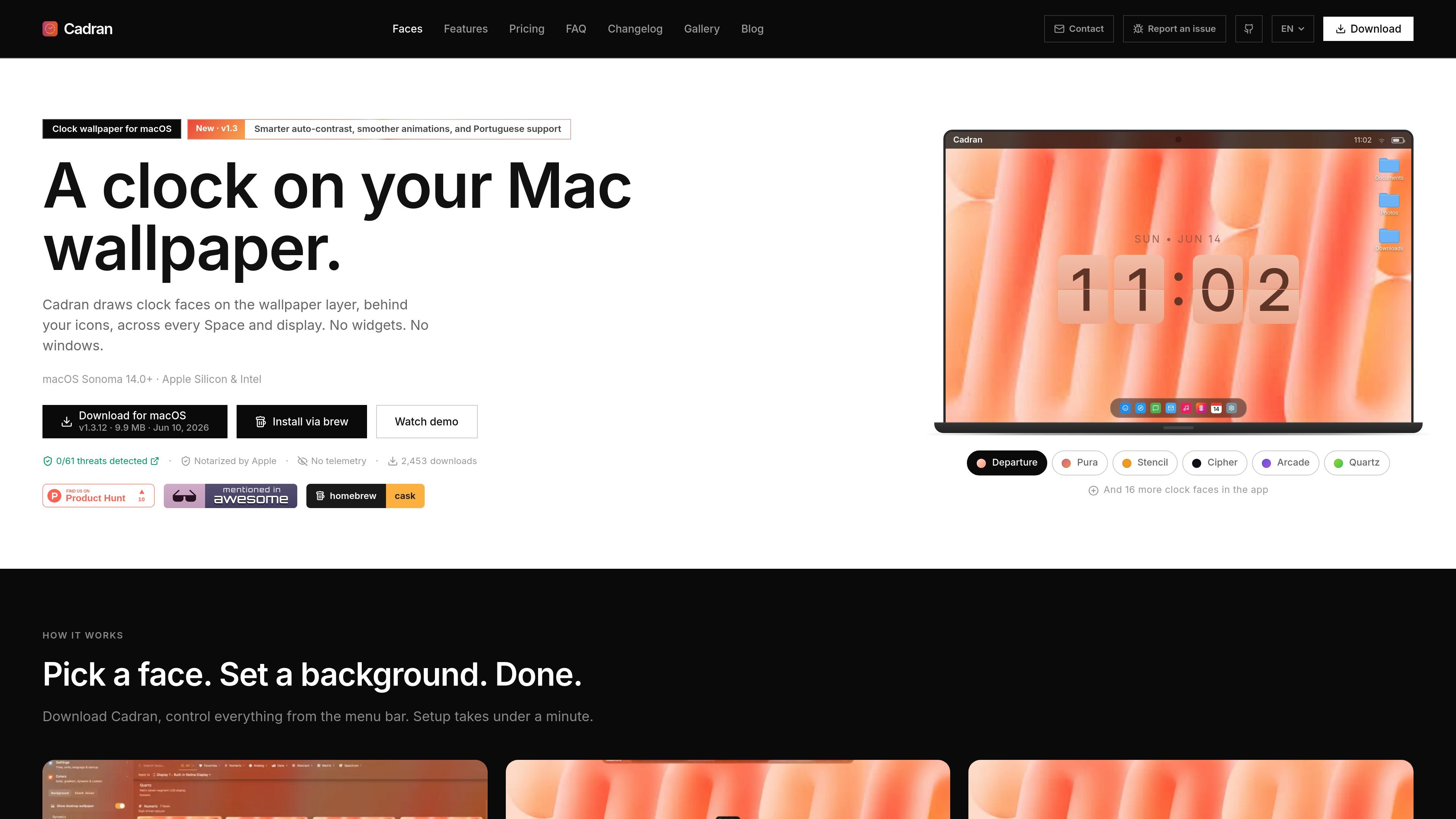
Cadran is a native macOS desktop clock app that places animated clock faces directly on the wallpaper layer, behind your icons and across every Space and display. It is designed to stay visible without using widgets or ordinary windows.
The app offers 22 clock faces, screen saver mode, and customization options for backgrounds, colors, and supported complications. The site also states that setup takes under a minute, the app is free to download, and Pro adds more faces and deeper per-display control.
Cadran draws clock faces on the wallpaper layer, so the clock stays visible behind your icons instead of opening a window or widget.
The app includes 22 animated faces, with six free options and additional premium faces available in Pro.
Supported faces can show live data such as weather, date, battery, and moon phase through complications.
You can choose background presets or use transparent mode, and the app can adapt text colors to the wallpaper for readability.
Cadran can be configured per monitor, including face and color assignment on Pro, so different displays can be set up separately.
The app includes a screen saver mode for a full-screen clock when the Mac is idle, plus menu bar controls for quick changes.
Use Cadran as a subtle desktop clock that stays visible without opening a separate window or relying on a widget.
Set one face on the internal display and a different face or color on another monitor when you want each screen to have its own look.
Pick a background preset or transparent mode to match an existing wallpaper while keeping the clock readable.
Turn on the screen saver mode when the Mac is idle to show a full-screen clock on the display.
Choose a free face and basic complications if you only need a simple desktop clock, then upgrade later if you want more control.
Cadran is a native macOS app, so installation is handled on a Mac through the app download or Homebrew cask. The site says setup takes under a minute and that you can launch it at login so it stays in the background.
The site lists support for macOS Sonoma 14.0+ and both Apple Silicon and Intel Macs.
Cadran shows a clock on the wallpaper layer behind icons. The site says it works across every Space and display, and it includes a screen saver mode.
Yes. The pricing section presents a free version with 6 free clock faces, basic complications, background presets, and all faces available in screen saver mode.
The site says Cadran Pro is a one-time purchase that unlocks all clock faces, advanced controls, per-display setup, and use on up to 3 Macs.

Hermai Brand API turns a customer’s work email or company domain into brand data your B2B SaaS can use for white-label onboarding, profile prefill, and themed customer-facing surfaces. It returns company identity details, a logo, and safe application colors through a single API call.

Lifelong is a family health app for iPhone that helps people organize records, medications, symptoms, wearable data, and appointment notes in one private place. It includes shared family access controls, Apple Health and wearable support, and an AI health companion called Alo.

Prized is an AI internal tool builder for operations, support, and finance teams that need to ship secure workflows on company data. It combines pre-connected data sources, scoped access, and audit logging with a guided build-and-publish flow.

MeetStream is a meeting bot API for Zoom, Google Meet, Microsoft Teams, and Webex. It helps developers record, stream, and analyze meetings programmatically, with usage-based pricing and a $5 free credit to start.

Calendly now includes Notetaker and Callie, two AI products that help schedule meetings over email, capture notes, and generate recaps and follow-up materials. They are aimed at people and teams that want meeting admin handled in one workflow.

Checksum is an AI testing platform that generates, runs, and heals Playwright tests for end-to-end, CI, and API coverage. It helps teams keep test suites current as applications change, with repository-owned code and native CI/CD integrations.