
Per-person family health spaces
Create a separate health space for each person so medications, conditions, symptoms, records, appointments, and everyday wellbeing stay tied to the right family member.

Lifelong is a family health app for iPhone that helps people organize records, medications, symptoms, wearable data, and appointment notes in one private place. It includes shared family access controls, Apple Health and wearable support, and an AI health companion called Alo.
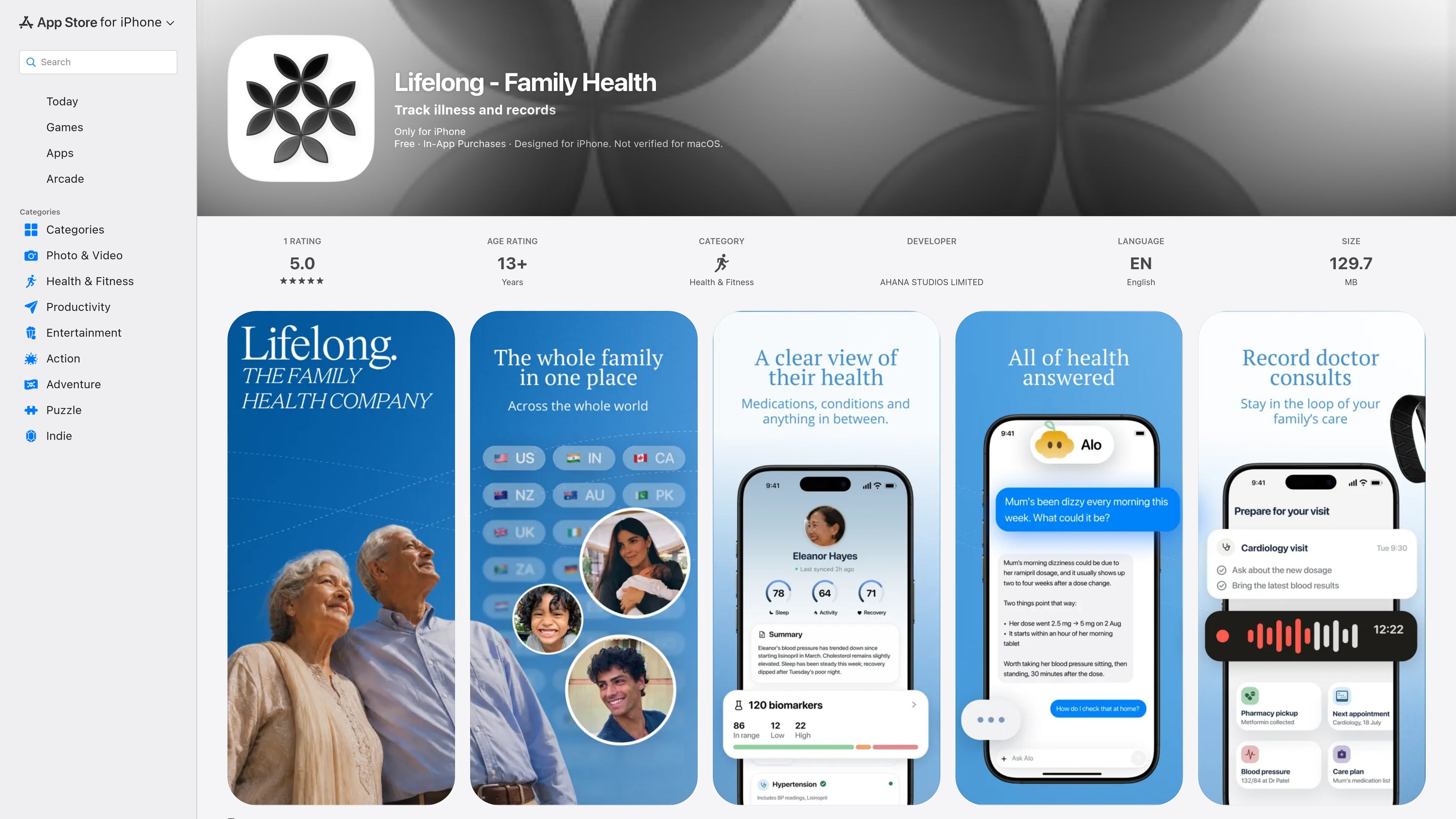
Lifelong is a family health app for iPhone that organizes illness tracking, records, wearable data, and care notes in one private place. It is listed in the App Store under Health & Fitness and is published by AHANA STUDIOS LIMITED.
The app is built around a separate space for each person in the family, so medications, conditions, symptoms, appointments, and everyday wellbeing stay connected to the right individual. The listing also says families can prepare for appointments, record consultations with consent, and keep write-ups and care plans together instead of scattering them across messages or files.
Lifelong includes Alo, a health companion that can answer questions about stored personal health information, and it supports Apple Health, Apple Watch, Oura, and other compatible wearables. The app is free with in-app purchases, includes a Lifelong Plus membership, and Apple notes that it is designed for iPhone and not verified for macOS.
Create a separate health space for each person so medications, conditions, symptoms, records, appointments, and everyday wellbeing stay tied to the right family member.
Store health records, notes, and documents together, including result photos or PDFs that can be turned into a record through Alo.
Connect Apple Health, Apple Watch, Oura, and other supported wearables to follow sleep, activity, recovery, and heart-rate trends alongside the rest of a person’s care journey.
Prepare for consultations by gathering questions, recent changes, and records in one place, and keep next steps or a care plan with the visit information afterward.
Ask Alo about symptoms, medication changes, health topics, recent results, or patterns over time to surface relevant context from the information your family has stored.
Control who can see each record and share one Lifelong Plus membership across the family members you invite.
Use the app to keep one parent’s medications, results, symptoms, and appointment notes organized in a single record that can be reviewed over time.
Track a partner’s treatment journey by storing visit notes, care plans, and wearable trends together so the full context is easier to follow.
Collect questions, recent changes, and relevant documents before a consultation, then keep the write-up and next steps after the visit.
Log sleep, activity, recovery, and heart-rate trends from supported wearables alongside health records to see how daily data relates to the rest of a care story.
Keep a family member’s records private by default while choosing exactly which people can see each record and which family members are invited.
Lifelong is designed to help families keep health records, wearable data, medications, symptoms, appointments, and care notes in one place. The source also says it can be used to prepare for appointments, record consultations with consent, and ask questions about personal health information through Alo.
The source shows Lifelong is designed for iPhone and requires iOS 17.0 or later. Apple also lists compatibility with Mac and Apple Vision requirements, but the app page states it is only for iPhone and not verified for macOS.
Yes. The app listing says Lifelong is free with in-app purchases, and the version history mentions a 14-day free trial for Lifelong Plus that can be shared with the family.
The app page says one Lifelong Plus membership covers everyone you invite, and recent release notes describe family sharing controls that let you decide who can see each record.
The app is not a medical device and does not provide medical advice. The listing also says data is encrypted, never sold, and never used for ads, according to the developer’s stated privacy practices.

Flunkey is a voice-first productivity layer for Windows that converts speech into text, AI-assisted outputs, and remembered context. It is built for users who want to capture ideas and actions without leaving the app they are working in.

Malyatko is a baby tracker for logging feeding, sleep, growth, teething, and milestones in one app. It works on iPhone, Apple Watch, and widgets, with no sign-up, offline use, and family sharing through iCloud.

Ably Chat is a chat API platform for building custom realtime chat applications. It supports room-based messaging, typing indicators, presence, reactions, and message updates, with usage-based pricing options for different deployment stages.

MIRA vision develops synthetic-data-driven AI for pathology image analysis in medical diagnostics. Its website positions the product for teams that need privacy-compliant training data, automatic annotations, and controlled data generation.

Claude Overlay is a Windows desktop overlay for Claude Code that reads your screen so you can ask questions, inspect content, and request edits without leaving the current app. It runs on your existing Claude subscription through the Claude CLI, so no separate API key is required.

Grok — это бесплатный ИИ-помощник, разработанный xAI, который ставит во главу угла правдивость и объективность, предлагая расширенные возможности, такие как доступ к информации в реальном времени и генерация изображений.