
Multi-tab session management
Manage multiple Claude Code projects in separate tabs, switch with keyboard shortcuts, and rename or reorder tabs to keep sessions organized.

Caudex is a terminal application for Claude Code that adds tab management, split panes, context tracking, and a unified sidebar for sessions, Git, MCP servers, and skills. It supports macOS, Windows, and Linux and includes a beta Remote Access workflow.
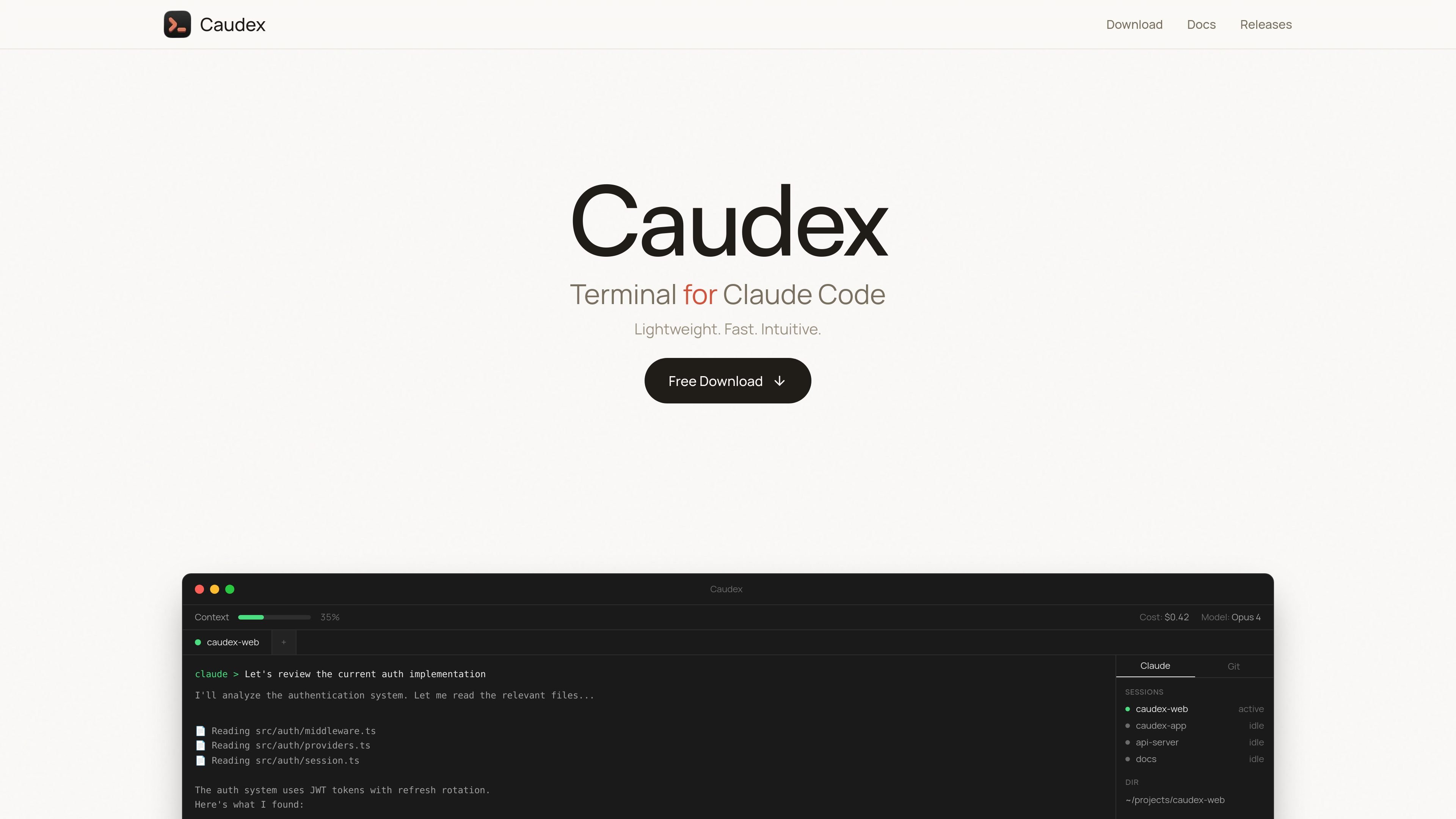
Caudex is a dedicated terminal application for Claude Code. It is positioned as a lightweight, fast, and intuitive way to run Claude Code sessions while keeping project context, Git state, and related tools in one place.
The app focuses on terminal-first workflow improvements rather than replacing Claude Code itself. It adds multi-tab session management, split terminals, a session overview, context and cost tracking, and a sidebar for sessions, directories, Git, MCP servers, skills, agents, hooks, and permissions. The docs also describe remote access through a local WebSocket server for users who want to reach Caudex from another device.
Manage multiple Claude Code projects in separate tabs, switch with keyboard shortcuts, and rename or reorder tabs to keep sessions organized.
See live context usage and estimated cost in the terminal, helping you decide when to compact or reset a long-running session.
Open a unified sidebar for sessions, working directories, Git status, MCP servers, skills, agents, hooks, and permissions without leaving the app.
Split the terminal horizontally or vertically to run multiple Claude Code sessions or shell commands side by side.
Browse, install, and manage skills and MCP servers through visual interfaces, with session resume and Git tools available alongside them.
Use keyboard shortcuts, notifications, and quick actions for compacting context, clearing the terminal, editing memory, copying conversation, and capturing screenshots.
Keep multiple Claude Code projects open at once, using tabs, tab overview, and session search to move between active work without losing context.
Track long sessions more carefully with real-time context usage and estimated cost so you know when to compact or reset.
Work with Git, sessions, MCP servers, skills, and permissions from one place when you want fewer context switches during development.
Access a running Caudex session from another device through Remote Access when you need to continue work away from the main machine.
Run side-by-side shell commands and Claude Code sessions with split terminals and quick actions for common tasks.
Caudex is available for macOS, Windows, and Linux. The docs page lists macOS Apple Silicon and Intel builds, Windows installers, and Linux packages including .deb, .rpm, and AppImage.
Yes. The docs say Caudex requires the Claude Code CLI to be installed and available in your PATH before first launch.
Caudex is built around a terminal workflow for Claude Code, with multi-tab management, splits, an information panel, session search, and quick actions for tasks like compacting context, editing memory, and capturing screenshots.
Yes. The docs include a Remote Access beta feature that lets you access Caudex from another device through a WebSocket server on your machine, and the release notes mention mobile UI and remote Git integration for that workflow.

Exodus is a free developer tool that audits an application repository, compares its current deployment with a Google Cloud Run design, and creates an ordered migration plan for a coding agent. It also helps plan new products for Cloud Run with architecture and cost estimates.

AakarDev AI helps teams manage AI provider access, project-level setups, logs, and analytics from one dashboard. It supports BYOK workflows and lists providers including OpenAI, Google Gemini, Anthropic, Groq, Mistral AI, and Perplexity AI.

ByteAsk is a terminal-first AI coding agent for C and C++ that edits repositories and verifies changes with the real compiler, debugger, sanitizers, and tests before showing a diff. It offers a free tier plus paid plans, with editor connectors and zero-retention handling described in the source.

Epherem is a static security scanner for web apps built with AI coding tools such as Lovable, Bolt, v0, Replit, Cursor, and Claude Code. It checks source files and dependencies for common security mistakes, then provides categorized findings and suggested fixes without running the app.

CreateOS Sandbox is an isolated compute environment for running code and agent workloads inside Firecracker micro-VMs. It is designed for workflows that need machine-level isolation, private networking between sandboxes, and programmatic control through SDK, CLI, or MCP.
Gerty is a local AI assistant for Apple silicon Macs that handles chat, writing, documents, voice and selected Mac app tasks without sending data to the cloud. It works offline after model downloads and is designed for users who want private everyday AI without an account or subscription.