
Live ETA in the menu bar
Shows live commute time, ETA, and traffic delay directly in the Mac menu bar so you can check before leaving without opening another app.

CommuteBar is a Mac menu bar app that shows live commute times and ETA before you leave. It helps people monitor traffic and get departure reminders without opening another maps app.
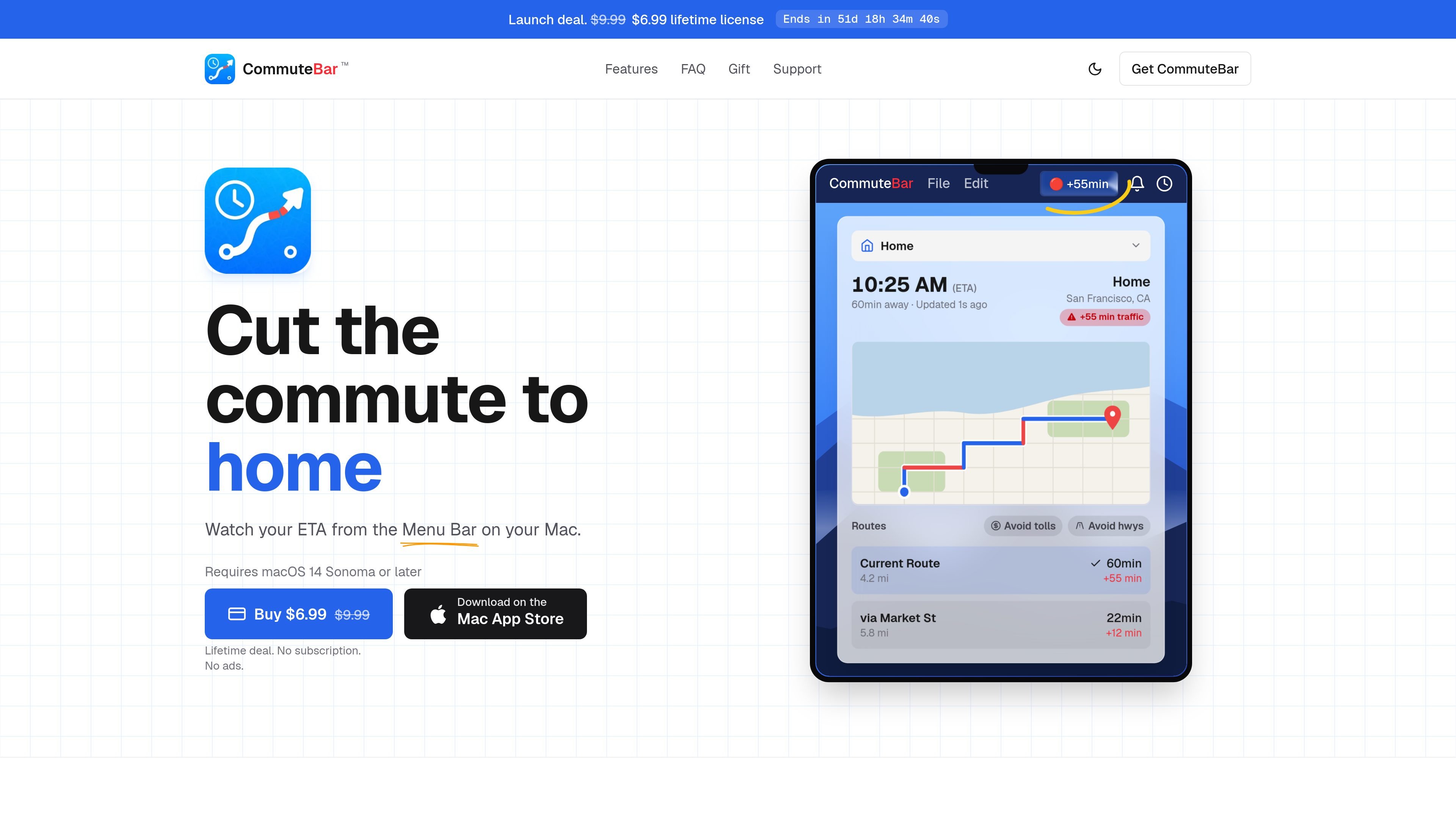
CommuteBar is a Mac menu bar app that shows live commute times and ETA at a glance. It is designed for people who want to check traffic before leaving and avoid opening a separate maps app.
The app supports multiple destinations, including places like home, work, school, and gym, and it can be set to remind you when it is time to leave. The site says it requires macOS 14 Sonoma or later and that it uses Apple Maps on your Mac, keeping location data private.
Shows live commute time, ETA, and traffic delay directly in the Mac menu bar so you can check before leaving without opening another app.
Lets you add places such as Home, Work, School, Gym, and other destinations, then switch between them or schedule them automatically.
Supports driving, biking, and walking, with driving options such as avoiding tolls or highways when available.
Includes commute windows that you can drag across the week to define when you need to arrive and when the app should prompt you to leave.
Sends leave-soon and leave-now notifications when traffic changes or it is time to go.
Offers a shorter minutes format and a choice of menu bar icons to fit the app into limited menu bar space.
Check your travel time from the Mac menu bar before leaving for home, work, or another regular stop.
Track more than one recurring destination and switch between them as your day changes.
Set a commute window for the time you need to arrive, then use leave-soon and leave-now alerts to time your departure.
Choose drive, bike, or walk based on the trip, and adjust driving routes to avoid tolls or highways when needed.
Keep commute information visible without launching a separate maps or navigation app.
No. The site presents CommuteBar as a Mac app with no account or login required.
The site says CommuteBar uses Apple Maps on your Mac to show live commute times and traffic delays, but it does not provide a numerical accuracy guarantee.
CommuteBar says your location stays private because Apple Maps runs on your Mac, and the site states that the app never sees your location.
CommuteBar is designed to appear in the Mac menu bar rather than the Dock. The FAQ list on the site includes questions about both menu bar and Dock visibility.
The product page says CommuteBar requires macOS 14 Sonoma or later.

Malyatko is a baby tracker for logging feeding, sleep, growth, teething, and milestones in one app. It works on iPhone, Apple Watch, and widgets, with no sign-up, offline use, and family sharing through iCloud.

Yattayo: Slider To-Do Board is a productivity app that turns tasks into a physical-style slider board with sticky notes, widgets, reminders, and iCloud sync. It helps people who want a more tactile way to manage to-dos and, in Premium, recurring habits.

ConscioussAI is an AI assistant for macOS, Windows, iOS, and Android that helps execute tasks across apps, files, the browser, and messages. It is aimed at people who want permission-based help on both desktop and mobile.
MealTime — это ваш личный помощник по рецептам, работающий в первую очередь в автономном режиме, который поможет вам сохранять, упорядочивать, планировать блюда и генерировать умные списки покупок, сохраняя при этом конфиденциальность ваших данных.

Goldfish is an AI memory app for macOS that helps you reply, write, summarize, and continue using the context already on your Mac. It stores memory locally and writes in your tone.

ArtDeck is a visual reference board app for iPhone, iPad, and Mac that lets artists collect mixed reference material on one canvas and study it with ToolBox lenses. It works offline, supports optional iCloud sync, and is sold as a one-time purchase with no account required.