
Tab, edits, and agent workflows
Cursor combines Tab completions, targeted edits, and a more autonomous agent mode so developers can choose how much assistance to hand off.

Cursor is an AI coding agent for building software with autocomplete, targeted edits, and autonomous cloud agents. It helps individual developers and teams move from local coding to tested, reviewable changes across desktop, web, terminal, Slack, GitHub, and Linear.
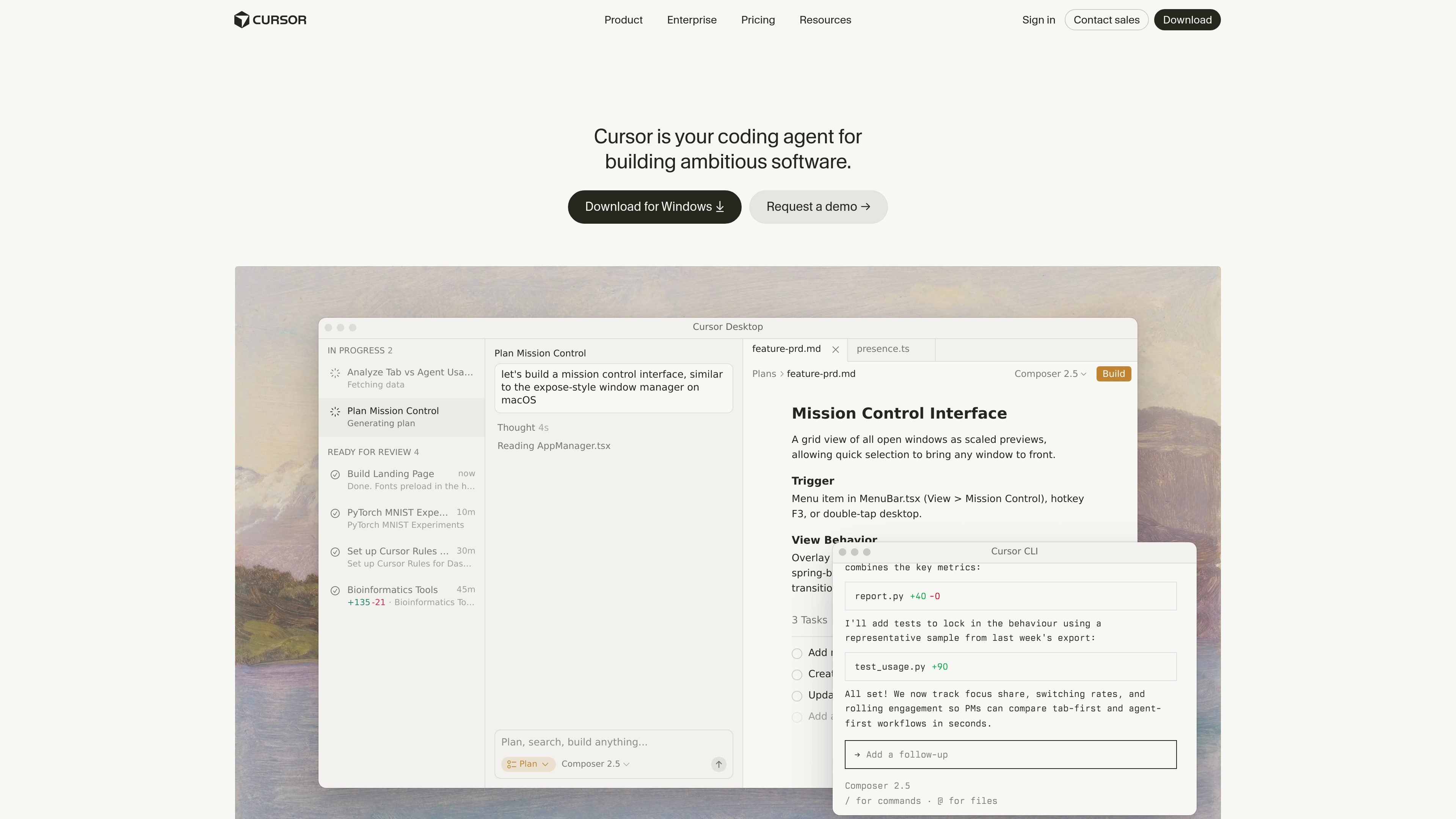
Cursor is an AI coding agent for building software in an editor, terminal, and cloud workflow. The product combines fast Tab completions, targeted code edits, and more autonomous agent-driven tasks so developers can choose how much help to delegate while they stay in control of the implementation.
The cloud agent docs describe agents that run in isolated VMs with cloned repositories, installed dependencies, secrets, startup commands, and network access. That setup lets agents build, test, verify, and hand back changes, while team plans add collaboration and admin features such as shared billing, privacy controls, SSO, and audit logging.
Cursor combines Tab completions, targeted edits, and a more autonomous agent mode so developers can choose how much assistance to hand off.
Cloud agents run in isolated virtual machines with cloned repos, installed dependencies, secrets, startup commands, and network access so they can build, test, and interact with software.
Cloud agents can work with MCP servers, giving them access to external tools and data sources such as databases, APIs, and third-party services.
Cursor can run in the terminal, collaborate in Slack, and review PRs in GitHub, which lets teams trigger agents from different parts of their workflow.
The pricing pages list team-oriented controls such as centralized billing, usage analytics, privacy mode, SAML/OIDC SSO, SCIM seat management, audit logs, and access controls on higher plans.
Use Tab for fast autocomplete when you want lightweight assistance, or switch to targeted edits for focused changes inside an existing codebase.
Delegate multi-step implementation work to cloud agents when you want code written, tested, and reviewed in a separate environment before you inspect the result.
Start agents from Slack, GitHub, Linear, Cursor Web, Desktop, or the API when the task begins in chat, a ticket, or a pull request rather than in the editor.
Use team plans when multiple developers need centralized billing, usage analytics, privacy mode, SSO, and shared context for cloud agents and automations.
Run agents across frontend, backend, infrastructure, or shared-library repositories when a task spans multiple repos and needs coordinated changes.
Cursor offers a free Hobby plan with limited Agent requests and limited Tab completions, plus paid Individual, Teams, and Enterprise plans. The pricing page recommends Pro+ for daily agent users, Ultra for agent power users, Teams for collaborators, and Enterprise for larger organizations that need invoicing, pooled usage, or advanced security.
Self-serve plans support major credit and debit cards. For invoice-based billing or wire transfers, Cursor asks customers to contact sales about the Enterprise plan.
Usage-based pricing means each plan includes a set amount of model usage. When that included usage is consumed, on-demand usage can continue and is billed in arrears.
Privacy mode can be enabled in settings or by a team admin. When it is on, Cursor says code data is not used for training by Cursor or by its model providers.
Cursor subscriptions are sold directly through cursor.com only. The pricing page says purchases from resellers or third parties are not authorized.

Ghost — терминальный AI-ассистент для чата, генерации кода и запуска задач в командной строке. Бесплатные модели, Linux, macOS, Windows, open source.

Devin is an AI coding agent and software engineer that helps developers and engineering teams plan and execute complex software tasks. It is available through desktop, cloud, JetBrains, and CLI surfaces, with plans for individuals, teams, and enterprises.

imgcook is a design-to-code tool that converts design drafts into front-end code. It supports plugin-based and developer workflows for Sketch, Photoshop, VS Code, and CLI usage.

Pi Coding Agent is a terminal-based coding agent for developers who want a minimal, extensible harness for interactive work and automation. It supports model switching, session branching, and multiple run modes including TUI, print/JSON, RPC, and SDK.
Assemble by Cohesium AI is an open-source prompt orchestration system for AI coding tools. It generates native config files that turn one project into a structured multi-agent setup across 21 platforms.

Ably Chat is a chat API platform for building custom realtime chat applications. It supports room-based messaging, typing indicators, presence, reactions, and message updates, with usage-based pricing options for different deployment stages.