
Agentic risk analysis
Koidex is positioned as an agentic risk engine that analyzes what software is actually made of, rather than relying only on labels or publisher claims.

Koidex by Koi is a software risk analysis product for checking extensions, packages, apps, and models across major marketplaces and enterprise ecosystems. It surfaces item-level findings, security signals, and governance-oriented report data for teams that need to review software before or after adoption.
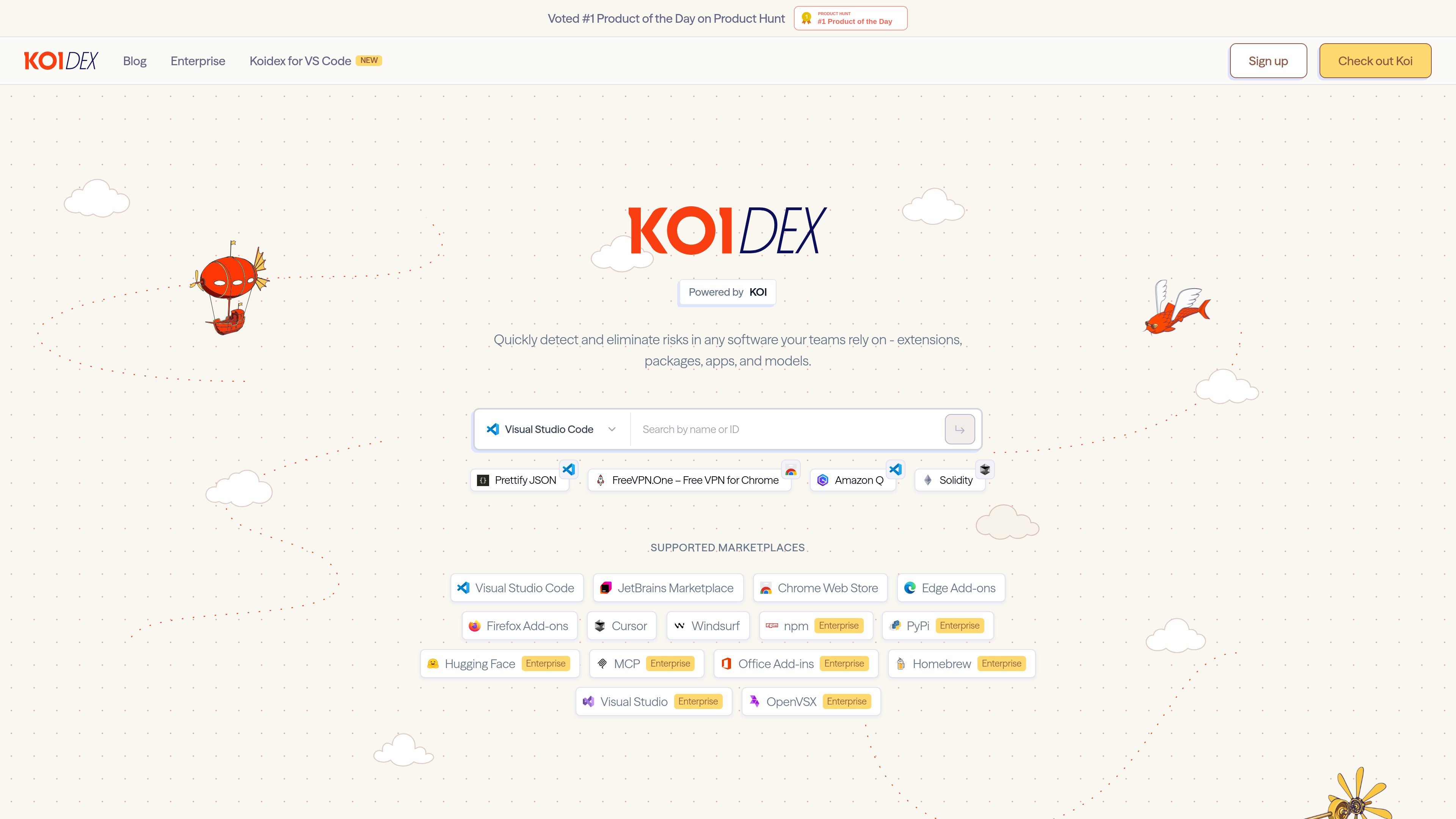
Koidex by Koi is a software risk analysis product that helps teams detect and eliminate risks in the software they rely on, including extensions, packages, apps, and models. The homepage describes it as an agentic risk engine that looks at what software is actually made of, rather than trusting labels alone.
The product site shows Koidex covering major marketplaces and ecosystems such as Visual Studio Code, JetBrains Marketplace, Chrome Web Store, Edge Add-ons, Firefox Add-ons, Cursor, Windsurf, npm Enterprise, PyPI Enterprise, Hugging Face Enterprise, MCP Enterprise, Office Add-ins Enterprise, Homebrew Enterprise, Visual Studio Enterprise, and OpenVSX Enterprise. Public report pages expose item-level security analysis for software such as Free VPN, Amazon Q, and Prettify JSON.
Koidex is positioned as an agentic risk engine that analyzes what software is actually made of, rather than relying only on labels or publisher claims.
The homepage emphasizes coverage across extensions, packages, apps, and models, with report pages shown for browser and editor extensions.
Supported marketplaces and ecosystems are listed directly on the homepage, including major extension stores and enterprise package sources.
Report pages surface security-oriented sections such as findings, code insights, permissions, API calls, secrets, vulnerabilities, external communications, dependencies, and licenses & compliance.
The site presents a catch-of-the-day feed and publication pages that track newly caught malware and related writeups.
Homepage calls out guardrails, governance, and remediation as core product themes for managing software risk after discovery.
Use Koidex to evaluate software before allowing it into a team environment, especially when the item comes from a marketplace or package source that needs security review.
Use the report pages to inspect risks in browser and editor extensions, including findings, permissions, secrets, dependencies, and network behavior.
Use the published research pages and catch-of-the-day feed to follow newly identified malware and broader software-supply-chain issues.
Use the product’s governance and remediation framing to manage software risk after discovery, not just detect it.
Use Koidex across the listed marketplaces and enterprise package ecosystems when teams rely on multiple software sources and need a single review surface.
Koidex is the Koi security product for checking software items such as browser extensions, packages, apps, and models. The site presents it as a way to detect and eliminate risks across software your teams rely on.
The source shows Koidex publishing report pages for items such as Chrome extensions, Visual Studio Code extensions, and packages, but the homepage only explicitly lists supported marketplaces and ecosystems. It does not provide a full setup guide or onboarding flow.
Report pages surface findings, code insights, permissions, API calls, secrets, vulnerabilities, external communications, dependencies, and licenses & compliance for enterprise users. Public report excerpts also include listing details and an analysis summary.
The pricing page currently returns a 404, so the source does not show live plan details. The report pages indicate that many deeper analysis sections are available to enterprise users.
The homepage says Koidex covers extensions, packages, apps, and models. It also lists supported sources including Visual Studio Code, JetBrains Marketplace, Chrome Web Store, Edge Add-ons, Firefox Add-ons, Cursor, Windsurf, npm Enterprise, PyPI Enterprise, Hugging Face Enterprise, MCP Enterprise, Office Add-ins Enterprise, Homebrew Enterprise, Visual Studio Enterprise, and OpenVSX Enterprise.

EAS Observe is a production performance monitoring tool for Expo and React Native apps. It shows startup metrics, session timelines, release markers, and errors inside the Expo dashboard.

ByteAsk is a terminal-first AI coding agent for C and C++ that edits repositories and verifies changes with the real compiler, debugger, sanitizers, and tests before showing a diff. It offers a free tier plus paid plans, with editor connectors and zero-retention handling described in the source.

Exodus is a free developer tool that audits an application repository, compares its current deployment with a Google Cloud Run design, and creates an ordered migration plan for a coding agent. It also helps plan new products for Cloud Run with architecture and cost estimates.

Manta AI is an autonomous web app testing tool for teams that want to map application behavior, catch regressions, and generate tests without writing scripts or maintaining selectors. It works from a URL and supports plain-English test flows, run results with screenshots, and scheduled or deployment-triggered checks.

ClawTick is an AI agent automation platform for scheduling jobs from the CLI, dashboard, or REST API. It is aimed at developers and teams running LangChain, CrewAI, webhook, or custom agent workflows that need monitoring, alerts, and logs.

Falconer is an AI-powered company brain that keeps internal documentation accurate, searchable, and up to date by syncing with tools like GitHub, Slack, and Linear. It helps engineering and cross-functional teams centralize knowledge and answer questions from a shared source of truth.