
AI text-to-email builder
Describe the email you want in plain English, then refine the result in chat. The editor turns prompts into responsive emails and supports conversational edits with live preview and code view.

EmailFlow AI is an AI email marketing platform for designing, sending, and optimizing campaigns. It includes a free forever plan, managed delivery infrastructure, and developer tooling for teams that want to automate email workflows.
EmailFlow AI is an AI-assisted email marketing platform for designing, sending, and optimizing campaigns from a single workspace. The site presents it as an agentic newsletter platform that can build on-brand emails from a prompt, run automations, and manage delivery without requiring users to set up their own sending servers.
The product combines a text-to-email editor, a large template gallery, brand scanning, AI image tools, lists and segments, reports, and a developer platform. The same service also exposes a REST API, TypeScript SDK, webhooks, and machine-readable documentation for teams that want to automate email workflows or generate emails from their own products.
Describe the email you want in plain English, then refine the result in chat. The editor turns prompts into responsive emails and supports conversational edits with live preview and code view.
Scans a website to capture a logo, color palette, tagline, contact details, and tone of voice, then applies that brand profile across emails and automations.
Restyles templates and generated emails with your colors, fonts, logo, imagery, and voice while keeping the underlying layout intact.
Create welcome series, abandoned-cart flows, and re-engagement journeys on a visual canvas, or ask the automation agent to assemble the flow from a prompt.
Generate or remix images inside the editor, with text-to-image creation and image-to-image edits that keep composition and framing intact.
Send through managed Amazon SES infrastructure with domain verification, DKIM and SPF authentication, bounce and complaint handling, and 99%+ deliverability claims on the site.
Draft a campaign from a short prompt, then refine copy, layout, and imagery in the editor before sending it.
Pull a brand profile from an existing website and apply it to templates, subject lines, images, and copy so the output matches the company’s look and voice.
Set up welcome, abandoned-cart, or re-engagement flows on a visual canvas, or have the AI automation agent draft the journey and branches for review.
Use the REST API, SDK, webhooks, and `llms.txt` resources to generate emails or connect EmailFlow AI to other product workflows.
EmailFlow AI provides a visual, AI-assisted email builder along with campaigns, automations, and forms, so it can be used for designing, sending, and iterating on email marketing from one product.
The docs say you create an API key under Account → API, then send requests to the `/api/v1/` endpoints. The platform also provides a TypeScript SDK, OpenAPI 3.1 spec, webhooks, and `llms.txt` guides.
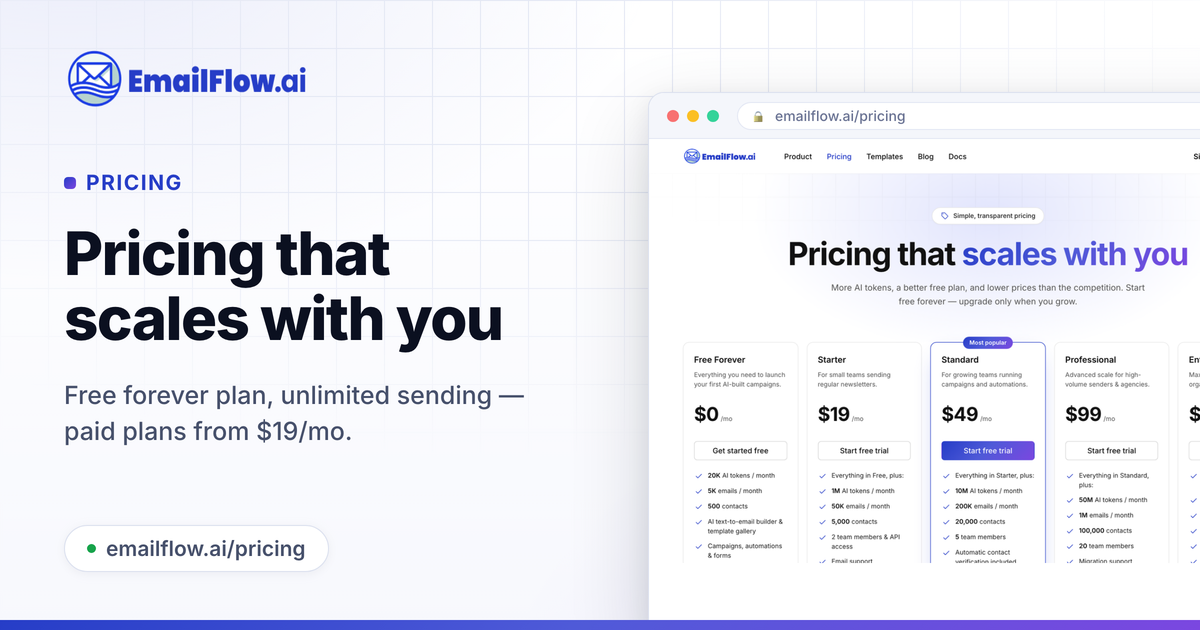
Yes. The pricing page states that Free Forever requires no credit card, and every paid plan includes a 14-day free trial.
The homepage and pricing page both say you verify your sending domain and then send through EmailFlow AI's managed Amazon SES delivery infrastructure with 99%+ deliverability; the pricing FAQ says there are no sending servers to set up and no third-party accounts to create.
The source describes brand scanning, Remix for My Brand, AI image remix, AI subject lines, automation chat, campaigns, A/B testing, forms, landing pages, lists, segments, and reports. It does not provide a detailed third-party integration list on the pages reviewed.

Volanea is an email platform for transactional email, campaigns, and lifecycle automation. It combines sending, tracking, and deliverability monitoring on one contact graph, with a free plan and paid monthly credit tiers.

Liam is an AI copilot for managing inboxes, writing replies, prioritizing email, and scheduling meetings. It is offered free for individuals, with custom pricing for teams and enterprise.

DailyPlay.ai is a behavioral growth platform that uses AI site scanning and micro-games to help brands improve engagement and conversion. It supports web, mobile, and other digital touchpoints, with a one-line script setup and a free engagement scan.

Topple.lol is a public pay-to-rank leaderboard where listings start at $1 and their bid balance decays over time and with clicks. It helps makers and marketers buy short-term visibility for product sites or X profiles while tracking live board stats.

Dirac is an AI email assistant that prepares a morning brief, prioritizes important threads, and drafts replies in your voice. It is positioned for founders and other busy professionals who use Gmail and want to reduce morning inbox triage.

AgentMail is an email inbox API for AI agents that lets developers create, send, receive, and search messages through REST APIs and SDKs. It supports agent workflows such as threaded replies, verification, customer support, scheduling, and inbox-based approvals.