
Reusable community packs
Each pack is presented as a reusable workflow or context that can be copied, customized, and run without rebuilding the process from scratch.

Pack Hub is Epismo’s community library for reusable workflows and contexts. It lets users copy a full process with steps, artifacts, and checks, then customize and run it through the CLI or a remote MCP server.
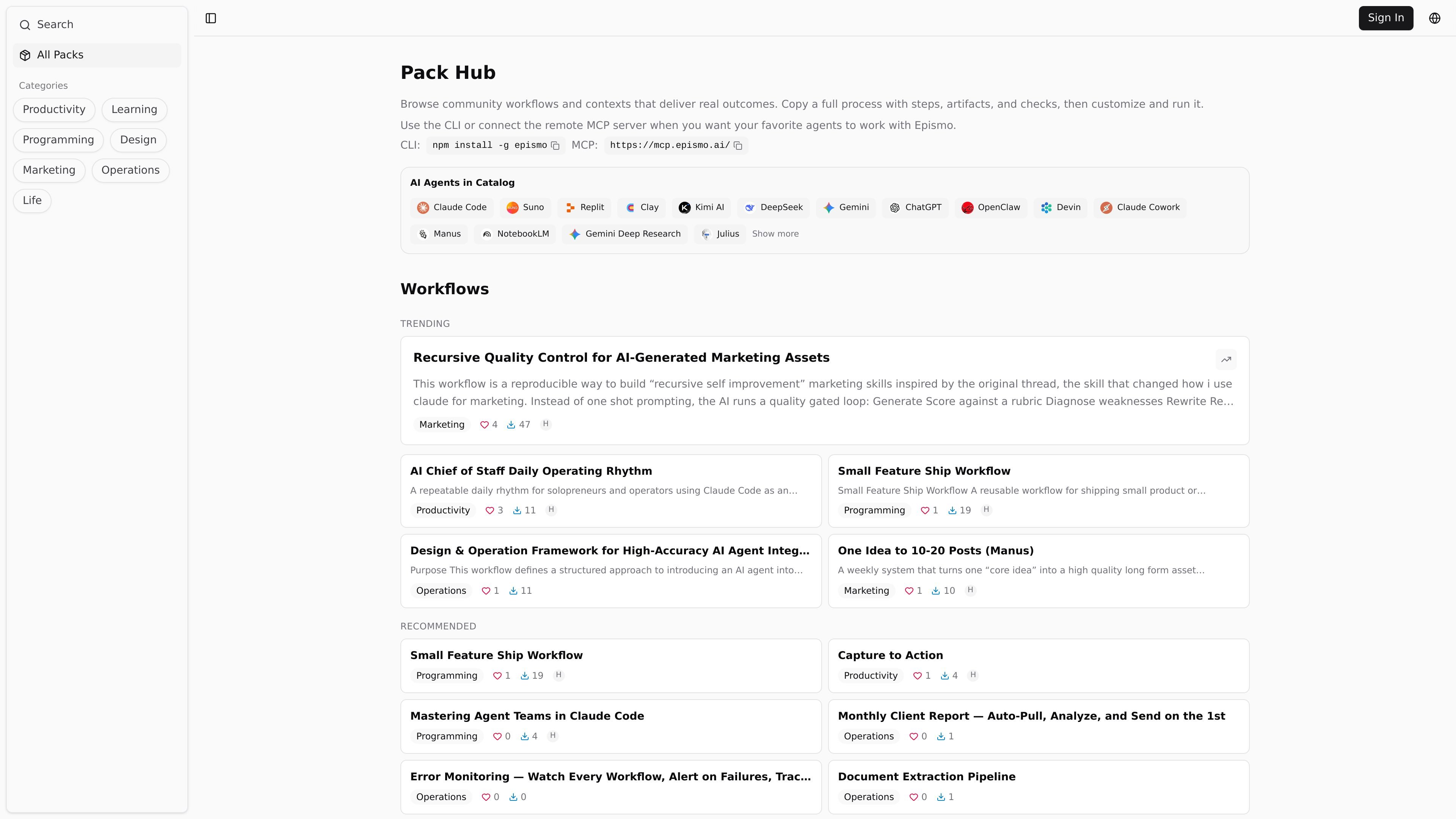
Pack Hub is Epismo’s community library for reusable workflows and contexts. The page invites users to browse packs that deliver real outcomes, then copy a full process with steps, artifacts, and checks and customize it for their own work.
The collection includes both workflows and contexts across areas such as programming, productivity, and operations. Example packs show how a workflow can define when to use it, required preconditions, role assignments, deliverables, and operating rules so teams or individual operators can run the same process consistently.
Each pack is presented as a reusable workflow or context that can be copied, customized, and run without rebuilding the process from scratch.
Packs include the steps, artifacts, and checks needed to carry out a process, not just a short prompt or idea.
The hub groups content into areas such as programming, productivity, and operations so users can browse by use case.
Example packs describe role assignments, handoffs, operating principles, and deliverables, which makes the workflow easier to hand to a team or agent.
The page says users can work through the CLI or connect a remote MCP server when they want agents to operate with Epismo.
Browse a programming pack when you want a repeatable process for shipping features, fixing bugs, or coordinating AI-assisted coding work with clear handoffs.
Use a productivity pack to structure daily planning, capture-to-action routines, or personal operating rhythms that depend on tasks, calendars, and notes.
Adopt an operations pack when you need a formal workflow for business processes, data handling, feedback loops, or agent deployment in a structured environment.
Copy a community workflow and tailor the steps, artifacts, and checks to your own team’s constraints instead of building the process from scratch.
Run packs through the CLI or a remote MCP connection when you want agents to work inside your existing tool setup.
Pack Hub is designed around copying a full workflow — including steps, artifacts, checks, and operating guidance — and then customizing it for your own use. The source does not show a separate setup wizard or onboarding flow.
The hub is built for workflows and contexts that can be run by agents or people working with agents. Example packs mention use in chat sessions, CLI-driven work, and workflows that rely on Claude Code or a remote MCP server.
The source shows packs organized into workflows and contexts, with examples in programming, productivity, operations, and marketing. It does not show a public file format or export specification beyond the described workflow/context structure.
The page says you can use the CLI or connect the remote MCP server when you want your favorite agents to work with Epismo. The source does not list additional integrations or platform-specific connectors.
The pricing page URL in the collected sources returns a 404, so the evidence here does not support specific pricing, tiers, or limits.

Biji - это универсальная платформа, разработанная для повышения продуктивности с помощью инновационных инструментов и функций.

Dcyde is a decision log for product teams that captures what was decided, the reasoning behind it, and the source in one shared place. It supports pinning decisions from Slack, Figma, or inside Dcyde and keeps the record searchable over time.

Goldfish is an AI memory app for macOS that helps you reply, write, summarize, and continue using the context already on your Mac. It stores memory locally and writes in your tone.

ArtDeck is a visual reference board app for iPhone, iPad, and Mac that lets artists collect mixed reference material on one canvas and study it with ToolBox lenses. It works offline, supports optional iCloud sync, and is sold as a one-time purchase with no account required.

Malyatko is a baby tracker for logging feeding, sleep, growth, teething, and milestones in one app. It works on iPhone, Apple Watch, and widgets, with no sign-up, offline use, and family sharing through iCloud.

Codex Plugins bundle reusable skills, app integrations, and MCP servers into workflows you can install in the Codex app or use from Codex CLI. They help extend Codex with connected-service tasks, reusable instructions, and shared team workflows.