
Clickable live templates
Templates are presented as live examples that can be opened and interacted with rather than static previews.

FluidDocs is a web gallery of live document templates for business workflows, including sales, fundraising, hiring, operations, and support. The templates are interactive and can update calculations, tasks, charts, or API examples inside the document.
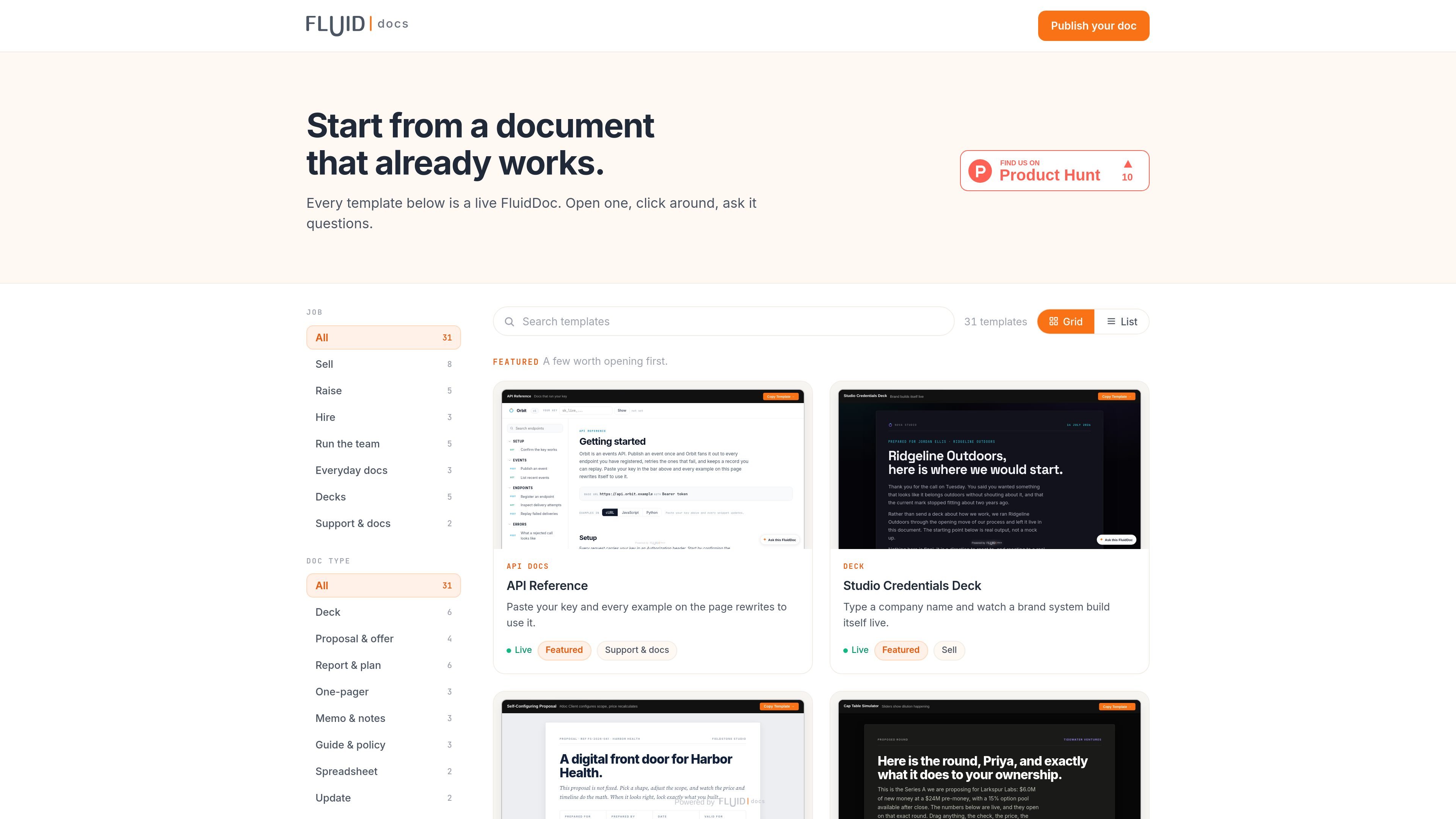
FluidDocs is a gallery of live document templates that users can open, click through, and query inside the browser. The collection is organized by job and by document type, and the examples cover a range of business documents including sales, fundraising, hiring, operations, and support materials.
The source pages show that these templates are interactive rather than static: examples can recalculate numbers, reveal charts, track tasks, or rewrite API snippets after a key is pasted. That makes the product useful for teams that need documents to do work, not just display information.
Templates are presented as live examples that can be opened and interacted with rather than static previews.
The gallery can be browsed by job and by document type, which makes it easier to find a relevant starting point.
Some templates respond to user input directly in the document, such as calculators, sliders, checkboxes, and editable fields.
The API reference template rewrites examples after a key is pasted, so code snippets and response panes update to match the user’s configuration.
The go-live plan template keeps progress in the document and can send a status summary to the implementation lead.
Template examples cover sales, fundraising, hiring, operations, everyday docs, decks, and support workflows.
Use the gallery when you need a proposal, investor update, pitch deck, or other sales-facing document that readers can interact with instead of only reading passively.
Use templates such as the go-live plan, integration checklist, incident postmortem, or onboarding plan to track steps, share status, and keep work visible inside one document.
Use API reference and integration-style templates when you want examples that change after a key is added and documentation that reflects the current setup.
Use templates like meeting notes, budget tracker, or year-in-review documents when the goal is to capture information and let the document update calculations or tasks as values change.
FluidDocs templates are live documents you can open, click through, and ask questions about. The gallery includes templates organized by job and by document type.
The source pages show templates such as an API reference, go-live plan, proposal, cap table simulator, investor update, meeting notes, budget tracker, pitch decks, and support or onboarding documents.
The gallery page suggests templates can be opened and explored directly in the browser. For the API reference template, a pasted API key updates the examples on the page; for the go-live plan, progress is tracked inside the document.
The public sources do not include pricing details. The pricing page returned a not found response, so plan structure and limits are not available from this evidence.

Codex Plugins bundle reusable skills, app integrations, and MCP servers into workflows you can install in the Codex app or use from Codex CLI. They help extend Codex with connected-service tasks, reusable instructions, and shared team workflows.

Struere is an AI-native platform for turning spreadsheet data into structured operational software with dashboards, alerts, and automations. It is aimed at teams that want to replace manual spreadsheet workflows without building custom tools from scratch.

Wysera is an AI business platform that combines PostWyse for content and OpsWyse for CRM and revenue workflows, powered by the shared Wyse AI. It is built for solo operators, teams, and agencies that want approval-first automation across publishing, lead follow-up, and related operations.

OpenFlags is an open-source, self-hosted feature flag platform for modern JavaScript teams. It supports local evaluation, targeted rollouts, and controlled launches while keeping flag data in your own infrastructure.

nolainocr is an AI OCR tool that extracts structured data from PDF invoices, receipts, forms, contracts, and bank statements. It helps teams move document data into Excel, Google Sheets, JSON, or CSV without manual entry.

Awish is an AI-powered no-code automation platform that turns natural-language requests into automated workflows across connected apps. It serves individuals and teams that want to automate repetitive tasks, chat-based assistants, and workflow updates without manual configuration.