
Anonymous confidence voting
Genchi sends automated prompts through Slack, and a single click records each team member's confidence without attaching a name to the vote.

Genchi is a project delivery monitoring tool for engineering leaders and teams. It collects anonymous confidence votes through Slack or email, combines them by initiative, and tracks trends, blockers, and delivery signals over time.
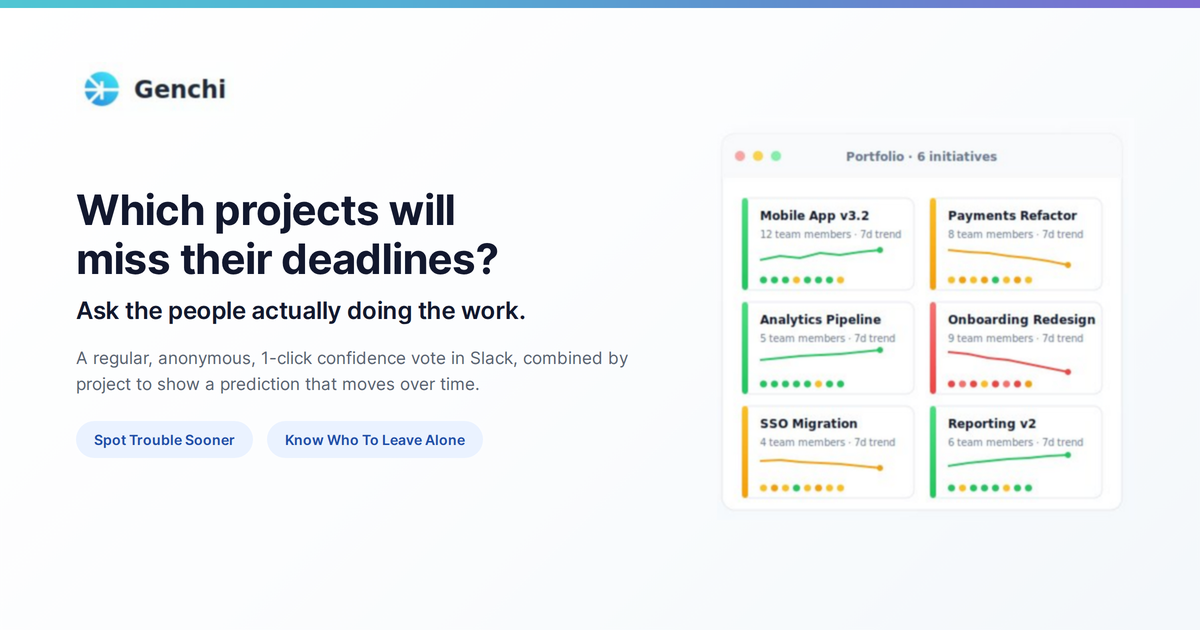
Genchi is a project delivery monitoring tool for engineering leaders and teams. It collects regular, anonymous one-click confidence votes from the people doing the work, combines those votes by project or initiative, and tracks the result over time. Its purpose is to surface delivery concerns before a deadline turns into a fire drill.
Teams can submit votes through Slack or email, add context and blockers, and view the resulting signal by initiative. Genchi also imports work from Jira and Asana and can provide portfolio information through an MCP connection to compatible AI assistants. The service is designed to reduce the reporting burden while preserving a channel for concerns that may not appear in a conventional status report.
Genchi sends automated prompts through Slack, and a single click records each team member's confidence without attaching a name to the vote.
Votes are combined by initiative into a current confidence score, with a trend that helps reveal whether a project is drifting before its deadline.
Comments and blockers can be added in the Slack thread, while blockers and comments remain attributed so a lead can follow up with the right person.
Jira projects, epics, issues, users, and assignments can be imported with parent-child hierarchy preserved. Asana projects, tasks, teams, and assignees can also be imported with structure retained.
The MCP connector lets users ask Claude, ChatGPT, Grok, or another compatible assistant about visible initiatives, current confidence, trends, blockers, and weekly summaries.
Compatible assistants can render a colour-coded portfolio, nested initiative tree, confidence chart, individual vote row, blockers, and recent comments in the conversation.
Review a colour-coded portfolio and confidence trends to identify initiatives that need attention before their delivery dates are at risk.
Replace repeated status-chasing with a scheduled one-click ritual in Slack or email, giving a team a lightweight way to signal rising concern or continued confidence.
Use an attributed blocker or comment to investigate an outlying concern while keeping the confidence vote itself anonymous, helping leaders follow up without turning the vote into a blame exercise.
Import an existing Jira or Asana structure so Genchi can monitor initiatives without requiring a team to recreate its project hierarchy manually.
Ask an AI assistant for the initiatives a user can see, a project's current trend, blockers, or a weekly summary, and use interactive portfolio or tree views when the assistant supports MCP Apps.
Genchi combines anonymous, one-click confidence votes from team members into a project-level score and tracks that score over time. The result is an early warning signal about delivery confidence rather than a replacement for a project plan or status report.
Slack is the primary workflow: Genchi sends automated prompts and team members vote with one click. Email is also supported for confidence votes. A Slack workspace can be connected once through OAuth.
Genchi can import projects, epics, issues, users, and assignments from Jira, while Asana imports projects, tasks, teams, and assignees. Jira and Asana connections use one-time OAuth setup, and their hierarchy is preserved.
The MCP connector works with Claude, ChatGPT, Grok, and other assistants that adopt the Model Context Protocol. It can return current confidence, trends, vote counts, blockers, weekly summaries, and visible initiatives; supported assistants can also render interactive portfolio and project views.
Genchi offers a two-week free trial, and teams of up to 10 are free. The homepage states that larger teams are charged $2.50 per user per month for every billed user, with an example of about $250 per month for a 100-person organization. No credit card is required to start.

Biji - это универсальная платформа, разработанная для повышения продуктивности с помощью инновационных инструментов и функций.

Starlie is a native macOS desktop client for Jira Cloud and self-hosted Jira. It helps Jira users search with JQL, manage sprint boards, review issue context, and make selected updates from a Mac app.

SonOf connects to your repo and PM tool, audits the codebase and surrounding product context, and turns approved work into shipped tickets with senior engineering review. It is aimed at founders and engineering leaders who need backlog help without hiring a full team immediately.

runevr is a connected workspace for creative teams that combines boards, media review, chat, recordings, drive, calls, and AI agents in one room-based environment. It is designed to reduce tool switching and keep project context together.

BotBoard is a task-management layer for AI agents that helps teams assign work, track progress, and review output. It supports CLI, MCP, and HTTP connections for tools like OpenClaw, Codex, Claude Code, and Cursor.

Artifacts by Samepage is a connected writing surface for product teams that turns signals and existing work context into drafts such as PRDs, release notes, feature requests, bug tickets, and status updates. It includes built-in AI editing and can publish work into tools like Jira, GitHub, Confluence, Slack, and Linear.