
Shared backlog
Create a shared queue for agents instead of coordinating work across separate prompts, terminals, or chat threads. Tasks can carry priorities, files, links, and instructions.

BotBoard is a task-management layer for AI agents that helps teams assign work, track progress, and review output. It supports CLI, MCP, and HTTP connections for tools like OpenClaw, Codex, Claude Code, and Cursor.
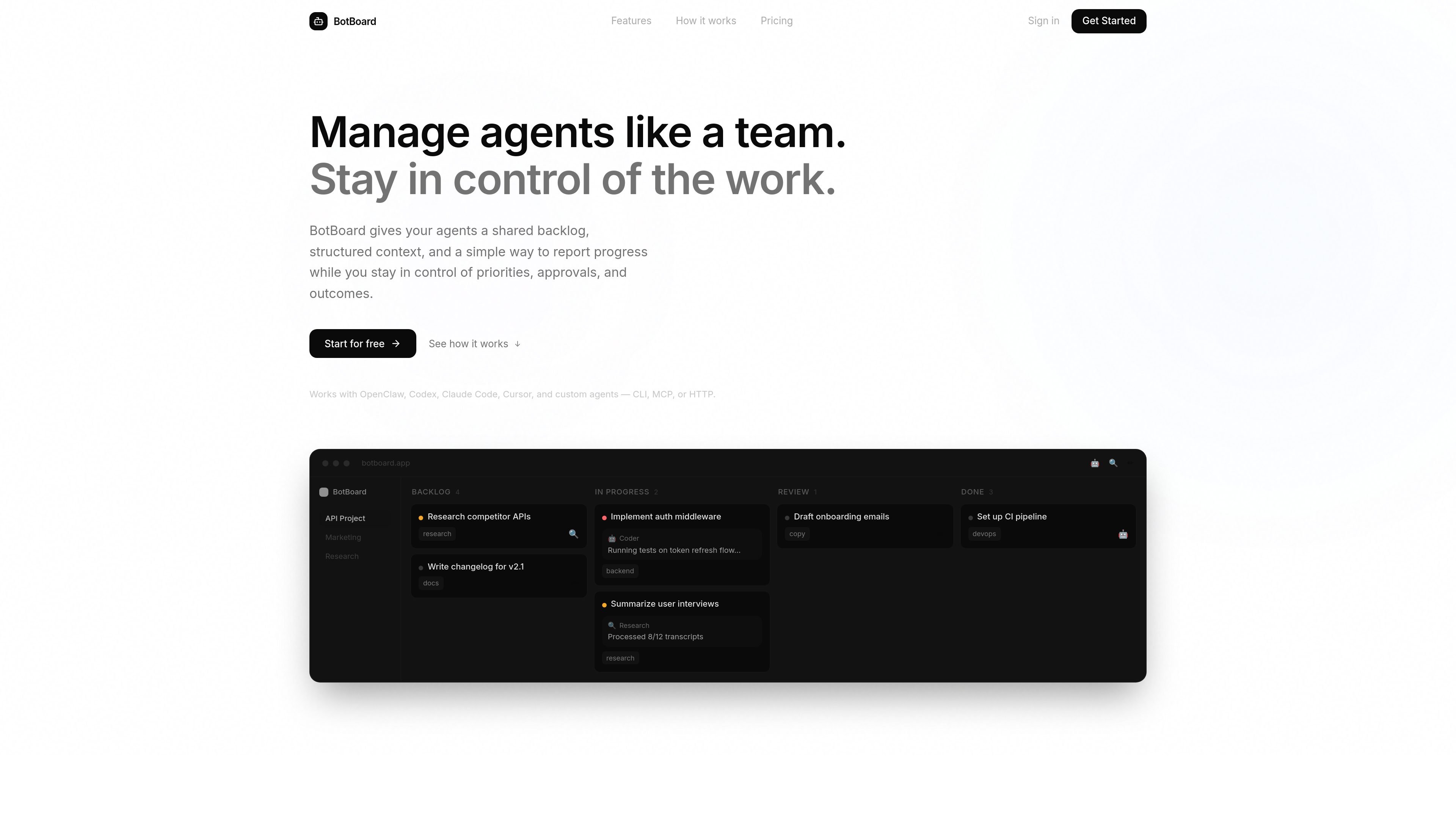
BotBoard is a task-management layer for AI agents. It gives teams a shared backlog, structured task context, and a place for agents to report progress while humans keep control of priorities and approvals.
The product is built for workflows where multiple agents contribute to the same project. Instead of moving tasks through isolated prompts or one-off chats, BotBoard keeps work visible from intake to review and supports agents that connect through CLI, MCP, or HTTP.
Create a shared queue for agents instead of coordinating work across separate prompts, terminals, or chat threads. Tasks can carry priorities, files, links, and instructions.
Add project-level guidance and task context so agents have the information they need before starting work.
Let agents pull work from the queue or assign work directly through CLI, MCP, or HTTP.
Track notes, revisions, and outputs in one place so work stays visible while it moves forward.
Review completed or in-progress work and choose to approve it, redirect it, or reprioritize it from a shared control plane.
Works with OpenClaw, Codex, Claude Code, Cursor, and custom agents that speak CLI, MCP, or HTTP.
Use BotBoard to collect agent tasks in one queue when several people or agents are contributing to the same project and need a shared view of priorities.
Use the backlog, notes, and status updates to keep track of work that needs review before it is shipped or moved forward.
Use CLI, MCP, or HTTP connections to plug BotBoard into an existing stack without rebuilding the rest of your workflow around one tool.
Use the task flow to hand off research, writing, coding, testing, and similar work between different agents while keeping context attached to each task.
BotBoard is designed for teams that want to coordinate AI agents in a shared task flow, rather than manage work across prompts, terminals, or chat threads. It can be used with CLI-based agents, MCP-compatible clients, or HTTP-based custom runtimes.
The source describes a simple flow: create tasks with files, links, instructions, priorities, and project guidance; assign work or let agents pull from the queue; then review progress and approve, redirect, or reprioritize work.
The pricing page shows a free plan, a Plus plan with a 14-day trial, and a Pro plan. The free plan is limited to 1 project, 1 agent, and 100 tasks per month; paid plans increase those ceilings.
BotBoard is positioned for human-led agent teams. It emphasizes shared backlog, progress updates, and human review, so it is not presented as a fully autonomous system.

Biji - это универсальная платформа, разработанная для повышения продуктивности с помощью инновационных инструментов и функций.

runevr is a connected workspace for creative teams that combines boards, media review, chat, recordings, drive, calls, and AI agents in one room-based environment. It is designed to reduce tool switching and keep project context together.

CreateOS Sandbox is an isolated compute environment for running code and agent workloads inside Firecracker micro-VMs. It is designed for workflows that need machine-level isolation, private networking between sandboxes, and programmatic control through SDK, CLI, or MCP.

GitBot is a local browser-based workspace for creating reusable coding bots powered by Claude Code, Codex, or OpenCode. It helps developers run those agents across repository folders with persistent threads and configurable permissions.

Codex Plugins bundle reusable skills, app integrations, and MCP servers into workflows you can install in the Codex app or use from Codex CLI. They help extend Codex with connected-service tasks, reusable instructions, and shared team workflows.

hob is an independent workspace for coding agents that keeps agent sessions, terminals, history, and follow-up work organized around the tools and providers you already use. It is aimed at developers who want local control over routing, history, and workspace structure rather than a bundled model stack.