
AI recipe generation
Generate original AI recipes from the home page and pricing flows, with a first recipe free on the site and one free generation per user on the free tier.

GeniusCook is an AI cooking platform for generating globally inspired, nutrient-focused recipes and supporting them with cook mode, pantry tools, challenges, and short learning content. It offers a free tier alongside Basic and Premium memberships with monthly recipe credits.
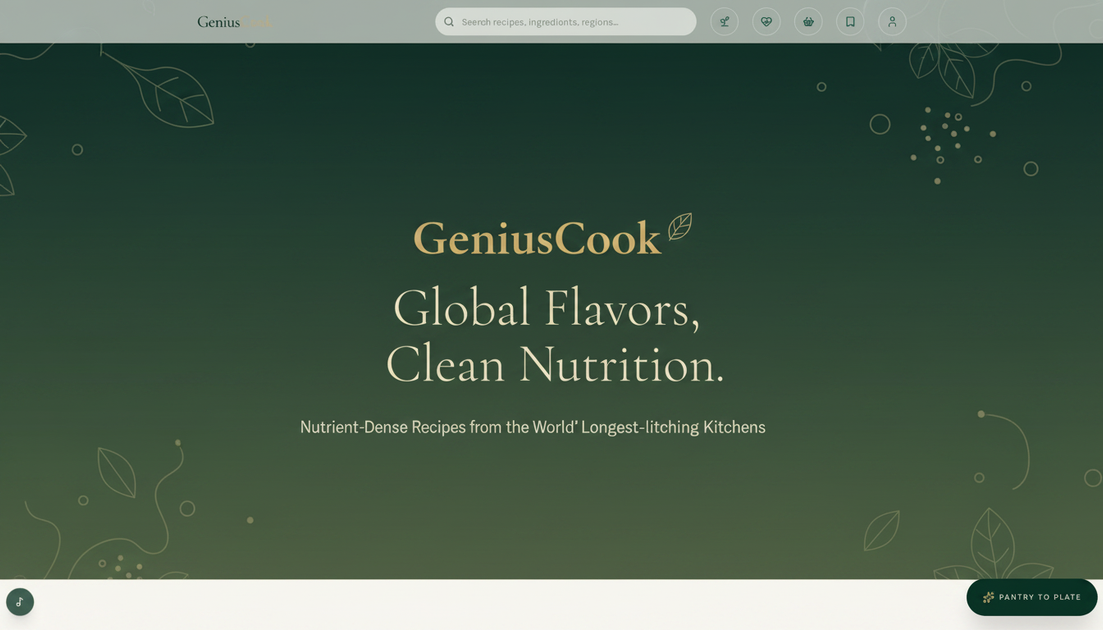
GeniusCook is a cooking platform centered on AI-generated recipes, global cuisine, and clean nutrition. The home page positions it as a “quiet-luxury kitchen” for people who want practical cooking help, while the pricing page shows a free tier plus paid memberships with additional recipe credits and kitchen tools.
Beyond recipe generation, the site combines hands-free Cook Mode, pantry and shopping tools, saved recipe dashboards, a journal, micro-habit challenges, and short academy lessons on ingredients and spices. The result is less a single recipe app than a broader cooking workspace for planning meals, learning techniques, and building repeatable healthy routines.
Generate original AI recipes from the home page and pricing flows, with a first recipe free on the site and one free generation per user on the free tier.
Cook with voice guidance, step timers, and hands-free narration in Cook Mode, which is called out on the home page and included on Basic and Premium plans.
Use pantry tools, pantry tracking, shopping lists, and pantry-to-plate generation to move from ingredients on hand to a meal plan.
Browse the global recipe library and recipe collections, including world cuisines and program-based recipes such as blood-pressure and blood-sugar oriented collections shown on the home page.
Save generated recipes to the Kitchen Dashboard and access plan-specific tools such as batch-prep calculators, special occasion planning, and chef notes on higher plans.
Learn through the Journal, Challenge Hearth, and Academy sections, which add essays, habit challenges, and short ingredient lessons around longevity cooking.
Use the free tier or a paid membership to generate recipes based on what you already have, then follow the pantry-to-plate workflow with shopping lists and pantry tracking if you need to fill gaps.
Open Cook Mode for hands-free guidance, step timers, and narrated instructions when you want to cook without constantly checking the screen.
Browse the journal, academy, and challenge areas when you want cooking content that goes beyond recipes, such as ingredient lessons, longevity notes, or small daily habit prompts.
Use the site’s collections and plan-specific tools for hosting, batch prep, or special occasions, especially where the pricing page mentions tasting menus, prep timelines, RSVP support, and advanced batch-prep calculators.
Follow the habit challenges when you want a light structure for hydration, fruit-and-vegetable variety, movement, sugar reduction, or post-meal walking alongside your cooking routine.
Yes. The home page says you can create a free account to browse the recipe library, use pantry tools, and get one AI recipe generation per user. Hands-free Cook Mode is included on paid plans.
The pricing page distinguishes a Basic plan at €9.99 per month and a Premium plan at €19.99 per month, plus one-time recipe credit packs. Basic includes 25 AI recipe generations per month; Premium includes 50.
The site presents a mix of AI recipe generation, pantry-to-plate cooking, cook mode with voice guidance and timers, shopping and pantry tools, habit challenges, a journal, and an academy with short lessons on ingredients.
The pricing page says recipes can be saved to a Kitchen Dashboard, and it also mentions shopping lists, pantry tracking, calendar syncing, and collections such as e-books or recipe packs, depending on plan or feature area.
The source pages do not describe third-party integrations or export formats in detail. Available workflows appear to stay within the GeniusCook site and device-based progress storage for challenges.

LeanUp is an AI calorie tracker and meal-planning app for logging meals, tracking macros, and getting personalized nutrition guidance. It supports barcode scanning, photo-based food recognition, manual search, and recipe reuse.
MealTime — это ваш личный помощник по рецептам, работающий в первую очередь в автономном режиме, который поможет вам сохранять, упорядочивать, планировать блюда и генерировать умные списки покупок, сохраняя при этом конфиденциальность ваших данных.

Kooler is a cocktail recipe and discovery site featuring measured recipes for classic, Brazilian, and community drinks. It helps home bartenders find cocktails, follow preparation methods, and participate through favorites, comments, check-ins, and recipe submissions.

Joy is a web app for home cooking that combines meal planning, recipe discovery, and private chef booking. It helps people plan meals, cook from ingredients they already have, and arrange a chef for special occasions.

Munch is a social app for food and recipes that lets people discover, share, and organize recipes in one place. It also includes AI-assisted recipe formatting and ingredient scanning for quick meal ideas.

Recipe Chest is a digital cookbook that uses AI to import recipes from websites, YouTube, Instagram, photos, or manual entries. It helps individuals and households organize, personalize, plan, and shop from their recipe collections in a browser-based app.