
Recipe consolidation and collections
Save recipes and food content in one place instead of leaving them scattered across different apps.

Munch is a social app for food and recipes that lets people discover, share, and organize recipes in one place. It also includes AI-assisted recipe formatting and ingredient scanning for quick meal ideas.
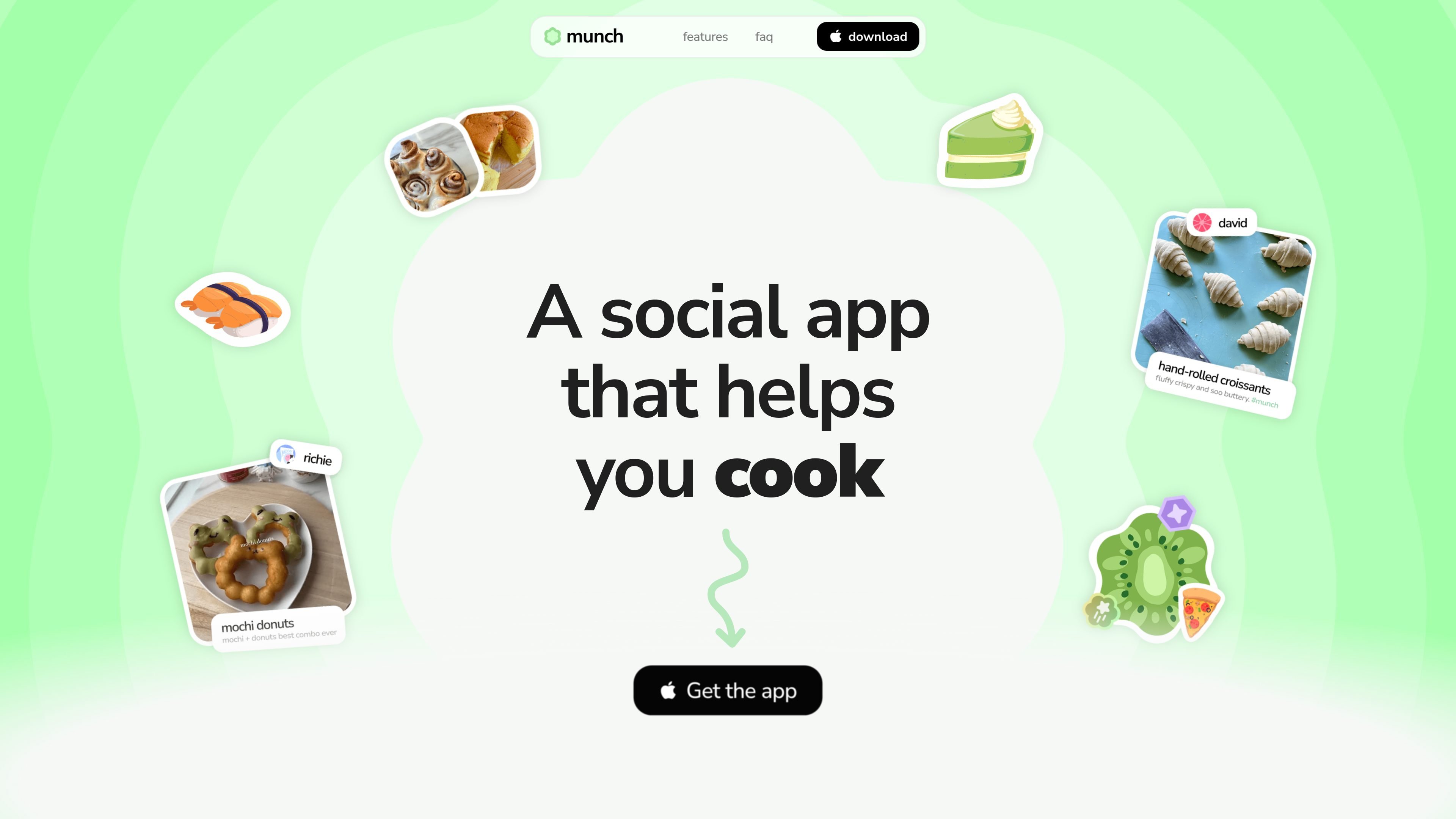
Munch is a social app for food and recipes. It is built for discovering recipes, sharing what you cook, and organizing recipe content in a way that is centered on food rather than general social media.
The app combines recipe discovery, community posting, and lightweight organization tools. Its home page highlights AI-assisted recipe formatting, ingredient scanning, collections, and a public social layer where posts, comments, and activity are visible to others.
Save recipes and food content in one place instead of leaving them scattered across different apps.
Organize saved recipes into collections so related meals, ideas, or references stay grouped together.
Paste a recipe into Munch and the app automatically formats it into ingredients and step-by-step instructions using AI.
Browse recipes by scrolling or drill into food categories when you want a more focused discovery flow.
Use the AI camera to scan ingredients and get instant recipe ideas from what you already have.
Earn badges and stickers as you reach milestones or create stickers to personalize your profile and posts.
Save recipes you find across different places, then keep them grouped by meal type, cuisine, or whatever organization works for you.
Paste a recipe from elsewhere and let the app turn it into a cleaner ingredient list and step-by-step method for easier cooking.
Scan ingredients with the AI camera when you want quick ideas for what to make from items already in your kitchen.
Share food posts, comments, and recipe content with other users in a public community focused on cooking.
Browse by food categories or scroll the feed when you want inspiration without searching for a specific dish.
Munch is a social app built around food posts, recipes, and community activity. It is designed for people who want to discover, share, and organize recipes in one place.
Yes. The home page says Munch is free to download and use.
The home page says Munch is not limited to experienced cooks; it is meant for people trying their first meal as well as those cooking regularly.
Munch accounts are public by default, so posts, comments, profile details, and activity may be visible to other users.
Munch is not a general social feed. The site says it is built specifically for food and cooking, with less unrelated noise than apps like Instagram or TikTok.
LabelLens сканирует фото или загруженные упаковки продуктов и показывает оценку питания с простым разбором ингредиентов, добавок и ключевых значений.

LeanUp is an AI calorie tracker and meal-planning app for logging meals, tracking macros, and getting personalized nutrition guidance. It supports barcode scanning, photo-based food recognition, manual search, and recipe reuse.

Snapmark is a VS Code extension that lets you annotate clipboard screenshots before pasting them into AI chats. It supports blur redaction, numbered callouts, and automatic resizing for large images.

Arduino VENTUNO Q is an edge AI computer for AI and robotics applications. It combines AI inference and deterministic control on a single board and is designed to work with Arduino App Lab.
MealTime — это ваш личный помощник по рецептам, работающий в первую очередь в автономном режиме, который поможет вам сохранять, упорядочивать, планировать блюда и генерировать умные списки покупок, сохраняя при этом конфиденциальность ваших данных.

Letra is a menu bar OCR utility for macOS Sonoma 14 or later that copies text from screen regions, videos, PDFs, screenshots, and screen shares to the clipboard. It also supports on-device recognition, QR and barcode decoding, searchable capture history, and copied image or file input.