
Structured context capture
Capture prompts, model reasoning, decisions, rejected alternatives, files, and commits in a fixed template so the context stays consistent across agents.

GitWhy saves the reasoning behind AI-generated code, ties it to commits, and can surface it in pull requests for review. It supports local context capture, cloud sync, search, and use with AI coding agents.
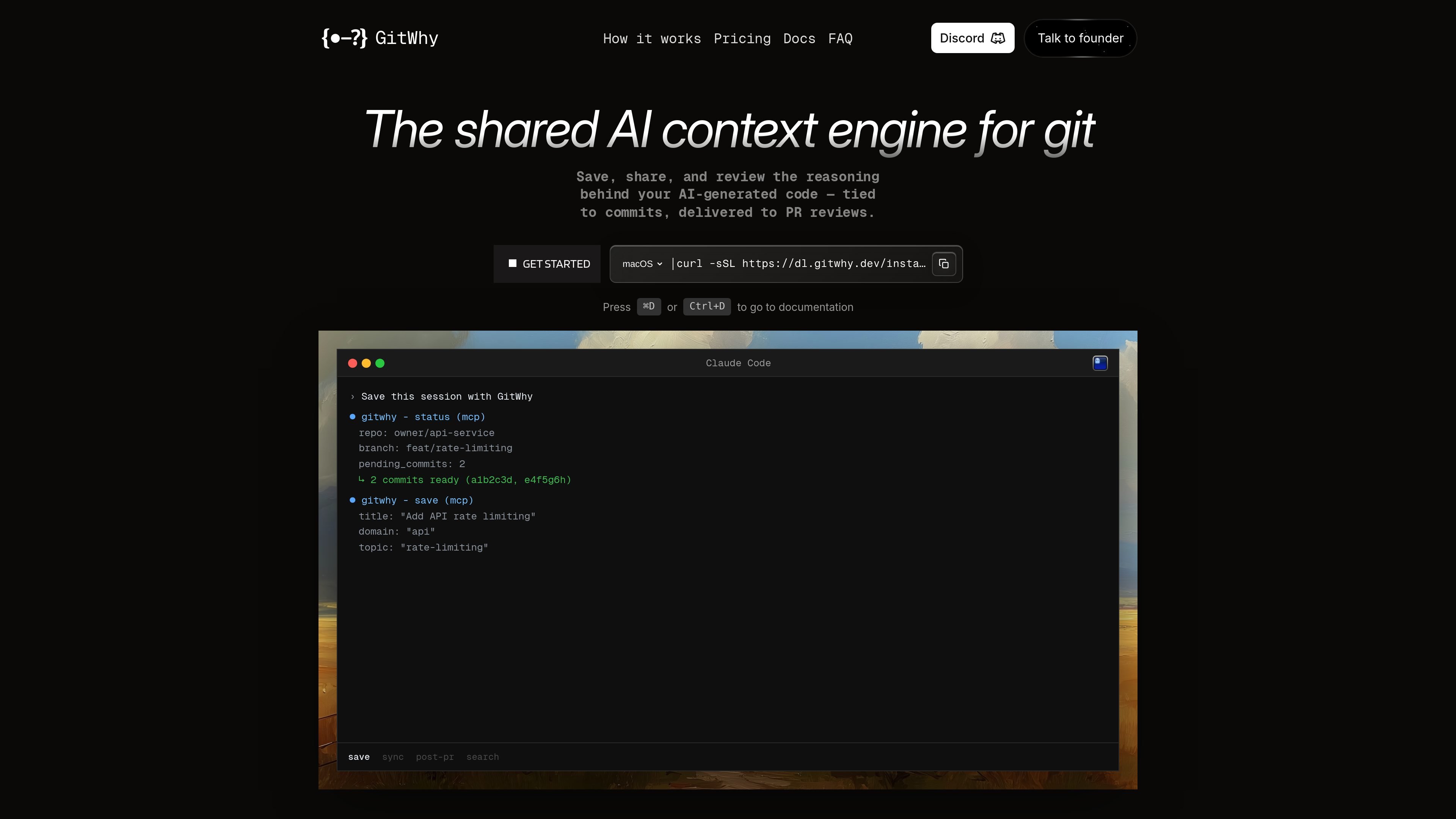
GitWhy is a shared AI context engine for Git that records the reasoning behind AI-generated code and ties that context to commits and pull requests. The product is presented as a context layer for git, with a focus on making prompts, decisions, and trade-offs visible to the rest of the team.
The home page shows a fixed context format that captures the original prompt, model info, reasoning, rejected alternatives, files, and commits. GitWhy can save that context locally, sync it to the cloud, and surface it in pull requests through gitwhy-bot so reviewers can inspect why a change was made, not just what changed.
Capture prompts, model reasoning, decisions, rejected alternatives, files, and commits in a fixed template so the context stays consistent across agents.
Link each saved context to the commits that produced it, keeping the reasoning attached to the code change instead of scattered in chat logs.
Push contexts to the cloud and have gitwhy-bot post the reasoning into pull requests so reviewers can see the trade-offs behind a change.
Search saved contexts by keyword, domain, or topic from the terminal, an agent, or the team dashboard.
Organize contexts by domain and topic such as authentication, database, or API design, making the history easier to browse like a knowledge base.
Use the product from the terminal with an interactive UI, and work with Claude Code, Cursor, Windsurf, Cline, or other MCP-compatible agents.
Record the prompt, model reasoning, and rejected alternatives for an AI-generated change so the team can review the decision later instead of relying on chat logs.
Attach context to the exact commits behind a change and share it with reviewers through pull requests, giving code review more background than a diff alone.
Search past contexts by topic or domain when you need to revisit how a prior auth, database, or API choice was made.
Use the terminal UI or agent workflow to manage contexts without leaving the development environment, which fits developers who work primarily in the shell or editor.
Share a reusable reasoning trail across an organization so teammates can understand the context behind recurring patterns and design choices.
The site describes GitWhy as a 30-second install with unlimited local saves. The pricing page also shows a free tier, so you can start without paying before deciding whether to upgrade.
The home page says GitWhy works with Claude Code, Cursor, Windsurf, and Cline, and notes support for any MCP-compatible agent.
The FAQ list includes this question, but the page text does not provide a direct answer. The site positions GitWhy around saving and sharing context locally and in the cloud, with cloud sync used to surface reasoning on pull requests.
The FAQ list includes offline usage as a question, but the rendered page text does not include a direct answer. The product does mention unlimited local saves.
The site says GitWhy is a shared AI context engine for Git and a context layer for git, while specifically calling out structured context, commit linkage, search, and PR delivery rather than agent memory.
The pricing page shows an Enterprise option with custom pricing, but the rendered text does not state whether an API key is required.
The site text does not specify the storage location in detail. It does say contexts can be saved locally and synced to the cloud for sharing and PR review.
The FAQ list includes GitLab and Bitbucket, but the rendered page text does not confirm support for either platform.

Falconer is an AI-powered company brain that keeps internal documentation accurate, searchable, and up to date by syncing with tools like GitHub, Slack, and Linear. It helps engineering and cross-functional teams centralize knowledge and answer questions from a shared source of truth.

ByteAsk is a terminal-first AI coding agent for C and C++ that edits repositories and verifies changes with the real compiler, debugger, sanitizers, and tests before showing a diff. It offers a free tier plus paid plans, with editor connectors and zero-retention handling described in the source.

Goldfish is an AI memory app for macOS that helps you reply, write, summarize, and continue using the context already on your Mac. It stores memory locally and writes in your tone.

Lasso is an ecommerce product data platform for enriching catalog records, processing supplier files, generating product content, and monitoring competitors. It combines a web app with a REST API, SDK, and MCP server for teams and developers.

CreateOS Sandbox is an isolated compute environment for running code and agent workloads inside Firecracker micro-VMs. It is designed for workflows that need machine-level isolation, private networking between sandboxes, and programmatic control through SDK, CLI, or MCP.

ArtDeck is a visual reference board app for iPhone, iPad, and Mac that lets artists collect mixed reference material on one canvas and study it with ToolBox lenses. It works offline, supports optional iCloud sync, and is sold as a one-time purchase with no account required.