
Interface observation
Graft observes a real workflow and maps the screens, inputs, transitions, and side effects involved in that process.

Graft AI connects AI agents to the software your business already runs by turning real application interfaces into stable, governed tools. It is built for teams that need agents to work inside existing ERP, desktop, web portal, and internal systems without replacing them.
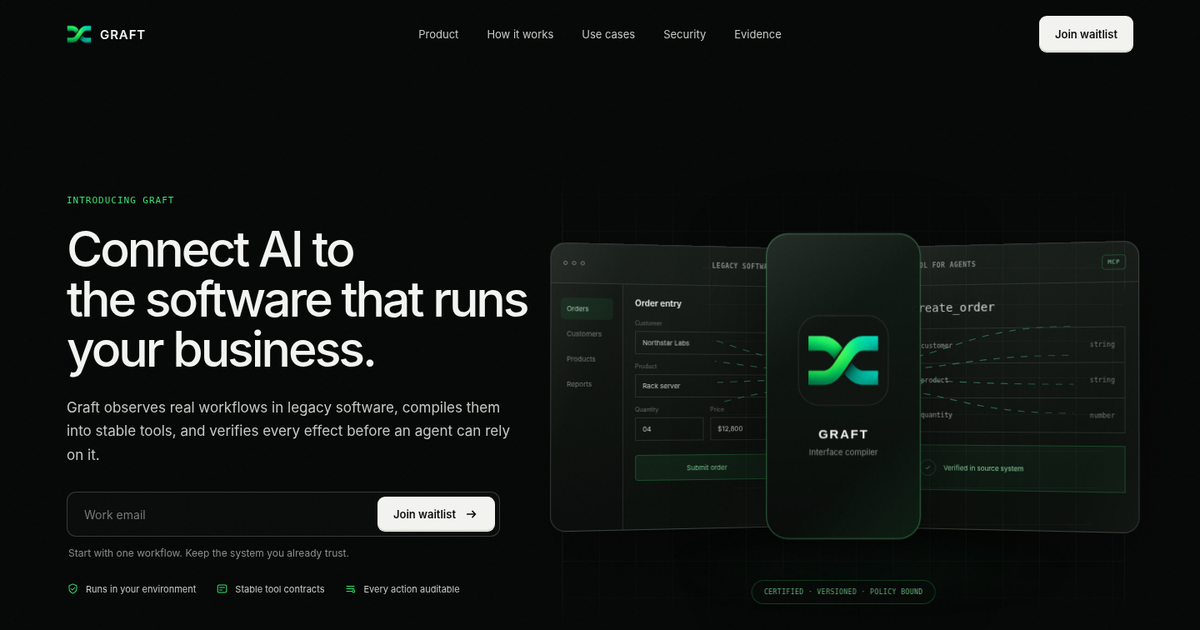
Graft AI is a platform for connecting AI agents to the software your business already uses by turning real application interfaces into stable tools. Instead of replacing existing systems, it watches a workflow, learns how work moves through the interface, and compiles a governed action layer that agents can call consistently.
The site positions Graft for software that is difficult to replace, including ERP systems, mainframes, desktop apps, web portals, virtual desktops, and internal tools. It is designed to let individual agents and multi-agent systems perform tasks such as order entry, invoice processing, reconciliation, ticket updates, and record changes while staying within policy, access, and audit boundaries.
Graft observes a real workflow and maps the screens, inputs, transitions, and side effects involved in that process.
It turns the observed workflow into a typed schema, adapter, policy boundaries, and conformance tests so the resulting tool has a defined contract.
An independent witness checks the live application state so the adapter does not certify itself.
Agents call one stable MCP tool instead of rediscovering the interface each time, reducing the need for source-system changes.
The product applies approvals, roles, and boundaries to actions and logs them with context for later review.
Graft is designed to run in the customer environment, with access controls and data kept under the customer’s control.
Finance and operations teams can use Graft to expose order entry, invoice processing, reconciliation, and reporting workflows to agents without rebuilding the underlying systems.
IT and support teams can connect ticketing or internal admin workflows so agents can update systems, create tickets, and resolve requests through governed actions.
Supply chain teams can make inventory, purchase order, shipment, and vendor record workflows available to agents that need to act across multiple systems.
Customer operations teams can let agents resolve issues and update records across systems of record while keeping actions auditable and permission-aware.
Organizations that rely on ERP, mainframes, desktop apps, web portals, or file-based processes can add a reliable action layer without replacing those systems.
Graft AI watches a real workflow in an existing application, maps the screens, inputs, transitions, and side effects, then generates a stable tool that agents can call through MCP.
The site says Graft is built for software you cannot replace, including ERP systems, mainframes, desktop apps, web portals, virtual desktops, and internal tools.
Graft says agents call one stable MCP tool instead of rediscovering the interface each time, and the product is designed to work in the frameworks and runtimes teams already choose, including LangChain, LlamaIndex, CrewAI, Microsoft AutoGen, and OpenAI Agents SDK.
The homepage says Graft runs in your environment, keeps data behind your firewall, and does not train its models on your data.
The pricing page does not show public plan details or prices. The site invites teams to join the waitlist for early access.

CreateOS Sandbox is an isolated compute environment for running code and agent workloads inside Firecracker micro-VMs. It is designed for workflows that need machine-level isolation, private networking between sandboxes, and programmatic control through SDK, CLI, or MCP.

ByteAsk is a terminal-first AI coding agent for C and C++ that edits repositories and verifies changes with the real compiler, debugger, sanitizers, and tests before showing a diff. It offers a free tier plus paid plans, with editor connectors and zero-retention handling described in the source.

hob is an independent workspace for coding agents that keeps agent sessions, terminals, history, and follow-up work organized around the tools and providers you already use. It is aimed at developers who want local control over routing, history, and workspace structure rather than a bundled model stack.

Manta AI is an autonomous web app testing tool for teams that want to map application behavior, catch regressions, and generate tests without writing scripts or maintaining selectors. It works from a URL and supports plain-English test flows, run results with screenshots, and scheduled or deployment-triggered checks.

SonOf connects to your repo and PM tool, audits the codebase and surrounding product context, and turns approved work into shipped tickets with senior engineering review. It is aimed at founders and engineering leaders who need backlog help without hiring a full team immediately.

Ghost — терминальный AI-ассистент для чата, генерации кода и запуска задач в командной строке. Бесплатные модели, Linux, macOS, Windows, open source.