
Window tabs across apps
Combine windows from Finder, editors, terminals, browsers, and other Mac applications into tabbed shelves.
GroupShelf is a native macOS utility that combines windows from different Mac applications into tabbed shelves. It helps users organize project- and task-related windows with drag-and-drop grouping, named shelves, color coding, and keyboard navigation.
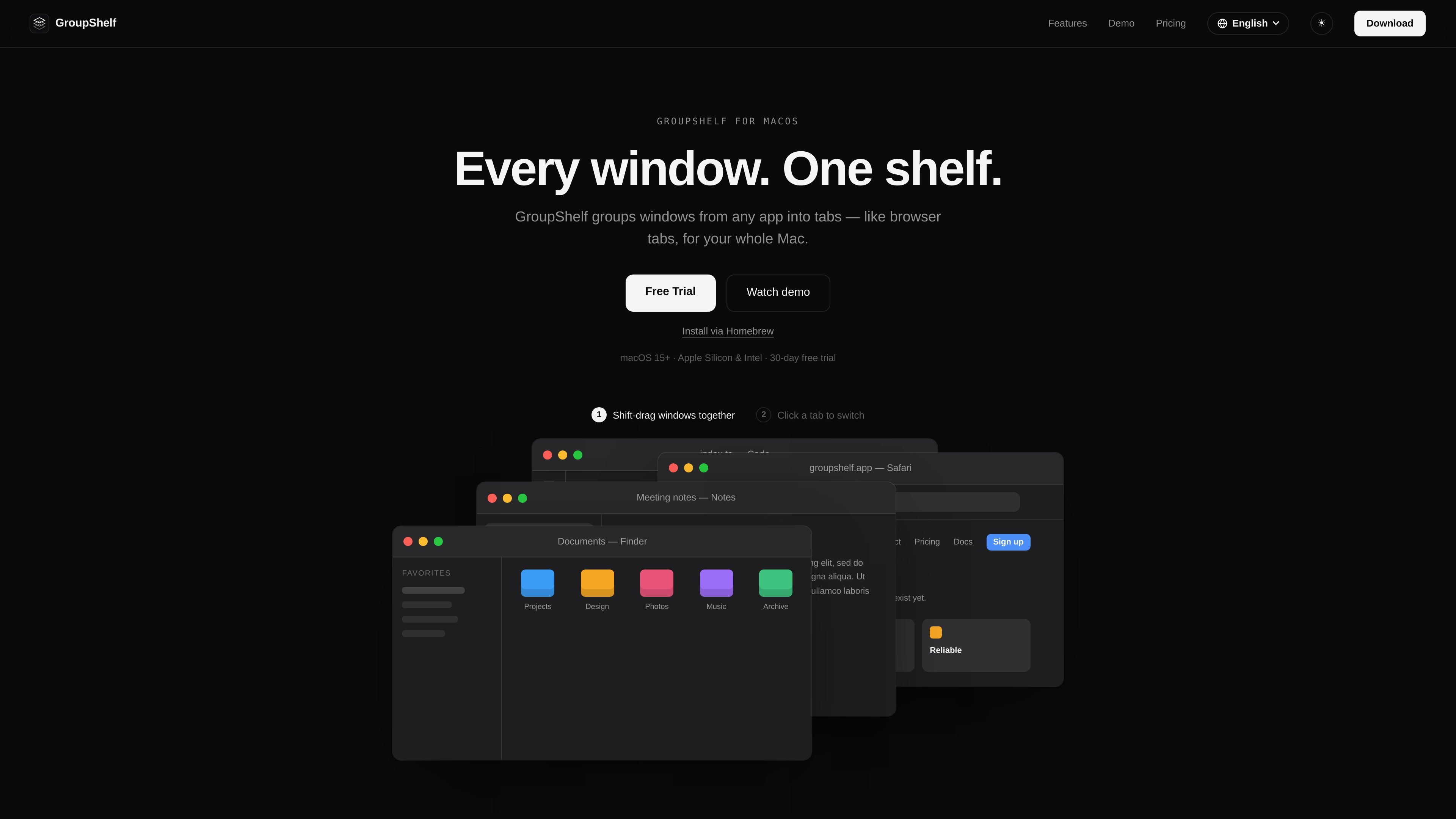
GroupShelf is a macOS window-management utility that turns windows from different applications into tabbed groups, or “shelves.” It is designed for people who work across several Finder windows, browsers, terminals, editors, or other apps and want to organize them by project or task without changing the applications themselves.
The workflow is direct: hold Shift while dragging one window onto another to merge them into tabs, then drag a tab out when it needs to become a separate window again. Shelves can be named and color-coded, and tabs can be changed from the keyboard. GroupShelf requires macOS 15 or later, supports Apple Silicon and Intel Macs, and uses Accessibility permission to move, resize, and raise grouped windows; it does not read window contents or record the screen.
Combine windows from Finder, editors, terminals, browsers, and other Mac applications into tabbed shelves.
Hold Shift and drag one window onto another to create a tab group; drag a tab out to split it back into a separate window.
Assign each shelf an accent color and name to make project or task groups easier to distinguish.
Use Control + Option + Left/Right Arrow to move through tabs without reaching for the mouse. The shortcut is configurable.
Create as many shelves as needed for different projects or tasks; the site states there is no limit on groups.
Built with AppKit rather than Electron and described as lightweight, with low battery impact.
Keep Finder windows, terminal sessions, code editors, and browser windows for one project together in a single shelf, while leaving unrelated work in separate groups.
Create separate shelves for research, writing, communication, or review work and switch between their tabs without rearranging every window manually.
Use named and color-coded shelves to distinguish multiple active clients, repositories, or workstreams at a glance.
Switch among related windows with the configurable keyboard shortcut when keeping hands on the keyboard is more convenient than selecting tabs with the mouse.
Download the disk image, drag GroupShelf into the Applications folder, launch it, and grant Accessibility permission in System Settings when prompted. The 30-day trial starts on first launch without an account or license key.
GroupShelf requires macOS 15 or later and runs on both Apple Silicon and Intel Macs.
Hold Shift while dragging one window onto another to combine them into tabs. Drag a tab out to separate it. The modifier key can be changed in Settings.
The trial includes all features for 30 days. After it ends, GroupShelf requires a license key to continue grouping windows.
One license can be used on up to three Macs. Devices can be deactivated through the customer portal to free a slot, and the portal also provides access to the license key and receipts.

Goldfish is an AI memory app for macOS that helps you reply, write, summarize, and continue using the context already on your Mac. It stores memory locally and writes in your tone.

ArtDeck is a visual reference board app for iPhone, iPad, and Mac that lets artists collect mixed reference material on one canvas and study it with ToolBox lenses. It works offline, supports optional iCloud sync, and is sold as a one-time purchase with no account required.

Biji - это универсальная платформа, разработанная для повышения продуктивности с помощью инновационных инструментов и функций.

Malyatko is a baby tracker for logging feeding, sleep, growth, teething, and milestones in one app. It works on iPhone, Apple Watch, and widgets, with no sign-up, offline use, and family sharing through iCloud.

Redline is a budgeting tool for Claude Code that paces sessions to stay within time, token, cost, or plan-percentage limits. It uses Claude Code’s native hooks and statusline to help sessions finish with a usable result instead of stopping abruptly.

Claude Overlay is a Windows desktop overlay for Claude Code that reads your screen so you can ask questions, inspect content, and request edits without leaving the current app. It runs on your existing Claude subscription through the Claude CLI, so no separate API key is required.