
Structured task management
Organize work with tasks, subtasks, notes, links, priorities, statuses, categories, tags, and other attributes. Tasks and subtasks can also be archived or hidden instead of deleted.

Kanban - Doneit is a task and project management app for organizing personal to-dos and multi-step work across Apple devices. It supports multiple task views, subtasks, reminders, Apple Reminders and Calendar workflows, and iCloud synchronization, with additional features available through in-app purchases.
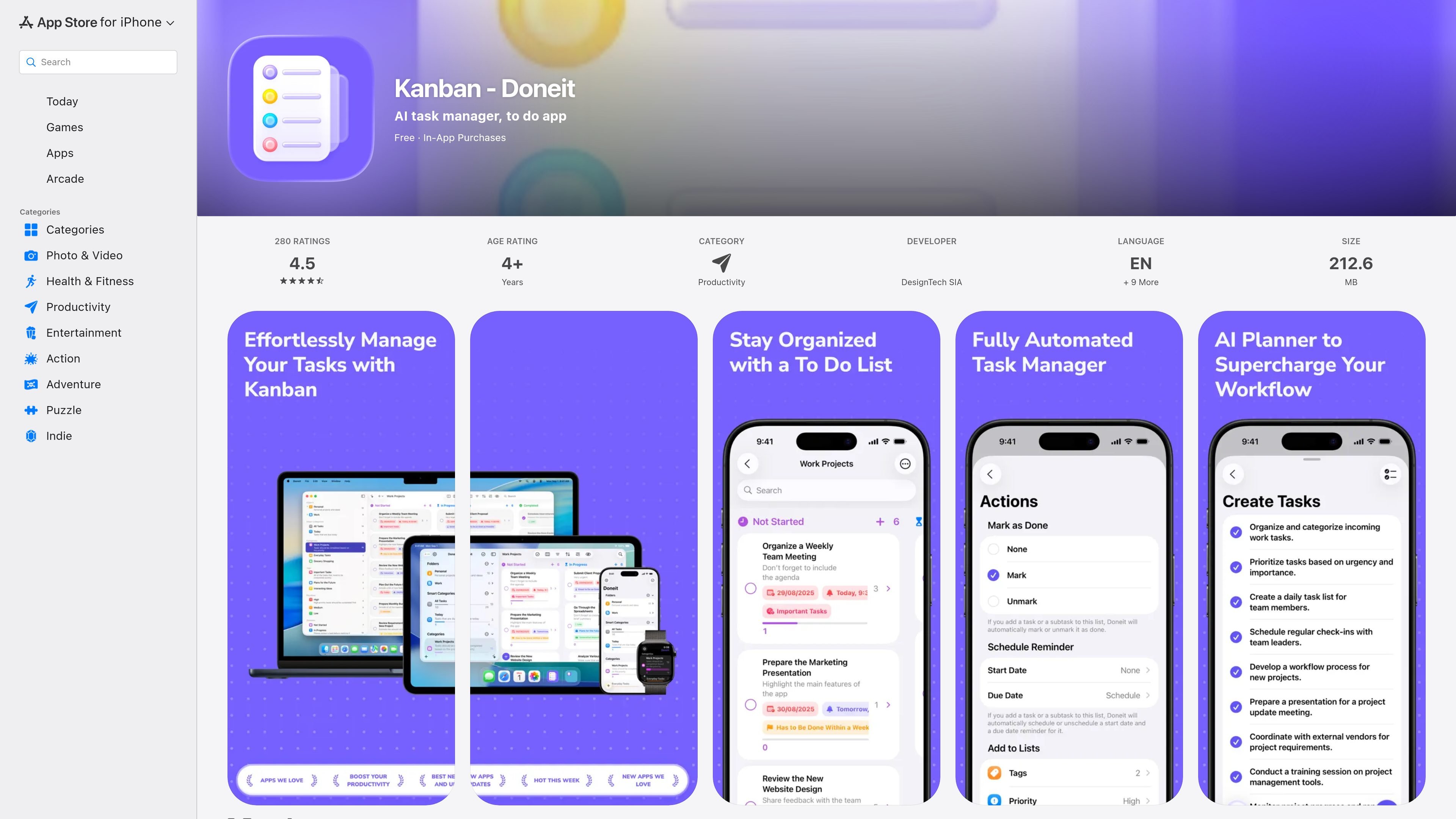
Kanban - Doneit is a task and project management app for organizing daily to-dos and multi-step work. It combines tasks and subtasks with categories, folders, tags, priorities, statuses, notes, links, and customizable task attributes, allowing users to keep related work together and distinguish what needs attention now from what can wait.
The app is designed for Apple devices and supports list, grid, and board presentations, with iCloud synchronization across devices using the same iCloud account. It also connects with Apple Reminders and Calendar for importing existing items, scheduling notifications, and placing tasks or subtasks on the calendar. A free tier is listed alongside in-app purchases; premium features expand categories, views, attachments, automation, customization, and iCloud category collaboration.
Organize work with tasks, subtasks, notes, links, priorities, statuses, categories, tags, and other attributes. Tasks and subtasks can also be archived or hidden instead of deleted.
Review tasks in list, grid, or board views, with sorting and filtering options to change how task lists are presented. Premium access adds advanced board and timeline views.
Set due-date notifications, use all-day reminders, and create recurring reminders with custom repeat intervals through the premium feature set.
Import existing reminders and calendar events, synchronize with Apple Reminders, and add tasks or subtasks to the system Calendar app as events.
Attach files, photos, scanned documents, and drawings to tasks and subtasks with premium access. Notes and links are supported for tasks and subtasks.
Use the app across iPhone, iPad, Mac, and Apple Watch, with iCloud synchronization across devices connected to the same iCloud account. Siri Shortcuts, app shortcuts, focus filters, widgets, and a standalone watchOS app are also listed.
Break a larger objective into subtasks, add notes or links to the parent work, and use statuses, priorities, and filters to monitor progress across stages.
Import existing reminders and calendar events, then combine due-date notifications, all-day reminders, and calendar events to coordinate personal errands and scheduled obligations.
Use board, list, or grid views to choose a working layout for a task backlog, while archiving or hiding items that should remain available without cluttering the active view.
Keep work available on multiple Apple devices through iCloud synchronization, with widgets, Siri Shortcuts, and Apple Watch access for quick review or capture.
Share and collaborate on categories through iCloud when a project needs participation from other people. The listing does not specify team size or permissions.
Doneit is available for iPhone, iPad, Mac, and Apple Watch. The listing also states that it supports iOS, iPadOS, watchOS, and macOS.
The free version includes up to two categories, while premium features include unlimited categories and additional organization tools. The source does not provide current price amounts or plan names.
Yes. Doneit can import reminders from Apple’s Reminders app, sync with Reminders, and add tasks or subtasks as events in Apple Calendar. It also supports iCloud syncing across devices using one iCloud account.
Tasks can be displayed in list, grid, or board views. Premium access adds an advanced board view and a timeline view.
Premium users can share and collaborate on categories with others through iCloud. The source does not describe broader third-party integrations.

Biji - это универсальная платформа, разработанная для повышения продуктивности с помощью инновационных инструментов и функций.

Starlie is a native macOS desktop client for Jira Cloud and self-hosted Jira. It helps Jira users search with JQL, manage sprint boards, review issue context, and make selected updates from a Mac app.

SonOf connects to your repo and PM tool, audits the codebase and surrounding product context, and turns approved work into shipped tickets with senior engineering review. It is aimed at founders and engineering leaders who need backlog help without hiring a full team immediately.

runevr is a connected workspace for creative teams that combines boards, media review, chat, recordings, drive, calls, and AI agents in one room-based environment. It is designed to reduce tool switching and keep project context together.

BotBoard is a task-management layer for AI agents that helps teams assign work, track progress, and review output. It supports CLI, MCP, and HTTP connections for tools like OpenClaw, Codex, Claude Code, and Cursor.

Artifacts by Samepage is a connected writing surface for product teams that turns signals and existing work context into drafts such as PRDs, release notes, feature requests, bug tickets, and status updates. It includes built-in AI editing and can publish work into tools like Jira, GitHub, Confluence, Slack, and Linear.