
Organize files across repos
Karve gathers .http files from multiple repositories into virtual folders without moving the files on disk, so your repo structure stays intact.

Karve is a native Windows workspace for .http and .rest files, built for developers who keep API requests in repos and want to organize, run, and inspect them locally. It uses a one-time Microsoft Store purchase model with a free trial and no subscription.
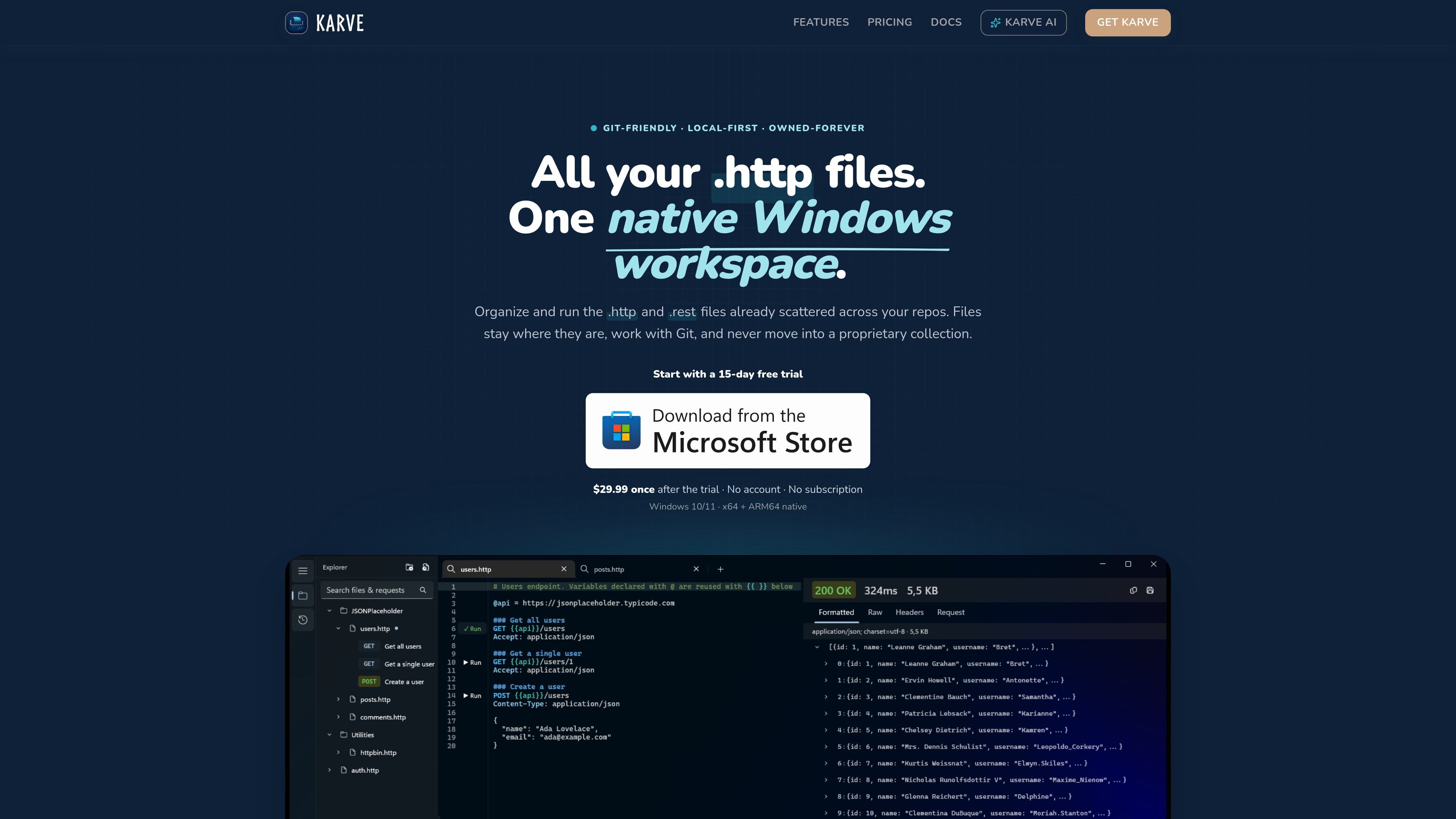
Karve is a native Windows workspace for .http and .rest files. It is built for developers who already keep API requests as plain text files in repositories and want a dedicated app to organize, run, and inspect those requests without moving them into a proprietary collection format.
The product stays local-first: files remain where they are, work with Git, and can be opened in other editors or clients that understand the format. Karve adds a file explorer, request runner, response viewer, environments, tabs, and persistent history around the same files you already use.
The site positions Karve as a REST-only tool in its current version. It supports Windows 10 and 11, offers a 15-day free trial, and is sold as a one-time Microsoft Store purchase rather than a subscription.
Karve gathers .http files from multiple repositories into virtual folders without moving the files on disk, so your repo structure stays intact.
Each request can be run from its method line, and the response opens alongside the editor with status, timing, headers, raw content, and a collapsible JSON tree.
The app keeps a searchable local history of requests and responses across sessions, and you can reopen past calls in a tab.
Karve supports per-file .env environments, so you can switch between dev, staging, and prod values without editing the requests themselves.
The workspace includes tabs with session restore, letting you continue from the same set of open request files after relaunching the app.
Karve is a native WinUI 3 application with light and dark themes, Mica styling, and support for drag-and-drop from File Explorer.
Use Karve when you have .http files scattered across several repositories and want one place to browse, open, and run them without reorganizing the files.
Use it while coding when you want to run a request, inspect the exact resolved request that was sent, and review the response beside the file.
Use the local history and session restore to reopen previous calls, compare responses, and continue work after closing the app.
Use per-file environments and file variables to switch hosts or tokens for different stages without rewriting the request body each time.
Use the free OpenAPI / Swagger to .http converter or the .http guide when you are standardizing request files from specs or learning the format.
Karve is a native Windows app that opens and runs .http and .rest files directly. It is meant for developers who keep API requests in plain text files next to their code.
Yes. The pricing page says Karve includes a 15-day free trial through the Microsoft Store before a one-time purchase.
Karve is a one-time purchase, with the Launch Summer Sale price listed at $29.99 until September 1, 2026. The page says the regular price is $39.99 after the sale ends.
Karve is Windows-only in the current version. The site lists Windows 10/11 support and native x64 and ARM64 builds, and notes that the app is built with WinUI 3.
Karve is local-first: requests stay in your repo, responses and history are stored on your machine, and the site says it does not use cloud sync or team collaboration in v1.

ByteAsk is a terminal-first AI coding agent for C and C++ that edits repositories and verifies changes with the real compiler, debugger, sanitizers, and tests before showing a diff. It offers a free tier plus paid plans, with editor connectors and zero-retention handling described in the source.

Goldfish is an AI memory app for macOS that helps you reply, write, summarize, and continue using the context already on your Mac. It stores memory locally and writes in your tone.

CreateOS Sandbox is an isolated compute environment for running code and agent workloads inside Firecracker micro-VMs. It is designed for workflows that need machine-level isolation, private networking between sandboxes, and programmatic control through SDK, CLI, or MCP.

ArtDeck is a visual reference board app for iPhone, iPad, and Mac that lets artists collect mixed reference material on one canvas and study it with ToolBox lenses. It works offline, supports optional iCloud sync, and is sold as a one-time purchase with no account required.

Biji - это универсальная платформа, разработанная для повышения продуктивности с помощью инновационных инструментов и функций.

hob is an independent workspace for coding agents that keeps agent sessions, terminals, history, and follow-up work organized around the tools and providers you already use. It is aimed at developers who want local control over routing, history, and workspace structure rather than a bundled model stack.