
Smart break timing
LookAway waits for a better moment to interrupt, then shows a countdown and heads-up notification before a break begins so users are less likely to be caught off guard.

LookAway is a native Mac app for smart screen breaks, blink reminders, and posture nudges that adapt to your workflow. It also offers optional iPhone and iPad sync through LookAway Mirror.
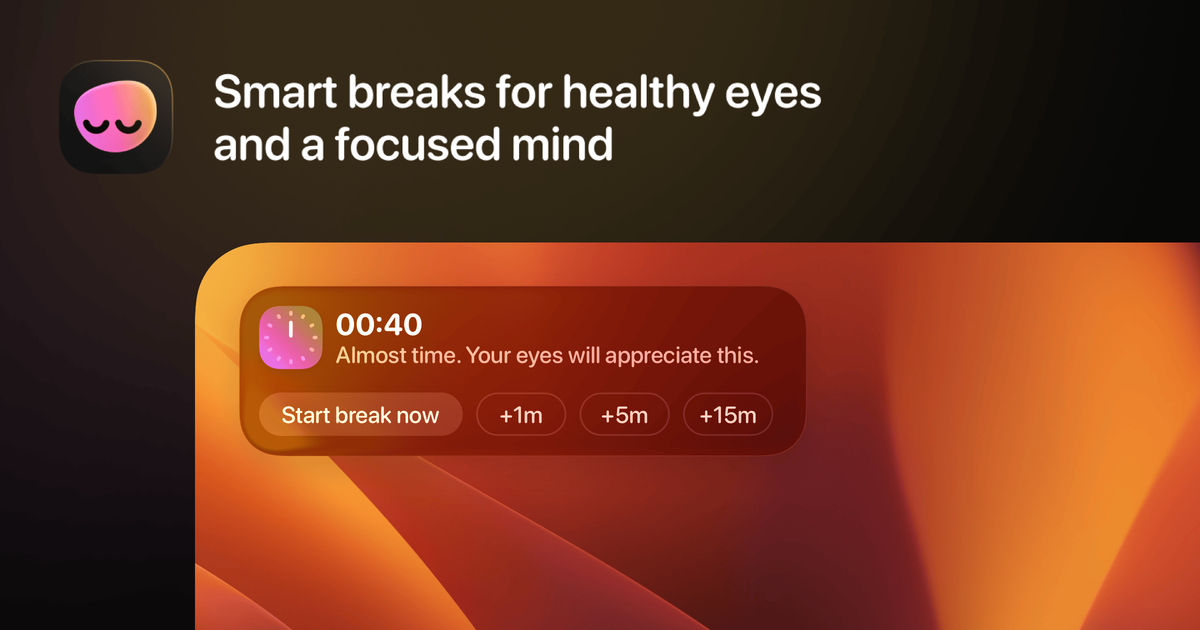
LookAway is a native Mac app for screen breaks and wellness reminders. It helps users manage break timing, blink reminders, and posture nudges while they work, with controls designed to keep interruptions soft rather than abrupt.
The product is built for people who spend long stretches at a computer and want reminders that adapt to the flow of work. It waits for a better moment to interrupt, can pause during certain activities such as calls, video playback, or fullscreen gaming, and offers optional iPhone and iPad sync through LookAway Mirror for breaks that extend beyond the Mac.
LookAway waits for a better moment to interrupt, then shows a countdown and heads-up notification before a break begins so users are less likely to be caught off guard.
The app can quietly pause during screen recording, meetings or calls, video playback, deep focus apps, and fullscreen gaming, so break prompts do not interrupt every activity in the same way.
Break behavior can be controlled from the menu bar, with live status, quick access controls, snooze options, and floating countdown feedback that follows the cursor.
Users can tailor timers, sounds, backgrounds, images, wallpapers, gradients, and break messages to shape how reminders appear and feel.
LookAway includes posture and blink reminders in addition to break reminders, and it can also run AppleScripts or Shortcuts when a break starts or ends.
When paired with LookAway Mirror on iPhone or iPad, Mac breaks can be mirrored to mobile devices to block websites and non-essential apps during the break window.
For knowledge workers who spend most of the day in front of a Mac, LookAway schedules breaks without forcing a rigid interruption pattern and shows a countdown before the break starts.
For people who want better screen habits rather than just break prompts, LookAway combines blink reminders and posture nudges with screen break management.
For users who move between concentrated work, meetings, playback, and gaming, LookAway can pause reminders in those contexts so it does not interrupt at the wrong time.
For people who want their break to continue beyond the computer, LookAway Mirror can sync the break to an iPhone or iPad and restrict distracting apps or sites during that time.
For teams or multi-device users, the license model supports multiple seats and device moves, with a team option designed for orgs and teams.
LookAway is a native Mac app that you install on macOS 13 or later. The download page shows a simple manual install flow, and the pricing page notes that licenses can be used on Mac devices, with Windows support marked as coming soon.
The pricing page describes one-time licenses with one year of free updates. Personal and team plans support multiple seats, and team licenses start at a minimum of 5 seats.
Yes. The pricing page states that LookAway Mirror for iPhone and iPad syncs with your Mac license, and the sync docs explain that it can block websites and non-essential apps on paired devices while your Mac is on break.
Yes. LookAway includes support for smart automations, including running AppleScripts or Shortcuts when a break starts or ends. The home page also mentions global keyboard shortcuts and Focus Filters integration.
LookAway is available as a standalone Mac app, on the Mac App Store, and through Setapp. The pricing page also notes that Setapp includes LookAway without limits, including iPhone Sync via LookAway Mirror.

Malyatko is a baby tracker for logging feeding, sleep, growth, teething, and milestones in one app. It works on iPhone, Apple Watch, and widgets, with no sign-up, offline use, and family sharing through iCloud.

Goldfish is an AI memory app for macOS that helps you reply, write, summarize, and continue using the context already on your Mac. It stores memory locally and writes in your tone.

ArtDeck is a visual reference board app for iPhone, iPad, and Mac that lets artists collect mixed reference material on one canvas and study it with ToolBox lenses. It works offline, supports optional iCloud sync, and is sold as a one-time purchase with no account required.

Biji - это универсальная платформа, разработанная для повышения продуктивности с помощью инновационных инструментов и функций.

MIRA vision develops synthetic-data-driven AI for pathology image analysis in medical diagnostics. Its website positions the product for teams that need privacy-compliant training data, automatic annotations, and controlled data generation.

Redline is a budgeting tool for Claude Code that paces sessions to stay within time, token, cost, or plan-percentage limits. It uses Claude Code’s native hooks and statusline to help sessions finish with a usable result instead of stopping abruptly.