
UStackUStack
Macuse icon

Macuse

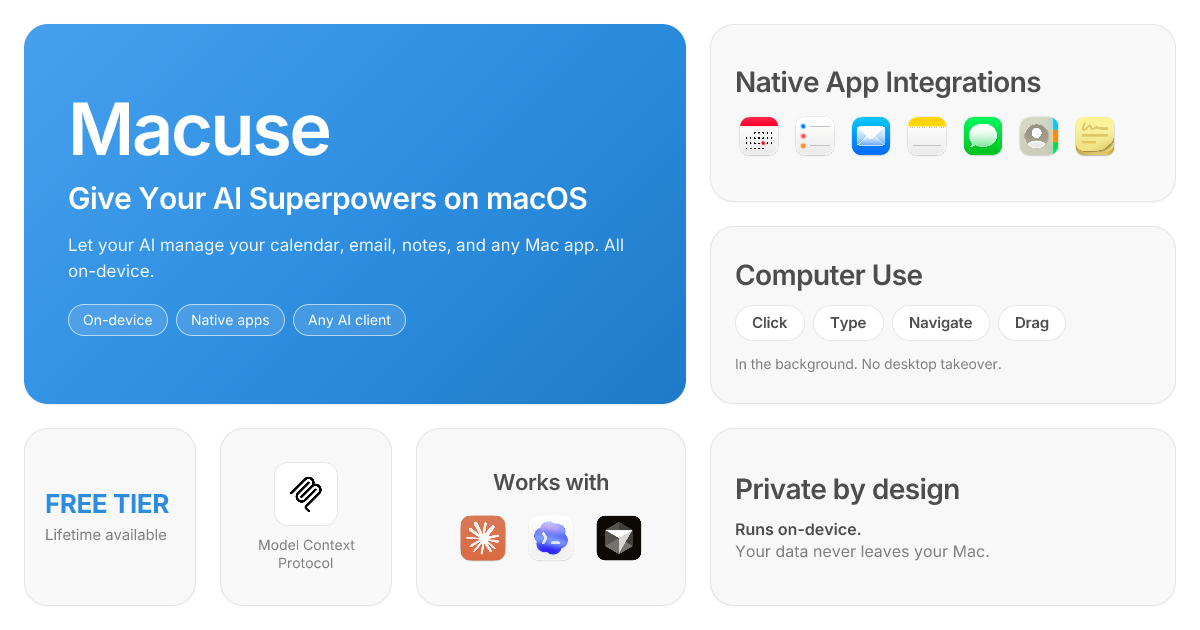
Macuse is a macOS app that lets AI assistants control native Mac apps through MCP and use Computer Use for any app. It works with clients like Claude Desktop, Cursor, and Raycast, and keeps automation on-device.

Macuse

Overview

Macuse is a macOS tool that gives AI assistants direct control over native Mac apps through MCP. It connects to apps such as Calendar, Mail, Notes, Reminders, Contacts, Messages, Maps, and Stickies, and also includes Computer Use for operating any Mac app through clicks, typing, scrolling, and window control.

The product is designed to work with AI clients you already use, including Claude Desktop, Cursor, and Raycast, and it runs on-device rather than in a cloud desktop. The site emphasizes one-click setup, local processing, and explicit approval when a new app is connected.

Features

Native app integrations

Read from and write to Calendar, Mail, Notes, Reminders, Messages, Contacts, Maps, and Stickies through natural conversation. The site highlights tasks like scheduling meetings, replying to email, taking notes, setting reminders, searching contacts, and checking travel time.


Computer Use for any Mac app

Use Computer Use to click, type, scroll, drag, manage windows, launch apps, and read UI elements in any Mac app. Macuse runs the automation in the background so your active window and cursor are not taken over.

Broad MCP client support

Works with Claude Desktop, Cursor, Raycast, and any MCP-compatible client. The site also mentions other examples such as Claude Code, ChatWise, LM Studio, Warp, Windsurf, JetBrains IDEs, and custom agents.

Simple setup flow

One-click setup is advertised for supported clients, with automatic detection and configuration. The site says there is no need to edit config files, use terminal commands, or manually write JSON.

Local-first privacy controls

Macuse says data stays on the user’s Mac, with explicit approval for each new app connection and one-click revocation from the permissions page. The site also notes local processing for personal content.

Usage tiers for trial and unlimited use

The pricing page offers a free tier with 100 tool calls per day and one connected client, plus a lifetime plan with unlimited tool calls, unlimited connected clients, and future updates included.

Use Cases

  • Calendar and email administration

    Have an AI assistant schedule meetings, check availability, draft replies, and organize calendar events without switching between separate tools.

  • Personal organization inside native apps

    Capture notes, update reminders, search contacts, and retrieve information from Apple apps through a conversational workflow instead of manual navigation.

  • Working with arbitrary Mac software

    Use Computer Use to click through menus, fill forms, operate save dialogs, or control any Mac app that does not have an API or dedicated integration.

  • Background automation while you stay in another window

    Keep your current desktop active while the AI operates another app in the background, which is useful when you want to continue working during automation.

  • Multi-client AI workflows

    Connect one Macuse installation to the MCP-compatible client you already prefer, then use the same setup across different tools rather than configuring each one separately.

Pros and Cons

Pros

  • Covers both native Mac app integrations and Computer Use for arbitrary apps.
  • Works with multiple AI clients instead of locking users to one assistant.
  • Runs on-device and keeps the active window and cursor untouched while automating.
  • One-click setup reduces manual configuration steps.
  • Clear pricing model includes a free tier and a one-time lifetime purchase option.

Cons

  • The site positions Macuse around the MCP ecosystem, so it is most relevant if you already use an MCP-compatible AI client.
  • The Free plan includes daily and client limits, so heavy or multi-client use requires the paid Lifetime plan.

FAQ

Which AI tools and clients does Macuse work with?

Macuse works with Claude Desktop, Cursor, Raycast, and any other MCP-compatible client. The site also lists ChatWise, LM Studio, Claude Code, Windsurf, Warp, JetBrains IDEs, and any custom MCP client as supported examples for Computer Use.

Does Macuse require technical setup?

No. The site says setup is one-click and auto-detected, with no config files, terminal commands, or JSON editing required.

What permissions does Macuse need?

Macuse requests only the permissions needed for the feature you enable, such as Calendar, Reminders, and Contacts access, Full Disk Access for Mail and Notes, and Accessibility for Computer Use. You can approve connections and revoke access later.

What is the difference between Free and Lifetime?

Free includes all features with a limit of 100 tool calls per day and 1 connected client. The Lifetime plan removes usage limits and adds unlimited connected clients.

How does Macuse handle privacy and background operation?

Macuse is built to run on your Mac and keep your screen and active window untouched while it operates in the background. The site says your data stays on your Mac and first-time access to each new app requires explicit approval.

Quick Facts

Category
AI productivity
Platform
macOS
Core capability
Native app control via MCP plus Computer Use
Supported clients
Claude Desktop, Cursor, Raycast, and other MCP-compatible tools
Pricing shape
Free tier and one-time Lifetime purchase
Website
macuse.app

Альтернативы Macuse

Redline icon

Redline

Redline is a budgeting tool for Claude Code that paces sessions to stay within time, token, cost, or plan-percentage limits. It uses Claude Code’s native hooks and statusline to help sessions finish with a usable result instead of stopping abruptly.

ByteAsk icon

ByteAsk

ByteAsk is a terminal-first AI coding agent for C and C++ that edits repositories and verifies changes with the real compiler, debugger, sanitizers, and tests before showing a diff. It offers a free tier plus paid plans, with editor connectors and zero-retention handling described in the source.

Goldfish icon

Goldfish

Goldfish is an AI memory app for macOS that helps you reply, write, summarize, and continue using the context already on your Mac. It stores memory locally and writes in your tone.

Lasso icon

Lasso

Lasso is an ecommerce product data platform for enriching catalog records, processing supplier files, generating product content, and monitoring competitors. It combines a web app with a REST API, SDK, and MCP server for teams and developers.

Biji icon

Biji

Biji - это универсальная платформа, разработанная для повышения продуктивности с помощью инновационных инструментов и функций.

hob icon

hob

hob is an independent workspace for coding agents that keeps agent sessions, terminals, history, and follow-up work organized around the tools and providers you already use. It is aimed at developers who want local control over routing, history, and workspace structure rather than a bundled model stack.
