
Create agents quickly
Create an AI conversation agent by describing the discussion in plain language. The product says it can infer the structure automatically from your prompt or form input.

muno is a managerial AI agents platform for running asynchronous voice conversations with teams. It helps managers collect feedback, run check-ins, and review summarized responses without scheduling a live meeting.
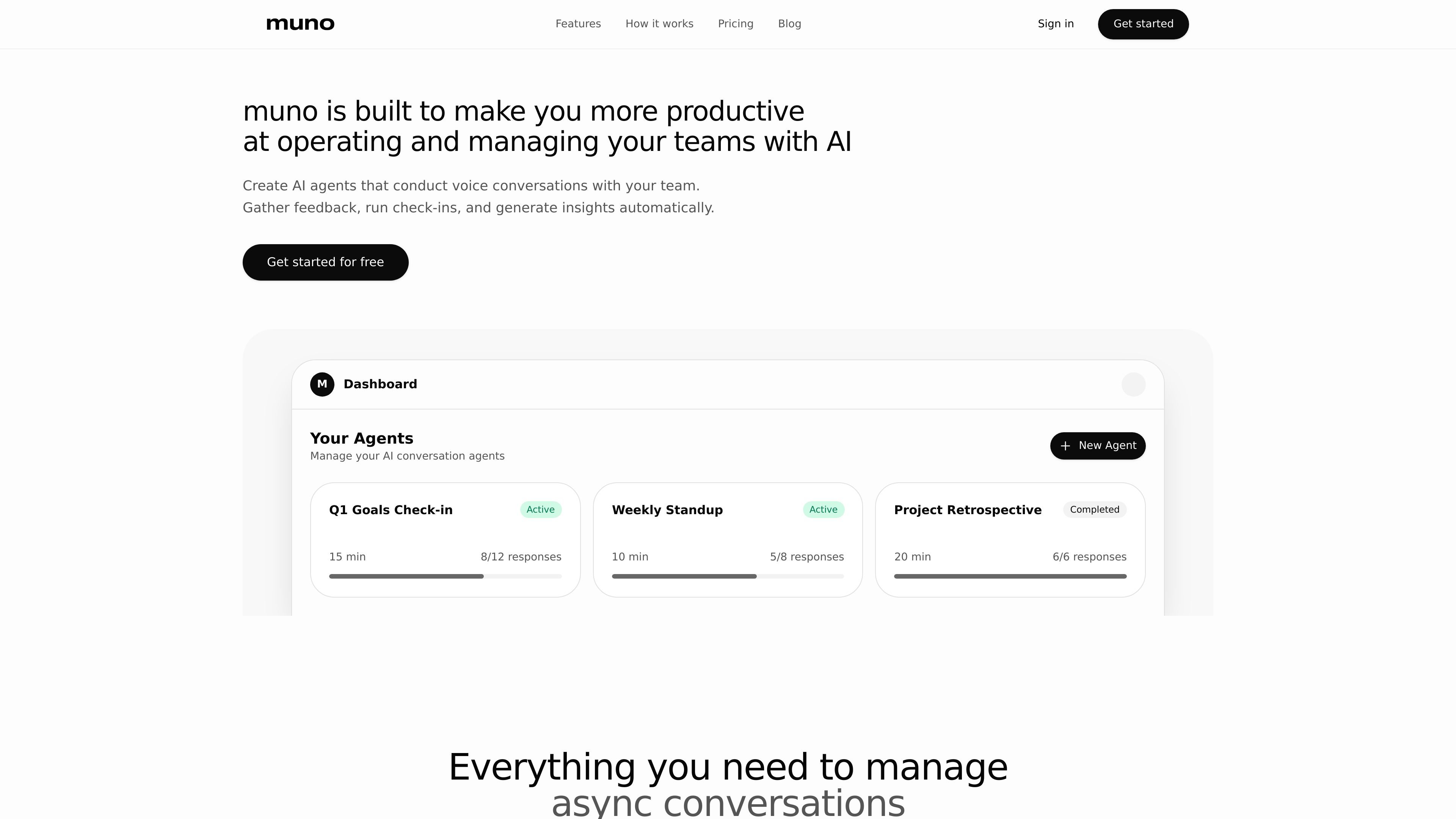
muno is a managerial AI agents platform for running asynchronous voice conversations with teams. It is built for managers who want to gather feedback, run check-ins, and turn team responses into summaries and insights without running a live meeting.
The product flow starts with creating an agent from a natural-language description, then sharing it with a team so members can respond by voice at their own pace. muno also surfaces response data and can export outputs to tools such as Google Docs, Google Slides, and Notion.
Create an AI conversation agent by describing the discussion in plain language. The product says it can infer the structure automatically from your prompt or form input.
Run natural voice conversations with team members in real time, so people can respond at their own pace instead of joining a live meeting.
Use AI-generated topics that are arranged from the context and timing preferences you provide, helping structure check-ins and retrospectives.
Track response rate, sentiment, total time, and key points from collected conversations in one place.
Generate documents and summaries, then export them to connected tools such as Google Docs, Google Slides, Notion, Slack, Asana, or Jira depending on plan.
Schedule agents on paid plans so recurring check-ins can run without manual re-creation each time.
Set up recurring Q1 goals, weekly standup, or project retrospective agents to collect updates without scheduling a live meeting.
Ask the team about blockers, support needs, and next steps, then review the summarized responses afterward.
Share a conversation link so team members can answer when it is convenient for them, which fits distributed or async teams.
Generate a response summary and export it into Docs, Slides, Notion, Slack, Asana, or Jira depending on the plan and workflow.
Muno creates AI agents that conduct voice conversations with team members. You describe the conversation, set timing and context, and then share the agent with your team so they can respond at their convenience.
The source shows a workflow centered on creating agents, sharing a link with the team, and reviewing responses and summaries afterward. It does not describe a more detailed setup process beyond describing the conversation and letting AI generate the structure.
The pricing page shows a Free plan plus paid Plus, Business, and Enterprise plans. Free includes 3 agent creations per month, while paid plans add higher limits, more integrations, scheduled agents, and support options.
The source shows export to Google Docs and Google Slides, plus Notion integration on the free plan. Paid plans add Slack and Asana integrations, and the Business plan includes Jira deep context and agile workflows.
The support page says the team typically responds within 30 minutes and is available at all times. It also provides a contact form for general questions, bugs, feature requests, billing, account access, and integration help.

Biji - это универсальная платформа, разработанная для повышения продуктивности с помощью инновационных инструментов и функций.

Macuse is a macOS app that lets AI assistants control native Mac apps through MCP and use Computer Use for any app. It works with clients like Claude Desktop, Cursor, and Raycast, and keeps automation on-device.

Dcyde is a decision log for product teams that captures what was decided, the reasoning behind it, and the source in one shared place. It supports pinning decisions from Slack, Figma, or inside Dcyde and keeps the record searchable over time.

Goldfish is an AI memory app for macOS that helps you reply, write, summarize, and continue using the context already on your Mac. It stores memory locally and writes in your tone.

Lasso is an ecommerce product data platform for enriching catalog records, processing supplier files, generating product content, and monitoring competitors. It combines a web app with a REST API, SDK, and MCP server for teams and developers.

ArtDeck is a visual reference board app for iPhone, iPad, and Mac that lets artists collect mixed reference material on one canvas and study it with ToolBox lenses. It works offline, supports optional iCloud sync, and is sold as a one-time purchase with no account required.