
Financial intelligence
Shows earned revenue, tax set-asides, unbilled work, and cash flow in one view so you can see what is actually available to spend.

Notwen is a freelance finance tool that helps freelancers and solopreneurs track what they’ve earned, what should be reserved for tax, and what they can safely spend. It also uses AI to handle invoicing, contracts, and payment follow-ups.
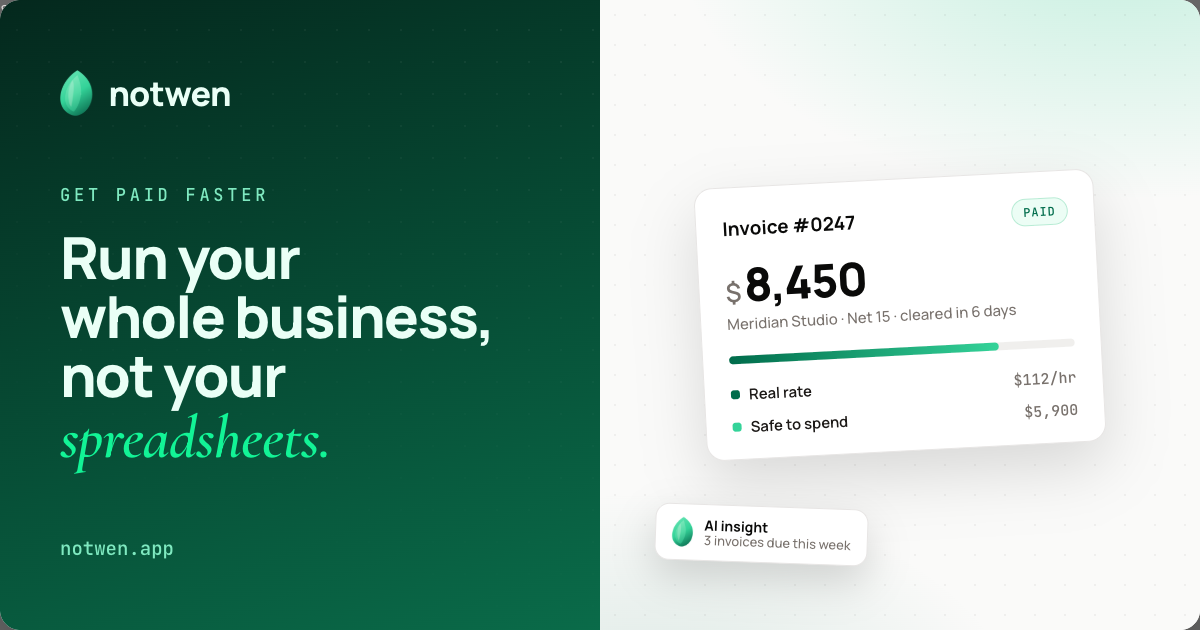
Notwen is a financial operations tool for freelancers and solopreneurs. It presents one view of what you have earned, what should be set aside for tax, and what is safe to spend, while AI handles invoice-related busywork.
The product combines invoicing, contract drafting, time tracking, tax reserve estimates, cash flow forecasting, and payment follow-ups. The site describes a short onboarding flow: set up your profile, add clients and contracts, track work, then get paid and review deductions and cash flow.
On the pricing page, Notwen is offered through a “Request Early Access” flow. The page says no credit card is required and that you can cancel anytime, but it does not publish plan prices on the pages provided.
Shows earned revenue, tax set-asides, unbilled work, and cash flow in one view so you can see what is actually available to spend.
Generates professional invoices with AI-drafted line items, tracks payments, and supports reminders for overdue invoices.
Drafts contracts with AI and links them to tasks and invoices so client work stays connected to billing.
Tracks work through Kanban boards and live timers, then turns that activity into automatic billing calculations.
Flags overdue invoices, expiring contracts, and expense anomalies so users can catch problems earlier.
Handles escalating payment reminders without manual follow-up, aimed at reducing time spent chasing invoices.
Use Notwen to see how much of your income is already spoken for by tax, what remains unbilled, and what is actually safe to spend.
Create client invoices with AI-drafted line items and payment tracking when you want to reduce manual invoicing work.
Import or add clients, draft contracts with AI, and keep task, invoice, and contract records connected for each engagement.
Track work with Kanban boards and live timers, then convert that activity into billing calculations and reminders.
Monitor overdue invoices, expiring contracts, and expense anomalies so you can respond before they become larger cash-flow issues.
Notwen says setup takes about five minutes. The onboarding flow starts with business details, bank information, and preferences, then you add clients and contracts, track work and time, and let the system handle invoicing, tax reserves, and payment follow-ups.
The pricing page shows a “Request Early Access” flow and notes “No credit card required” and “Cancel anytime.” It does not publish plan prices or limits on the pages provided.
Notwen appears to focus on freelance financial operations: invoices, contracts, time tracking, tax reserve estimates, cash flow forecasting, and payment reminders. The source does not list direct integrations with external accounting, banking, or calendar tools.
The product page describes Kanban boards, live timers, automatic billing calculations, and calendar scheduling. It also says setup is mobile-friendly, but it does not specify desktop, mobile app, or browser platform support beyond that.

KlutterAI is an AI-powered expense tracker that helps people capture receipts, categorize spending, and monitor budgets from iOS or Android. The product also surfaces recurring charges, spending alerts, and exportable reports.

Trump Accounts is an investment account product for building long-term financial security for a child. The site also offers support for activation, bank linking, contributions, investing, statements, tax documents, and account closure.

Mixstream is a music distribution, rights, and licensing platform for independent artists, rights managers, and DSPs. It supports release setup, catalog management, sync licensing, and validated delivery for platform ingestion.

Jotform Sign is electronic-signature software for converting PDFs or preparing documents, sending them to stakeholders, collecting signatures on any device, and tracking progress. It is designed for digital document workflows and is available through ChatGPT and Claude.

Timebook is a time tracking, invoicing, and bookkeeping app for freelancers and single-member LLCs. It combines hours, invoices, and basic books in one place, with optional Plaid bank sync and AI-agent support.

Finchum is a personal finance planning tool that aggregates accounts and forecasts future balances for users in the US and Canada. It supports secure sync without sharing bank passwords, with OAuth where available and file-based imports as a fallback.