
Time tracking across web, CLI, and AI agents
Track billable time from the web, the CLI, or through an AI agent. The site also says Timebook is available in the ChatGPT app store and via MCP for Claude, with scoped tokens for safer agent access.

Timebook is a time tracking, invoicing, and bookkeeping app for freelancers and single-member LLCs. It combines hours, invoices, and basic books in one place, with optional Plaid bank sync and AI-agent support.
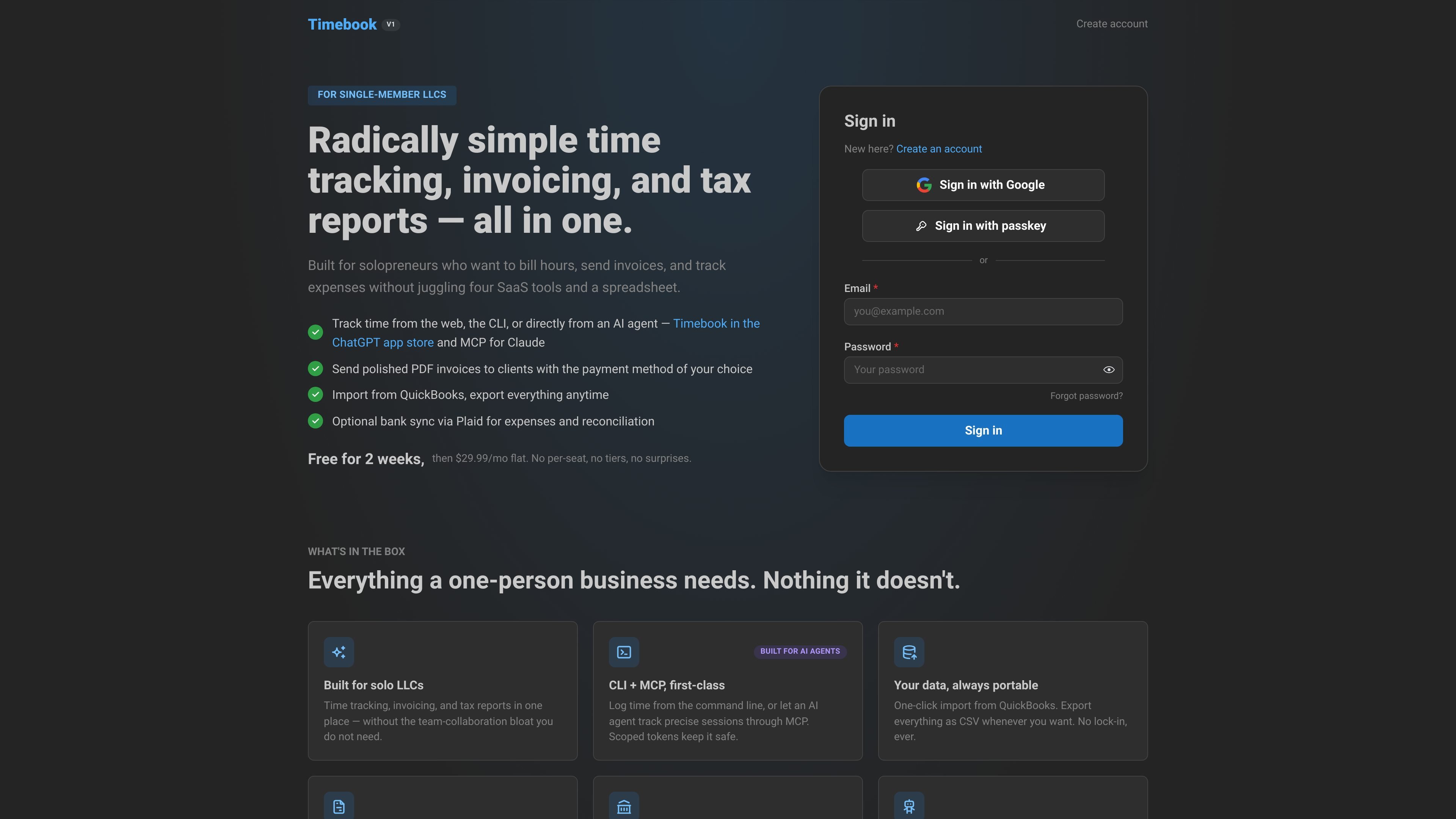
Timebook is a time tracking, invoicing, and bookkeeping app for freelancers and single-member LLCs. It is positioned for one-person businesses that want to bill hours, send invoices, and keep basic books without using separate tools for each step.
The product combines timer-based time tracking, PDF invoicing, and bookkeeping in one app. Source pages also describe support for web, CLI, and AI-agent workflows, including ChatGPT app store access and MCP for Claude, plus optional bank sync through Plaid and import/export support for moving data in and out.
Track billable time from the web, the CLI, or through an AI agent. The site also says Timebook is available in the ChatGPT app store and via MCP for Claude, with scoped tokens for safer agent access.
Turn tracked hours into invoice line items automatically, then draft, preview, and email professional PDF invoices with your own payment instructions.
Record income when clients pay, track expenses as you go, and keep reports ready for tax time without switching to a separate accounting app.
Connect a business bank account through Plaid to bring in transactions and reconcile expenses and paid invoices against what actually cleared.
Import data from QuickBooks and export everything as CSV, so users can move data in or out without relying on a locked workflow.
Use the same app for time tracking, invoicing, and bookkeeping, which keeps the workflow in one place rather than splitting work across multiple tools.
Use Timebook when you need to track billable work, keep client and project context, and turn those hours into invoices without copying entries into another tool.
Use the app to record income when clients pay, log business expenses, and keep books organized enough for tax time without adopting a full accounting package.
Use the CLI or AI-agent workflow to have ChatGPT or Claude start timers, gather hours, stage invoices, or pull figures from your books for review.
Use Plaid bank sync when you want transactions to flow in automatically and reconcile expenses or paid invoices against the money that cleared.
Use import and export tools when you are switching from QuickBooks or want to keep a local copy of your data for future portability.
Timebook is designed for solo freelancers and one-person LLCs. The source material says it is built for one freelancer, not a team of 50, and it avoids team-collaboration features such as approval chains and manager dashboards.
Yes. Tracked hours flow directly into invoices, so you can turn billable time into a professional PDF invoice without re-typing entries from another timer or spreadsheet.
Yes. Invoices can be drafted, previewed, and emailed as PDF files with the payment instructions you choose, such as bank details or PayPal.
Yes, optionally. You can connect a bank account through Plaid to track expenses and reconcile paid invoices against transactions that cleared.
Timebook uses a flat subscription model: the site says there is a 14-day free trial with no credit card, followed by $29.99 per month.

Biji - это универсальная платформа, разработанная для повышения продуктивности с помощью инновационных инструментов и функций.

Goldfish is an AI memory app for macOS that helps you reply, write, summarize, and continue using the context already on your Mac. It stores memory locally and writes in your tone.

ArtDeck is a visual reference board app for iPhone, iPad, and Mac that lets artists collect mixed reference material on one canvas and study it with ToolBox lenses. It works offline, supports optional iCloud sync, and is sold as a one-time purchase with no account required.

Malyatko is a baby tracker for logging feeding, sleep, growth, teething, and milestones in one app. It works on iPhone, Apple Watch, and widgets, with no sign-up, offline use, and family sharing through iCloud.

Starlie is a native macOS desktop client for Jira Cloud and self-hosted Jira. It helps Jira users search with JQL, manage sprint boards, review issue context, and make selected updates from a Mac app.

Redline is a budgeting tool for Claude Code that paces sessions to stay within time, token, cost, or plan-percentage limits. It uses Claude Code’s native hooks and statusline to help sessions finish with a usable result instead of stopping abruptly.