
Project-scoped agent context
Add an agent to a project so it can use that project's tasks, threads, and history as its context. The project itself serves as the agent's memory.

Plate is a browser-based task manager where AI agents work inside project workspaces, so teams can assign tasks, @mention agents in comments, and review results in the same thread. It also offers a free plan, a paid Pro plan, and developer tools including a REST API, webhooks, and an MCP server.
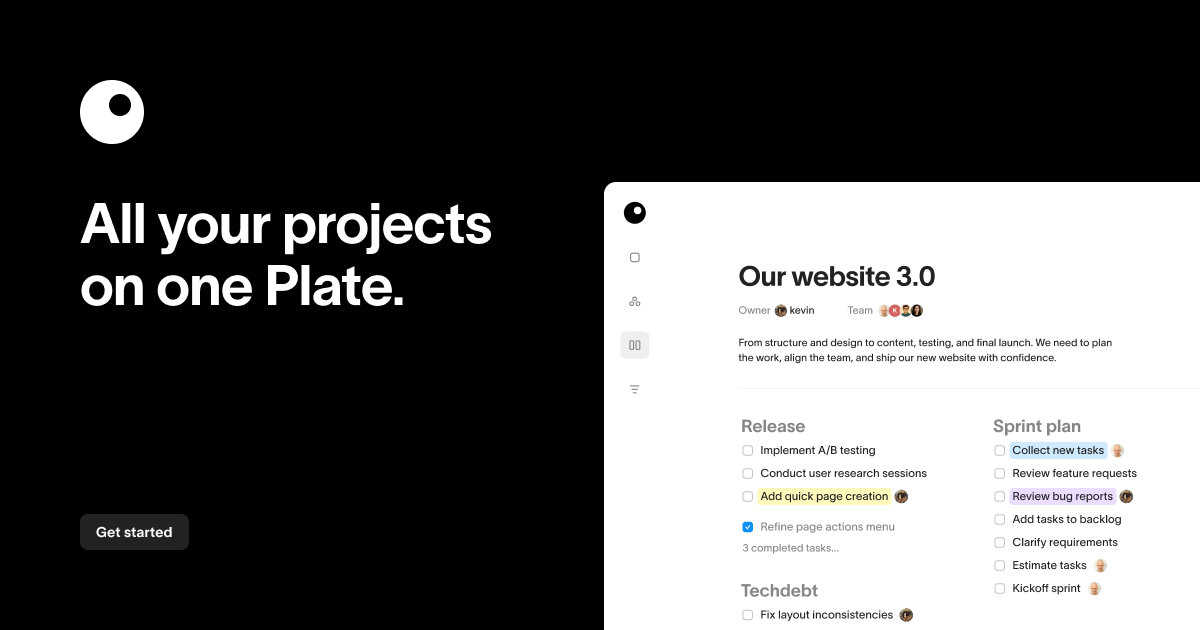
Plate is a task manager built around the idea that AI agents can work as members of a project team. Rather than keeping the agent in a separate chat tab, Plate places it inside the workspace so it can be assigned tasks, answer questions in comments, and return work directly in the project thread.
The product keeps its structure intentionally simple: workspaces, projects, and tasks. A project gives the agent its context and memory, so it sees that project's tasks, threads, and history without needing access to unrelated work. Plate also supports browser-based use, a free plan, a paid Pro plan, a REST API, webhooks, and an MCP server for connecting external tools.
Add an agent to a project so it can use that project's tasks, threads, and history as its context. The project itself serves as the agent's memory.
Assign work to the agent and it posts the result back into the project for human review. The source frames the agent as a teammate rather than a separate chat interface.
@mention the agent in a comment to ask questions or request output directly in the thread. Responses stay attached to the project conversation.
Use the same workspace in a browser without installing desktop software. The site positions Plate as a browser-based task manager.
Connect Claude, Cursor, Windsurf, and other MCP-compatible assistants to the workspace through the documented MCP server and API.
Receive real-time HTTP notifications for task.created, task.updated, and task.completed events through webhooks.
Assign an agent to a task when you want it to draft, summarize, or investigate something using the full project context, then review the result before a person ships it.
@mention the agent in a comment when a discussion needs an answer tied to the project history, such as whether something has been done before or what should happen next.
Use Plate as a straightforward task manager for personal planning or a small team when you do not want AI in every workflow.
Connect Plate to external tools or workflows with the REST API, webhooks, or MCP server so tasks can be read, written, or monitored from other systems.
Use the MCP server to connect supported AI assistants directly to your Plate workspace when you want them to work against the same project data.
Plate is a task manager where AI agents can work alongside people inside the same workspace. You can add an agent to a project, assign it a task, or @mention it in a comment to get work back in the project thread.
Plate is designed to keep work in one place. The source describes workspaces, projects, and tasks, with an AI agent that can read the project context and post results back where the team is already working.
Yes. The source says Plate can be used without AI as a clean, fast task manager, and it also works for both solo project planning and small-to-mid teams.
Yes. Plate offers a free plan, and the pricing page shows a paid Pro plan at $8 per member per month. The free plan includes limits on projects, tasks, and storage.
Plate runs in the browser. The site also documents a REST API, webhooks, and an MCP server for connecting external tools and AI assistants.

Biji - это универсальная платформа, разработанная для повышения продуктивности с помощью инновационных инструментов и функций.

Goldfish is an AI memory app for macOS that helps you reply, write, summarize, and continue using the context already on your Mac. It stores memory locally and writes in your tone.

ArtDeck is a visual reference board app for iPhone, iPad, and Mac that lets artists collect mixed reference material on one canvas and study it with ToolBox lenses. It works offline, supports optional iCloud sync, and is sold as a one-time purchase with no account required.

Redline is a budgeting tool for Claude Code that paces sessions to stay within time, token, cost, or plan-percentage limits. It uses Claude Code’s native hooks and statusline to help sessions finish with a usable result instead of stopping abruptly.

Claude Overlay is a Windows desktop overlay for Claude Code that reads your screen so you can ask questions, inspect content, and request edits without leaving the current app. It runs on your existing Claude subscription through the Claude CLI, so no separate API key is required.

SonOf connects to your repo and PM tool, audits the codebase and surrounding product context, and turns approved work into shipped tickets with senior engineering review. It is aimed at founders and engineering leaders who need backlog help without hiring a full team immediately.