
Hosted project and scratch-start workflows
Prism provides a project-based workspace where users can create a new document or begin with a hosted project instead of starting from a blank file every time.

Prism is a browser-based, AI-powered LaTeX editor for creating and managing projects online. The captured pages show sign-in access, hosted projects, scratch starts, and an import entry point, but do not confirm pricing or advanced workflow details.
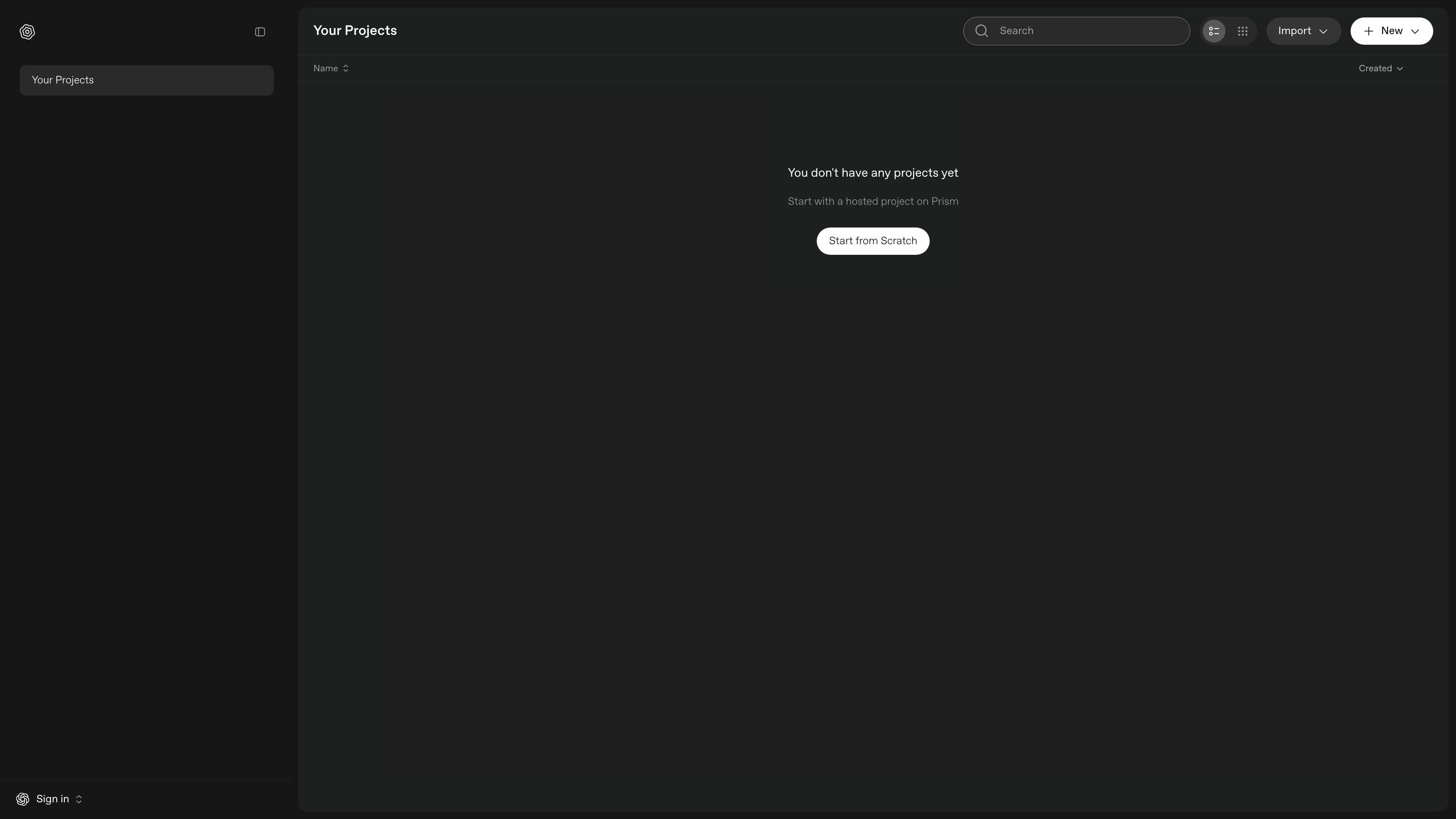
Prism is a browser-based LaTeX editor described on its site as an AI-powered LaTeX editor that runs in your browser. It centers on a project workflow rather than a single-file editor, with entry points for starting a hosted project, starting from scratch, or importing existing work.
The home page shows sign-in and sign-up access, a projects area, and a new-project flow, which suggests Prism is meant for managing LaTeX documents inside a web account. Based on the available source text, it is positioned for users who want to create and organize LaTeX projects online with AI assistance, but the specific editing, collaboration, and export features are not detailed on the captured pages.
Prism provides a project-based workspace where users can create a new document or begin with a hosted project instead of starting from a blank file every time.
The interface includes an import entry point, indicating support for bringing existing work into the editor, although the source does not specify which file types are accepted.
Users can sign in or sign up before working, which suggests account-based access to saved projects and the project list shown on the home page.
The home page shows a projects area with created items and a name/created listing, pointing to a project-centric way of organizing LaTeX work.
The product is explicitly described as running in the browser, so editing happens in a web interface without a separate desktop installation.
The product is described as AI-powered, indicating that AI assistance is part of the editing experience, though the source does not document the exact AI actions available.
Use Prism to begin a new LaTeX document in the browser, either as a hosted project or from a blank starting point.
Use the import entry point to move an existing LaTeX project into Prism and continue editing in the web app.
Sign in to keep projects organized in one account-backed workspace, with created projects shown in a list on the home page.
Use the browser-based editor when you want to work without installing a separate desktop application.
Prism is a browser-based LaTeX editor. The site describes it as an AI-powered LaTeX editor that runs in your browser, and the home page offers a hosted project flow as well as an option to start from scratch.
The home page shows options to sign in or sign up, create a new project, start with a hosted project, or import an existing project. Beyond that, the available source text does not spell out the exact import formats or editing workflow.
The source material confirms that Prism runs in the browser. It does not provide more detail about supported operating systems, desktop apps, or offline use.
The pricing page at the provided URL returns a 404 in the collected evidence, so the current pricing structure is not confirmed from the source material.
The collected page text does not describe collaboration features, export formats, or external integrations, so those details are not confirmed here.

Goldfish is an AI memory app for macOS that helps you reply, write, summarize, and continue using the context already on your Mac. It stores memory locally and writes in your tone.

ArtDeck is a visual reference board app for iPhone, iPad, and Mac that lets artists collect mixed reference material on one canvas and study it with ToolBox lenses. It works offline, supports optional iCloud sync, and is sold as a one-time purchase with no account required.

Biji - это универсальная платформа, разработанная для повышения продуктивности с помощью инновационных инструментов и функций.

Malyatko is a baby tracker for logging feeding, sleep, growth, teething, and milestones in one app. It works on iPhone, Apple Watch, and widgets, with no sign-up, offline use, and family sharing through iCloud.

Redline is a budgeting tool for Claude Code that paces sessions to stay within time, token, cost, or plan-percentage limits. It uses Claude Code’s native hooks and statusline to help sessions finish with a usable result instead of stopping abruptly.

Claude Overlay is a Windows desktop overlay for Claude Code that reads your screen so you can ask questions, inspect content, and request edits without leaving the current app. It runs on your existing Claude subscription through the Claude CLI, so no separate API key is required.