
Tool listings with summary pages
Browse a curated set of AI tools and open each listing to see a short overview, official website link, categories, and pricing note.

Public Prompts is a web-based AI tools directory for browsing verified tools by use case, pricing, and category. It helps users compare listings quickly and visit the official product site for details.
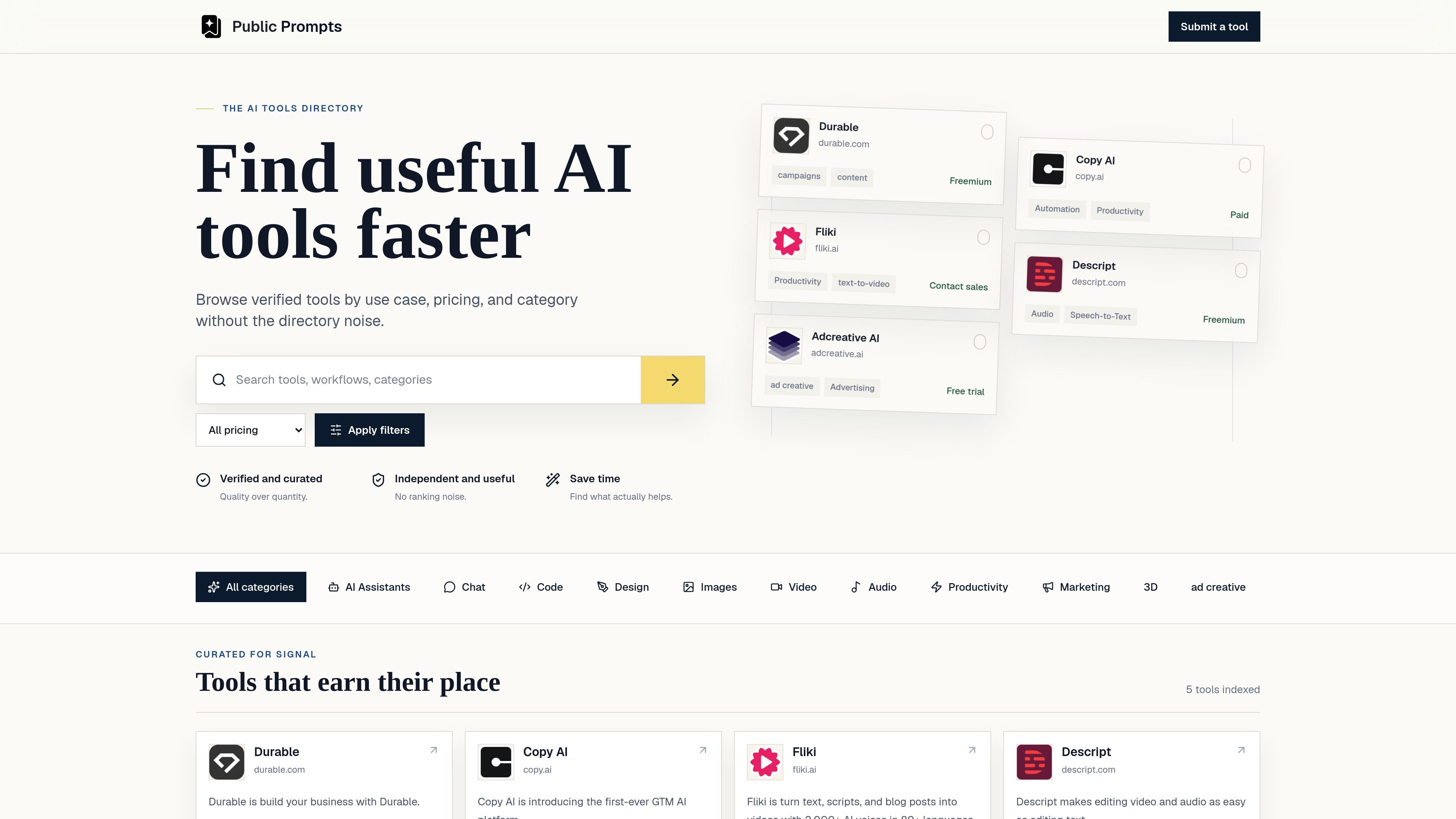
Public Prompts is an AI tools directory that helps people browse verified tools by use case, pricing, and category. Its homepage positions the product as a faster way to find useful AI tools without directory clutter or ranking noise.
The directory presents each tool with a short description, category tags, and a pricing note when available, plus a link to the official website. Individual listing pages expand that into an overview, website field, and pricing status such as freemium, paid, free trial, or contact sales.
Browse a curated set of AI tools and open each listing to see a short overview, official website link, categories, and pricing note.
Filter tools by pricing state such as free, freemium, paid, free trial, contact sales, or pricing unclear.
Search for tools directly from the home page to narrow down the directory faster.
Use category tags like productivity, advertising, speech-to-text, text-to-video, or marketing to compare tools by function.
Review a source-focused directory that emphasizes curated, verified listings rather than broad ranking noise.
Start with a use case or category, then use the site’s filters to narrow the directory before opening the relevant listing.
Compare tools by pricing state such as freemium, paid, free trial, or contact sales before visiting an official site.
Open a listing to get a concise summary and official website link for a specific AI product.
Use the directory as a shortlist builder when you want a curated set of tools instead of a broad search result page.
The directory lists verified AI tools by use case, pricing, and category. Tool pages also include a website link, a short overview, and pricing notes when available.
The site appears to focus on browsing and comparing tools rather than hosting the products themselves. Each listing points to the official website.
The source pages show pricing notes such as freemium, paid, free trial, or contact sales, but the pricing page itself is unavailable and no full plan details are published in the provided evidence.
You can browse the directory without extra setup. The source material does not show account requirements for viewing listings.

Edgee is an AI gateway for coding agents and LLM-powered apps. It compresses token traffic, routes requests across models, and provides observability and team controls to help reduce cost and keep sessions running.

Prompty Town is a web product that turns a link into a building in a small internet city. It appears to let users buy a tile, add a prompt, and publish the result alongside other buildings.

Creativly is a web-based AI creative studio for generating visual concepts, mockups, and stylized images from short inputs. It is aimed at designers, creators, and entrepreneurs who want fast visual ideation without writing long prompts.

AakarDev AI helps teams manage AI provider access, project-level setups, logs, and analytics from one dashboard. It supports BYOK workflows and lists providers including OpenAI, Google Gemini, Anthropic, Groq, Mistral AI, and Perplexity AI.

BookAI позволяет вам общаться с вашими книгами, просто предоставив название и автора.

Skills Janitor is a GitHub-hosted set of slash commands for auditing, tracking, and managing Claude Code and OpenAI Codex skills. It helps users find duplicates, broken links, and unused skills, then clean them up with self-contained commands.