
Style selection at project start
Choose Ultra-Realistic, Pixar, Manga, or 3D Clay at project creation, and the selected art direction carries through the project without prompt work.

Reloop’s Animation Studio generates AI video ads in Ultra-Realistic, Pixar, Manga, or 3D Clay styles with the visual direction locked in from project creation. It helps creators and marketers produce consistent videos without prompt-heavy art direction.
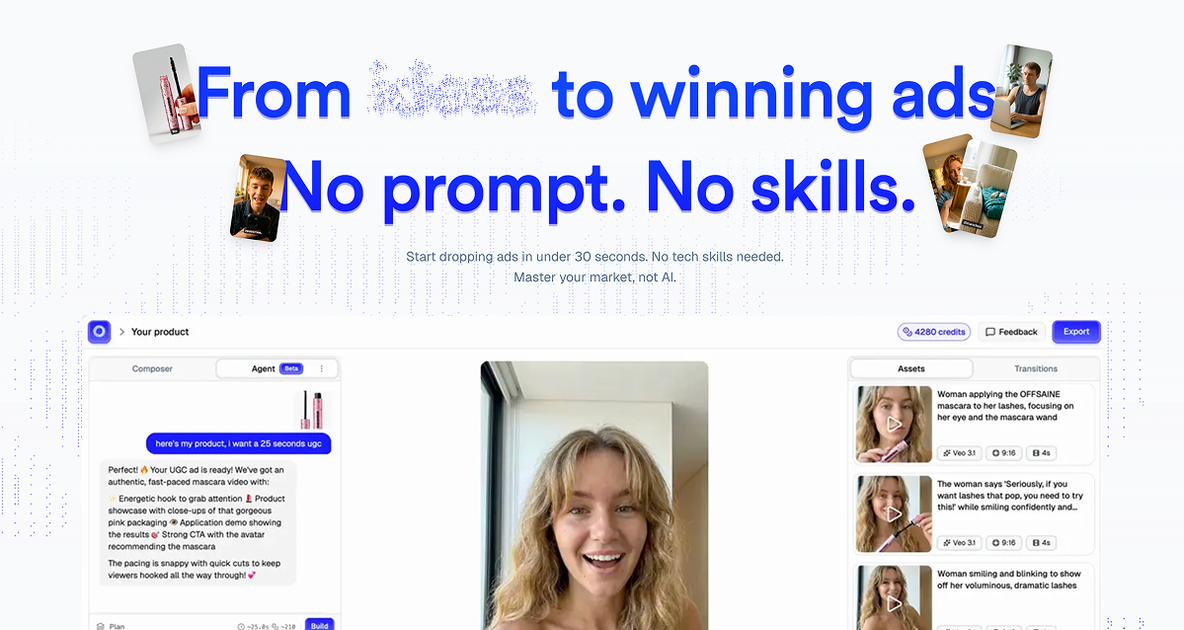
Reloop’s Animation Studio is an AI video creation workflow for producing ad-style videos in four visual universes: Ultra-Realistic, Pixar, Manga, and 3D Clay. The selected style is set once at project creation and then applied automatically across avatars, scenes, lighting, and b-roll.
The product is designed to reduce prompt writing and manual art-direction work. Instead of instructing the system scene by scene, you choose a visual style up front and generate consistent videos from script to export, with additional tools for captions, editing, and custom avatars available elsewhere in the Reloop platform.
Choose Ultra-Realistic, Pixar, Manga, or 3D Clay at project creation, and the selected art direction carries through the project without prompt work.
Avatars, scenes, lighting, and b-roll are generated to match the selected visual universe so the output stays aligned across the video.
The style stays locked across scenes and exports, which helps avoid drift and reduces the need for manual intervention while generating ads.
Ultra-Realistic mode supports stock b-roll, while the animated modes prioritize a fully coordinated look over live-action inserts.
The page presents AI tools alongside the studio, including auto captions, a creative agent, custom avatar and voice cloning, and a pixel-perfect editor for refining results.
The editor lets you fine-tune generated videos after creation, supporting frame-level adjustments rather than treating generation as the final step.
Produce ad creatives with a single art direction selected up front, then keep the same visual language across scenes without rewriting prompts for each shot.
Use Ultra-Realistic mode for SaaS, corporate content, testimonials, or podcast-style promos where a more photographic look is preferred.
Choose Pixar, Manga, or 3D Clay for campaigns that benefit from a more stylized look and stronger scroll-stopping presence.
Duplicate a project and swap the style to compare two visual approaches on the same script and hook.
Move from generation to refinement by adjusting the result in the built-in editor before export.
No. Reloop’s animation studio is set at the first step of project creation, and the platform says you never need to type prompts like “in Pixar style” or “in Manga style.”
The style is locked when the project is created to keep scenes consistent. If you want the same script in a different style, duplicate the project and choose another style for the copy.
Reloop disables stock b-roll in Pixar, Manga, and 3D Clay modes because photorealistic stock footage can break the visual identity. Ultra-Realistic mode keeps stock b-roll available.
Reloop says each style has its own dedicated prompt-builder, so a Pixar avatar is generated as a 3D character with proportions, lighting, and character design adapted for that universe rather than as a filter over a realistic avatar.
Ultra-Realistic is described as the safest pick for B2B SaaS, customer testimonials, corporate content, and podcasts. The page also notes that edu-tech and developer-tool brands have used Pixar successfully, while 3D Clay is positioned for premium fintech that wants editorial polish.

VIDEOAI.ME is an AI video generator for making spokesperson-style videos, ads, explainers, and social content from a script. It is aimed at founders, marketers, agencies, and creators who want to produce videos without filming.

Krev AI is an ecommerce platform with role-based AI employees for market research, creative production, ad planning, and social publishing. It is built for brands that want product and brand context carried through connected growth workflows.

Topview AI is a web-based AI video creation platform for social ads, ecommerce creatives, avatar videos, and short drama workflows. It combines channel-based templates, prompt-driven generation, reference uploads, and storyboard-based production tools.

Topple.lol is a public pay-to-rank leaderboard where listings start at $1 and their bid balance decays over time and with clicks. It helps makers and marketers buy short-term visibility for product sites or X profiles while tracking live board stats.

DANCING CATS App turns cat pictures into dancing kitty clips. The public homepage is sparse, so the core use case is clear while pricing, outputs, and feature depth remain undocumented.

Official HeyGen API documentation for building AI avatar videos, translations, lipsync, and interactive video-agent sessions. It supports direct API use plus MCP and CLI-style workflows for developers and AI agents.